What is AI motion transfer? How dance and meme videos copy a move onto you
By Peter Huang, AI video technology · Updated · 4 min read
the short version
Motion transfer takes the movement from one video, such as a dance, and applies it to a different person or character, often from a single photo. The AI tracks the source body's pose frame by frame and redraws your photo in each pose. Template dance looks skip the source clip: the move is built in, and you only add a photo.
AI Photo to Video
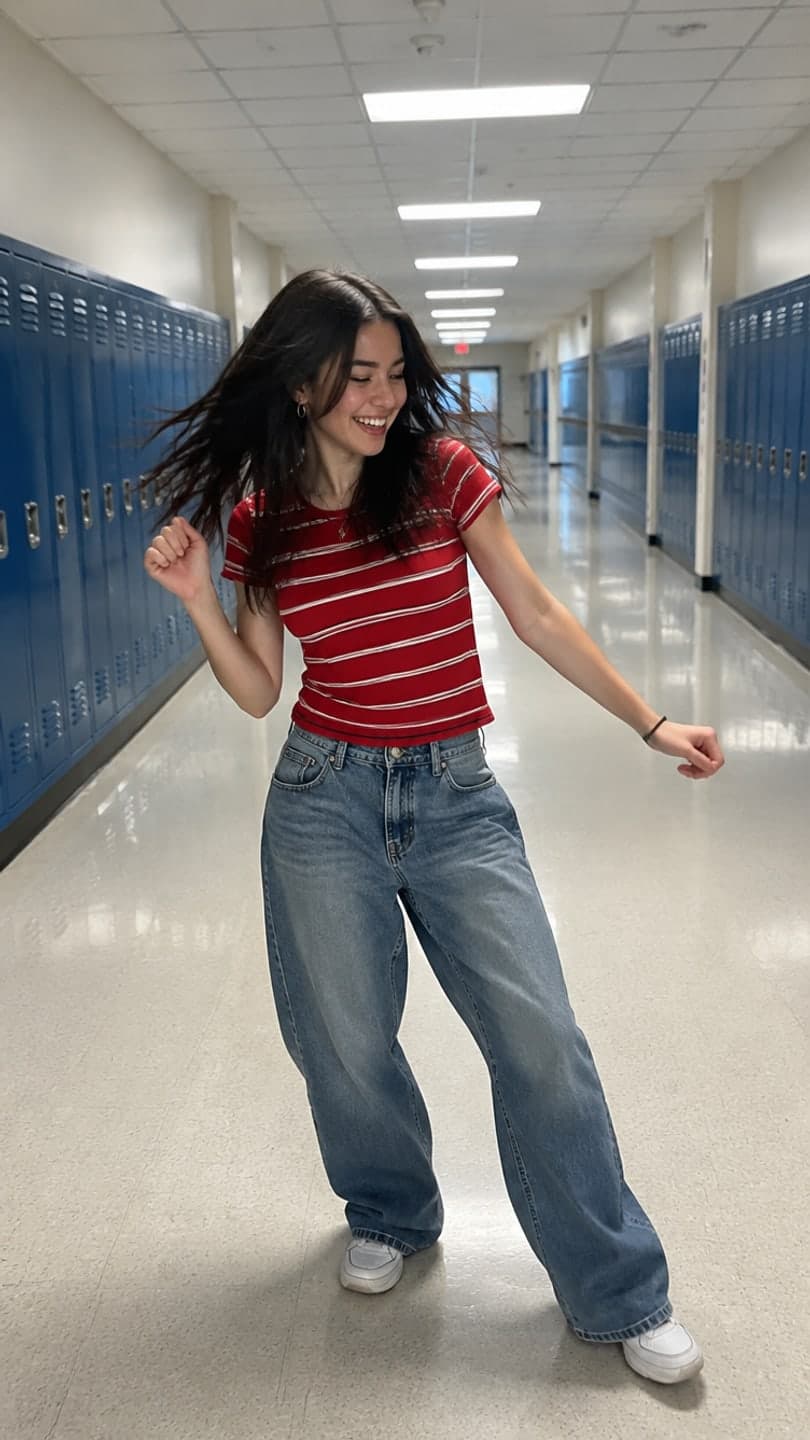 Hallway dance
1 Pick a look · optional
We put you into this example — everything else stays as it is — then it moves like the example, at no extra cost.
Failed renders refund credits
How does motion transfer work?
Step 1
Read the moves
The AI analyses a source video and extracts the pose in every frame: where the head, shoulders, elbows, hips, knees and feet are, like a stick figure.
Step 2
Learn your look
It studies your photo to understand your face, body shape, hair and clothes.
Step 3
Redraw you in each pose
For every frame, it generates an image of you in that stick figure's position, inventing the parts of you the photo doesn't show, such as your back or the side of your shoes.
Step 4
Smooth the result
The frames are made consistent with each other, so the motion flows instead of flickering.
The key idea is that motion and appearance are separated. The dancer provides the movement; you provide the look. That's why one viral routine can be performed by thousands of different people, pets and cartoon characters within days.
How is that different from a dance template?
Motion transfer needs two inputs: a motion clip and your photo. A dance template needs only your photo, because the movement is already built into the look as a tested description of the routine and the scene. You lose the ability to copy an exact choreography from any video, but you gain simplicity and usually a cleaner first result.
Dromana's dance looks work as templates. The hallway dance, office dance or street dance each take one photo and make a vertical clip of you dancing, with no reference video. Our guide to an AI dance video from a photo shows the steps.
Try this look on your own photo.
Make it with my photoWhat photo works best?
- Full body, head to feet, so the AI doesn't have to invent your legs.
- Arms away from the body, so it can see where your hands and sleeves are.
- Facing the camera, standing straight, in even light.
- Plain, uncluttered background with one person only.
- Fitted clothing; long coats and flowing dresses are harder to move convincingly.
Why do motion transfer videos glitch?
Because the AI has to guess what your photo doesn't show. When the source dancer spins, it has to invent your back. When their hands pass in front of their face, it has to work out which is in front. When the source moves fast, the pose tracking can miss a frame, and the result jumps.
- Spins and turns: your back and profile are invented, so faces can change.
- Hands: fingers merge or multiply when they move quickly or cross.
- Clothing: skirts and jackets may stretch or stick to the body.
- Camera moves in the source: the background may warp along with the dancer.
Simpler, front-facing routines with the whole body in frame give the cleanest results. For the general version of these problems, our guide to how AI turns a photo into a video explains why every frame is a prediction.
Is it OK to use someone else's dance or face?
Copying a popular routine is how dance trends work, and platforms expect it. Using a person's face is different: only use photos of yourself or of people who agreed. A friend might love a surprise birthday dance; a stranger or a celebrity didn't sign up for it, and making someone appear to do something they didn't is against the rules of most apps, including our safety rules.
If you're posting a dance that's clearly AI-made and stylised, labelling is often optional; for realistic clips, follow each platform's rules on AI content.
How do you make your first AI dance video?
Take a full-length photo with your arms free, then pick a dance look in AI Video. New accounts get two 5-second videos free, enough to try two routines. For more ideas, see our list of the best AI dance video apps and the formats on trending now.
Add the trending sound when you post and keep the clip short; dance clips that loop cleanly tend to be watched more than once.
Questions people ask
What is AI motion transfer?
A technique that copies the movement from one video, like a dance, onto a different person or character, usually from a single photo.
Do I need a video to make an AI dance clip?
Not with a template. Dance looks have the move built in, so you only add a photo. Motion transfer tools need a source clip.
Why does my face change when I spin?
The AI has to invent your back and profile from a front-facing photo, so details can drift during turns.
What photo should I use for an AI dance video?
A full-length, front-facing photo with arms away from the body, even light and a plain background.
Can I make my pet dance?
Often, yes, especially with a clear full-body photo. Results vary more than with people, because pets' bodies move differently.
Is it free to try?
On Dromana, new accounts get two 5-second videos free, with no card needed.
Effects from this guide

Keep reading
 AI dance video from one photo: how to make yourself dance (and keep your face)4 min read
 Best AI dance video apps in 2026: make anyone dance from a photo5 min read
 How does AI turn a photo into a video? A plain-English explanation4 min read
 What photos work best for AI video? The pre-upload checklist4 min read
 Viral AI video effects explained: bullet time, rides, snow globes and more6 min read
Ready to make yours?
Add one photo and get the look from this guide.