What photos work best for AI video? The pre-upload checklist
By Claire Ye, Editor-in-chief, AI imaging · Updated · 4 min read
the short version
Photos animate best when they are sharp, evenly lit, and have the main subject fully in frame with a little space around it. One or two clearly visible faces, simple backgrounds and natural poses give the most stable motion. Avoid heavy filters, tiny faces, cropped heads and hands, and cluttered scenes.
AI Photo to Video
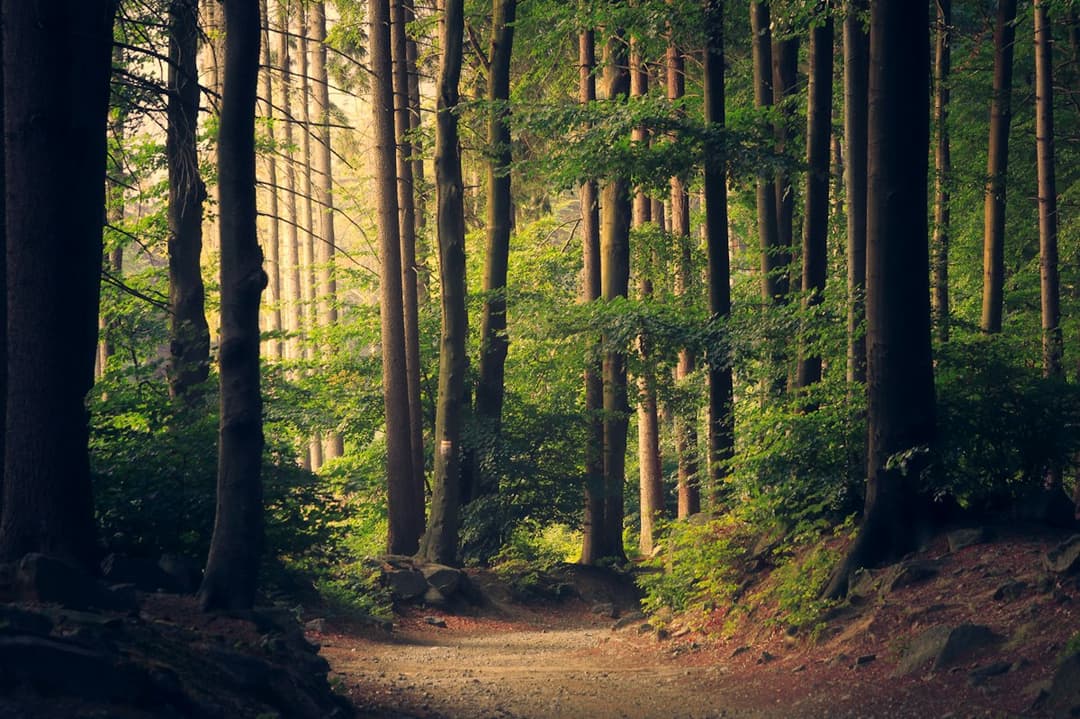 Trees breathing
1 Pick a look · optional
Describe what happens, in your own words. To change outfit or place, pick a look or switch on New outfit or scene.
Failed renders refund credits
Why the photo matters more than the prompt
AI video builds motion from what it can see. Every blurry edge, crushed shadow or cropped limb is something it has to guess about, and guesses are where weird hands and melting backgrounds come from. A great photo with no prompt usually beats a mediocre photo with a perfect prompt.
Run through this checklist before you upload and you will waste far fewer credits.
1. Sharp, not soft
Zoom in on the eyes. If they are crisp, you're good. Motion blur, missed focus and heavy compression from screenshots or messaging apps all get more obvious once things start moving.
- Use the original file from your camera roll, not a screenshot or a photo saved from a chat.
- Avoid photos taken in very low light, where phones smear detail.
- Skip beauty filters that smooth skin into plastic; the AI needs texture.
Try this look on your own photo.
Make it with my photo2. Even, readable light
Soft daylight, open shade and overcast skies are ideal. Hard midday sun is fine if the face isn't half in shadow. Strong backlight that turns you into a silhouette gives the AI almost nothing to animate. Night photos work when there is a clear light on the subject, like a flash or a neon sign.
3. Leave room to move
This is the one most people miss. If your head touches the top of the frame or your hands are cut off at the edge, any movement pushes important parts out of view and the AI has to invent them. Give the subject a bit of breathing room on every side.
- Portraits: keep the top of the head and both shoulders in frame.
- Fit pics: include your shoes. Seriously.
- Hands: either fully in frame or fully out, not half-cropped.
4. Faces the AI can read
Faces looking roughly toward the camera animate most faithfully. Extreme profiles, faces covered by hair or hands, and big sunglasses can all make expressions harder to keep consistent. The face should take up a reasonable part of the image too; a person who is a tiny figure in a wide shot is really a landscape photo.
One person is the most reliable. Two works well for couples and best friends. Bigger groups are possible but less predictable, so crop in if you care about a specific face.
5. Simple backgrounds win
Busy patterns, crowds, fences and lots of small text in the background can shimmer or warp when the scene moves. A plain wall, sky, beach, street at dusk or out-of-focus background keeps the attention on the motion you actually want.
6. For landscapes, include something that can move
A landscape needs moving parts: sky, water, trees, grass, mist, lights. A photo of a brick wall has nothing to animate. Wide shots with a big sky or water in the frame give the most satisfying results. See the animate landscape photos effect for examples.
Quick checklist
- Original file, sharp eyes, no heavy filter.
- Soft or clear light on the subject.
- Head, shoulders, hands and shoes not cropped.
- Face mostly toward the camera, one or two people.
- Simple background.
- A photo in the shape you'll post: vertical for 9:16 clips, wide for 16:9. Either way, keep the subject near the center.
- JPG, PNG or WebP under 8 MB.
Ready? Upload it to AI Video and pick a look, or borrow a line from our image-to-video prompts. If you want to restyle the photo before animating it, our selfie tips for AI portraits cover the image side.
Questions people ask
What resolution should my photo be for AI video?
Anything from a modern phone camera is plenty. Use the original file rather than a screenshot, and keep it under 8 MB as a JPG, PNG or WebP.
Why do hands look weird in AI videos?
Hands that are cropped, blurry or overlapping are hard to animate. Keep them fully in frame or out of the shot, and avoid prompts with complicated hand movements.
Can I use a photo with more than one person?
Yes. One or two people are the most reliable. For groups, crop in on the faces that matter most.
Do filtered photos work?
Light color filters are fine. Heavy beauty filters remove skin texture and can make motion look artificial.
Are AI Video clips vertical?
You choose: vertical 9:16 for TikTok, Reels and Shorts, or horizontal 16:9 for YouTube and websites. The photo is cropped from its center, so a photo already in that shape keeps the most of your shot.
Effects from this guide
 Make a photo moveUpload one photo, get a 5-second video in a minute or two: a smile, a head turn, wind in the trees, waves rolling in. Works on portraits and landscapes, free to try.
 Animate landscape photosBring a landscape photo to life: drifting clouds, rolling waves, mist, wind in the trees or a flickering fire, with the camera still or gliding. Vertical or horizontal.
Keep reading
 How to make a photo move: 4 ways, ranked4 min read
 40 image-to-video prompts that actually work4 min read
 How to take a selfie AI tools love: 12 tips4 min read
 Viral AI video effects explained: bullet time, rides, snow globes and more6 min read
 AI photo to video: the questions people actually ask, answered6 min read
Ready to make yours?
Add one photo and get the look from this guide.