Halloween costume ideas you can try on a selfie first
By Sophia Miller, Fashion and aesthetics editor · Updated · 5 min read
the short version
You can preview a Halloween costume on your own selfie before buying anything: upload a clear waist-up photo to an AI image tool, describe the costume, makeup, setting and light in one sentence, and generate a few versions. It's a quick way to compare ideas and choose colors, though it can't show exact fit, sizing or fabric.
AI Photo to Video
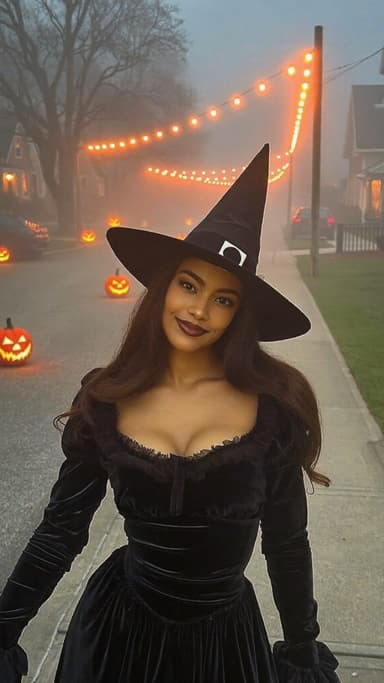
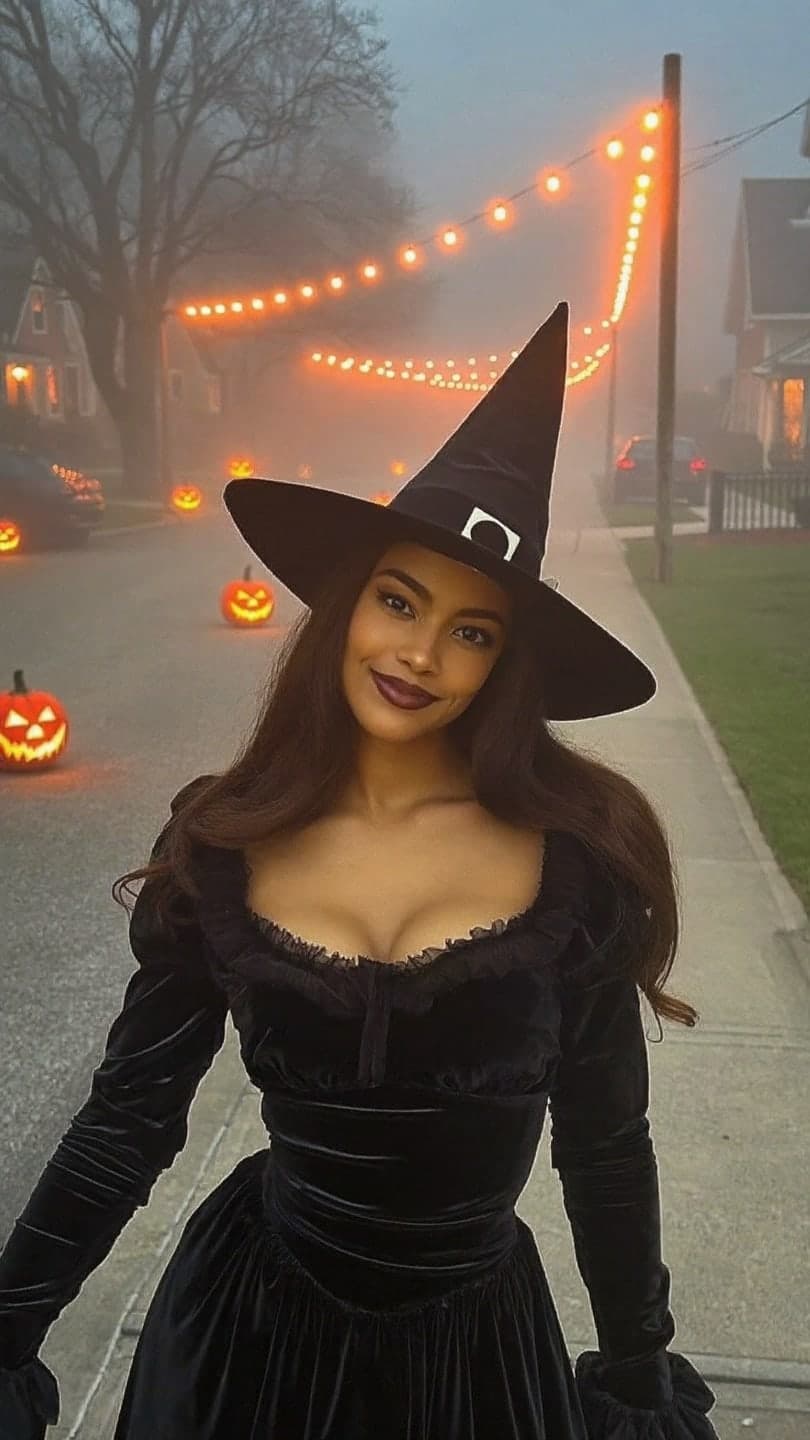 Halloween witch
1 Pick a look · optional
We put you into this example — everything else stays as it is — then it moves like the example, at no extra cost.
Failed renders refund credits
Why test a costume on a selfie
Halloween costumes are an annoying mix of expensive, last-minute and hard to picture. You scroll a hundred ideas, order one, and it arrives looking nothing like you imagined. Trying the look on your own face first answers the real question fast: does this suit me, or am I just into the idea?
Want the finished shot without writing a prompt? Two ready-made looks do it from one selfie: the Halloween witch (velvet dress, wide-brim hat, foggy jack-o'-lantern street) and the vampire night (high-collar cape, candlelit gothic room). Each one turns your photo into a short video, so you can see the costume move before you buy it.
An AI preview won't tell you whether the dress fits or the wig is itchy. It will show you which character, color and makeup direction works with your face, which is usually the hard part of deciding.
How to preview a costume in 3 minutes
Step 1
Take the right selfie
Waist-up, facing the camera, soft light, no filter. Our selfie tips for AI photos explain why this matters.
Step 2
Open AI Image
Upload the photo to AI Image and choose a vertical 9:16 frame for stories.
Step 3
Describe the costume like a stylist
Costume pieces, makeup, setting and light in one sentence. Keep "same face" in the prompt.
Step 4
Generate two or three ideas
Each image uses 10 credits. Compare them side by side before you spend money on the real thing.
Try this look on your own photo.
Make it with my photoClassic spooky costume prompts
- Vampire: "high-collar black velvet cape, dark red lips, pale skin, candlelit castle hallway, dramatic shadows".
- Witch: "black lace dress, wide-brim pointed hat, silver rings, misty forest at dusk, green rim light".
- Ghost bride: "torn vintage lace wedding dress, faded veil, pale makeup, abandoned ballroom, cold blue light".
- Zombie prom queen: "sequin prom dress with dirt and tears, smudged mascara, crooked tiara, school gym with fog".
- Skeleton glam: "skeleton face paint, black tuxedo, flower crown, night street, orange lanterns".
- Classic ghost: "white sheet ghost with cut-out eyes, round sunglasses, sitting on a sofa, flash photo".
Retro and era costumes
Era costumes are easy to pull together from a closet and thrift store, and they photograph brilliantly. Pair these with the 80s photo filter or the Y2K photo filter for a more authentic grade.
- 2000s pop star: "baby pink velour tracksuit, rhinestone belt, frosted lip gloss, butterfly clips, flash photo".
- 80s aerobics instructor: "neon leotard, leg warmers, sweatband, big teased hair, bright gym".
- 70s disco: "sequin jumpsuit, platform boots, feathered hair, mirror ball light".
- 50s greaser: "black leather jacket, white tee, slicked hair, diner booth, neon sign".
- 90s grunge: "oversized flannel, band tee, choker, dark lipstick, garage with string lights".
Aesthetic costume ideas
- Fairy grunge: "torn tulle skirt, moss-green corset top, glitter freckles, forest at golden hour".
- Dark academia ghost: "vintage wool blazer, pale makeup, candle in hand, old library at night".
- Cyber angel: "silver metallic top, white feather wings, chrome makeup, blue neon backdrop".
- Old money vampire: "cream cashmere coat, pearl necklace, dark red lips, stone mansion steps at dusk".
- Cowboy ghost: "white fringe jacket, pale cowboy hat, desert road at night, headlights behind".
If the quiet-luxury version appeals, our guide to old money aesthetic photos has styling tips that translate straight into a costume.
Group and couple costume ideas
- Decades squad: everyone picks a different era from the list above.
- Tarot cards: each friend is a card, with gold frames drawn on cardboard.
- Classic monsters: vampire, werewolf, mummy and ghost.
- Weather forecast: sun, storm cloud, rainbow and lightning bolt.
- Couple ideas: salt and pepper, vampire and victim, ghost and ghost hunter.
What AI previews can and can't tell you
- Good for: choosing a character, testing colors against your skin tone and hair, planning makeup direction and picking a setting for photos.
- Not good for: exact fit, sizing, fabric quality, or how a specific store's costume will look.
- Details like tiny prints, logos or precise face-paint patterns may come out differently from what you describe.
Use the preview to decide, then buy or build the costume and take real photos. If you post the AI version, label it; our guide to labeling AI content explains when it's required.
Turn your costume into a clip
A costume reveal is perfect short-form content. Take your favourite preview or your real costume photo into AI Video and try "cape swirls, turns slowly to camera, candles flicker" for a 5-second vertical clip. Pair it with a regular photo of you in everyday clothes for a before-and-after, and see our Halloween photoshoot ideas for lighting and captions.
Questions people ask
Can AI show me in a Halloween costume?
Yes. Upload a clear selfie to an AI image tool and describe the costume, makeup, setting and light. It restyles the photo while keeping your face.
What should I write in a costume prompt?
Costume pieces with colors and fabrics, makeup, a setting and the light, for example "witch costume, black velvet dress, smoky eyes, misty forest at dusk, same face".
Is it free to try a costume on my selfie?
New accounts get 140 free credits, and the included engine costs 10 credits an image, so you can try several costumes for free.
Will the AI costume look exactly like the one I buy?
No. It previews the style, colors and character, not the exact fit or fabric of a specific costume.
Can I try costumes on my friends' photos?
Only with their permission. Ask first, and never use someone's face to embarrass or impersonate them.
Effects from this guide
 80s photo filterStep into the 1980s: neon light, polka dots, big shades and leather. Turn one selfie into a retro 80s portrait that keeps your face.
 Y2K photo filterTurn a selfie into an early-2000s flash photo: glossy skin, tracksuits, butterfly clips and candy color. Same face, new era. Free to try, works in your browser.
Keep reading
 Halloween photoshoot ideas: 30 looks from cute to creepy5 min read
 How to take a selfie AI tools love: 12 tips4 min read
 AI photoshoot from one selfie: pics that don't look fake4 min read
 Best AI Halloween video apps in 2026: costumes, scares and spooky effects4 min read
 Halloween TikTok trends 2026: what's blowing up and how to make each one9 min read
Ready to make yours?
Add one photo and get the look from this guide.