Product video from one photo: short ads for TikTok Shop, Reels and your store
By Noah Reynolds, Media and brand content · Updated · 4 min read
the short version
You can make a short product video from a single photo by placing the product in a moving ad scene, such as falling droplets, a slow-motion burst or a creator holding it to the camera, and keeping the label exactly as it is. Start with one clear front-on photo, pick a scene that shows texture or use, keep the clip vertical and five to ten seconds, and add your hook as on-screen text.
AI Photo to Video
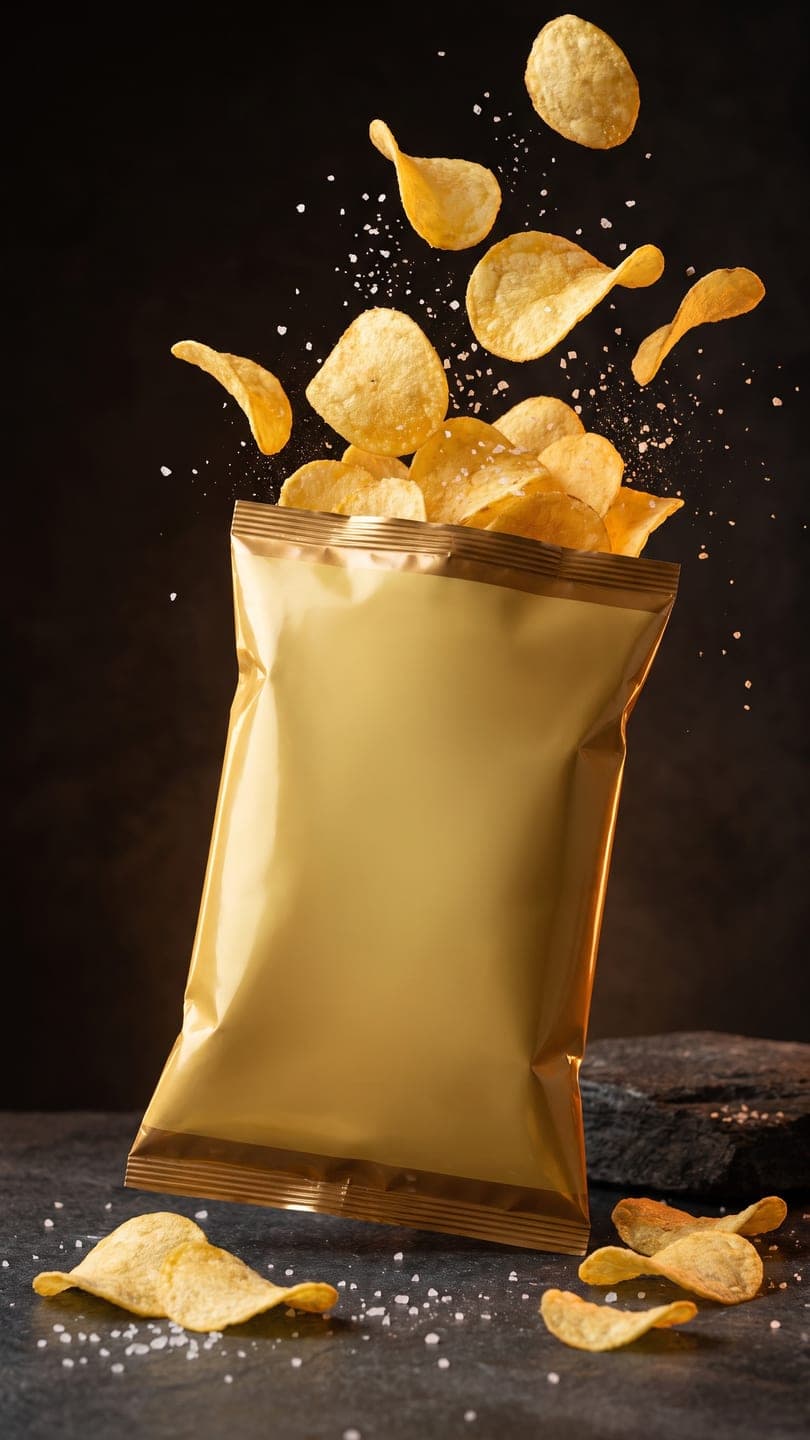 Snack burst ad
1 Pick a look · optional
We put your product into this example — everything else stays as it is — then it moves like the example, at no extra cost.
Failed renders refund credits
Why small sellers need short product video
Social shops and feeds favour video: a still product photo competes with clips that move, autoplay and loop. Most small brands don't have time for a shoot for every product, colourway or season. A short clip made from the photo you already have closes that gap.
More product looks: floating sneaker for shoes and accessories, watch on wet rock, water ripple for skincare, sunlit hanger for clothing, bakery box for food and holiday ornaments for gift-guide season.
Ready-made product looks you can start from: cozy candle, jewelry on velvet, morning pour for mugs and drinkware, gift unboxing for the holiday season and beauty swatch for cosmetics. Each keeps your product's shape, label and color.
- TikTok Shop and Instagram show video first in the feed.
- A moving first slide gets more taps on a carousel than a still.
- Ads with motion in the first second hold attention longer.
- One clip can serve a listing, a social post, a Story and an email.
Start with the right photo
The clip can only keep what the photo shows, so the photo matters more than the scene you choose.
Step 1
Front-on, label facing you
Angled labels come back angled. Straight on keeps text readable.
Step 2
Whole product in frame
Don't crop caps, handles or edges; they have to be invented if they're missing.
Step 3
Plain background, soft light
A window to one side, a sheet of white card behind. No harsh glare on glass.
Step 4
One product per photo
Sets and bundles are clearer as separate clips.
Try this look on your own photo.
Make it with my photoScenes that work by product type
- Haircare and bath: water droplets and a ribbon of cream on glossy white.
- Skincare: a jar on ice with bubbles, or a creator tapping serum onto a cheek.
- Snacks and drinks: a slow-motion burst of the contents on dark stone.
- Fragrance: a bottle on a stone plinth with splashing water at night.
- Bags and accessories: floating between sunlit walls with sharp shadows.
- Sneakers and apparel: worn on a city bench in a casual creator shot.
Ready-made versions of several of these are on the product photo to video page. You pick the scene, upload your product photo, and the scene is rebuilt around your product with the label kept as it is. If none fits, open AI Video and describe your own scene and motion.
Make the first second count
On TikTok Shop and Reels the first second decides whether someone keeps watching. Clips come back silent, so the hook goes on as text and the sound comes from your editor.
- Lead with the product already in motion, never an empty frame.
- Add a short hook as text: "the one that sold out", "3 scents, which one?", "restocked".
- Put the price or offer on screen in the last two seconds.
- Choose a trending sound inside the app; it helps reach more than a polished edit.
- Make two or three scenes for the same product and keep the one that performs.
Keep it honest
A clip that shows a different colour, size or finish from what arrives leads to returns and bad reviews. Keep the product exactly as it is and let the scene do the selling.
- Don't let the scene suggest a bigger size or a different shade.
- Label AI-generated ads where the platform asks you to; our guide to labeling AI content covers when it applies.
- Check each platform's ad and listing rules before running a clip as a paid ad.
Selling on Etsy too? The silent five-second format fits a listing video; see how to make an Etsy listing video.
Questions people ask
Can I make a product video from just one photo?
Yes. Place the product from one clear photo into a moving ad scene, such as droplets, a slow-motion burst or a creator holding it, with AI that keeps the label, shape and colours, and you get a short vertical clip.
What photo works best for an AI product video?
One product, front-on with the label facing the camera, filling most of the frame on a plain background in soft light, with no parts cropped off.
How long should a TikTok Shop product video be?
Short clips of 5 to 15 seconds work well for product hooks and first slides; the product should be moving in the first second, with any hook or price added as on-screen text.
Will AI change my packaging?
A good product video tool is instructed to keep the product as it is in your photo. Check every clip before posting; very small print can soften, so keep the product large in the frame.
Is it free to try?
New accounts get 70 free credits with no card, enough to try a product clip. Free clips carry a small dromana.app badge and are for personal use; clips made on a paid plan or with bought credits can go in your shop and ads.
Effects from this guide
 Product photo to videoTurn one product photo into a short ad clip: splashes, slow-motion bursts, ice and creator-style reviews, with your label kept as it is. 70 free credits to start.
 Animate food and drink photosBring a food or drink photo to life: steam rising from coffee, a pour into the cup, a cheese pull or a sizzle, with the plate and table held still. For menus and posts.
 Make a photo moveUpload one photo, get a 5-second video in a minute or two: a smile, a head turn, wind in the trees, waves rolling in. Works on portraits and landscapes, free to try.
Keep reading
 How to make an Etsy listing video from your product photos4 min read
 40 image-to-video prompts that actually work4 min read
 Do you have to label AI pics and videos on TikTok, Instagram and YouTube?4 min read
 Best AI product video tools for small sellers in 20264 min read
- TikTok Shop holiday videos: product video ideas from Black Friday to Christmas5 min read
Ready to make yours?
Add one photo and get the look from this guide.