Best AI dance video apps in 2026: make anyone dance from a photo
By Sebastian Ward, Reviews and comparisons editor · Updated · 4 min read
the short version
AI dance apps work in two ways. Motion-copy apps like Viggle and DomoAI take a dance from a template video and map it onto the person in your photo, which is best for exact meme choreography. Scene apps like Dromana recreate a realistic dance trend with you in it, which is best for looking like yourself. Higgsfield and Pika add dance-style presets and effects.
AI Photo to Video
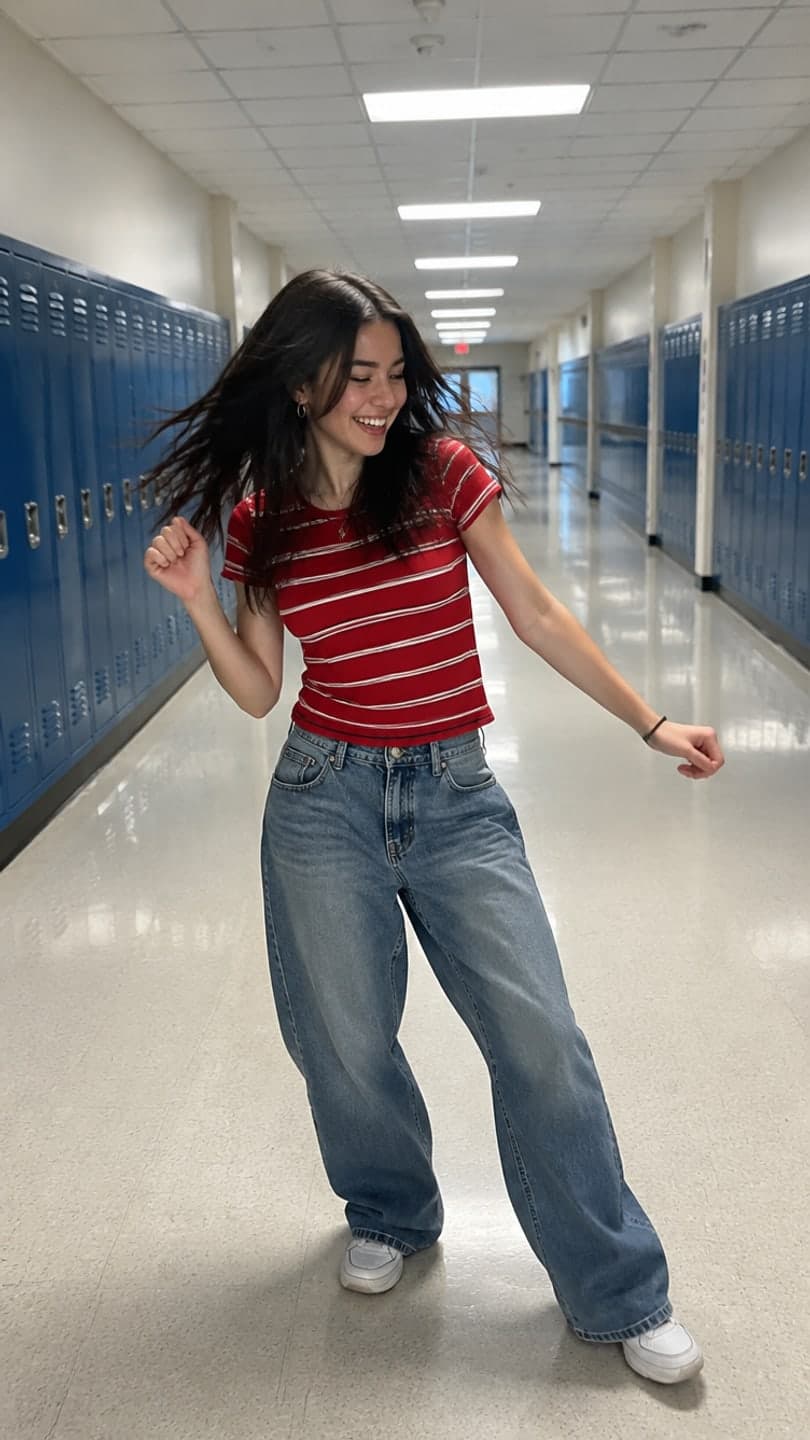 Hallway dance
1 Pick a look · optional
We put you into this example — everything else stays as it is — then it moves like the example, at no extra cost.
Failed renders refund credits
How do AI dance video apps work?
There are two different technologies behind "make my photo dance", and knowing which one an app uses tells you what to expect. Motion-copy apps take the movement from a reference dance video and transfer it onto the person in your photo, step by step. You get the exact choreography, often with a slightly animated or stylized look. Scene apps instead generate a new clip of you dancing in a setting, guided by a description or a template; you get realistic lighting and your own face and outfit, with dance energy rather than a specific routine.
- Exact steps from a famous dance or meme: use a motion-copy app.
- Looking like yourself in a realistic trend clip: use a scene app.
- Group dances with friends: check that the app supports several people in one photo.
Disclosure: Dromana is our product, and it's a scene app. We've included motion-copy apps too, because for some dances they're the better tool.
Which AI dance video apps are the best?
- Viggle: the best-known motion-copy app, behind many viral meme dances. Pick a dance template or upload one, add your photo.
- DomoAI: motion transfer and video restyling, popular for anime and stylized dance edits.
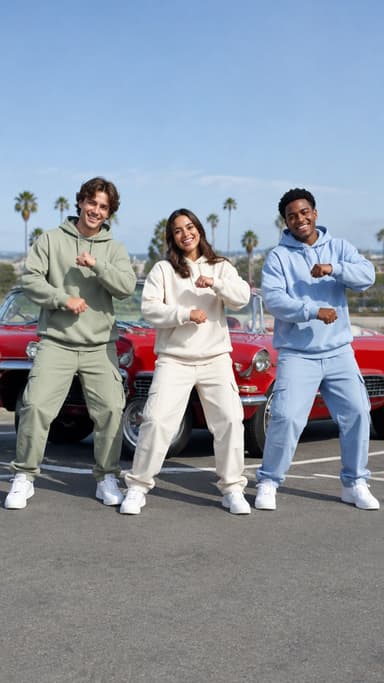
- Dromana: realistic dance trend looks from one photo, like a school hallway routine, a three-friend synchronized dance or an office happy dance.
- Higgsfield: dance-style presets and dynamic camera moves within its large preset library.
- Pika: quick, playful dance and movement effects for memes.
- Hedra: not dance, but singing characters lip-synced to a song, often used alongside dance clips.
Try this look on your own photo.
Make it with my photoWhich app is best for realistic dance trends?
If you want a dance clip that looks like a real phone video of you, a scene app is the better choice. Dromana's dance looks are filmed the way the trends are filmed and keep your face and outfit from the photo: the hallway dance (solo routine by the lockers), the trio dance (three friends in unison), the office happy dance, the street dance and the boy band dance. For the holidays there's the elf workshop dance.
- A look video uses 70 credits; new accounts get 70 free credits with no card.
- Clips are silent, so you add the trending dance sound in TikTok.
- You get the trend's energy and framing, not the exact steps of a specific song.
Which app copies a specific dance exactly?
For the exact moves of a known dance, use a motion-copy app such as Viggle or DomoAI. They follow the reference movement closely, which is what makes meme dances recognizable. Expect some trade-offs: the character can look stylized, hands and feet sometimes blur on fast moves, and the background is often simplified. Only use dance videos you have the right to use as a reference, and avoid uploading other people's clips without permission.
What photo works best for an AI dance video?
- Full body, head to toe in frame, with a little space around you.
- Standing straight, facing the camera, arms slightly away from your body.
- Even light and a plain background so the outline is clear.
- Fitted or simple clothes; long flowing dresses and bags can confuse the motion.
- For group dances, everyone's face clearly visible and nobody cut off.
More detail in our AI dance video from a photo guide and our best photos for AI video.
How do I post an AI dance video on TikTok?
Step 1
Pick the trend first
Find the dance and its sound on TikTok so you know the format.
Step 2
Make the clip
Use a motion-copy app for exact steps or a scene look for a realistic version.
Step 3
Add the original sound
Use the trend's sound inside TikTok so your video joins the trend.
Step 4
Hook in the first second
Start mid-move, not standing still.
Step 5
Label it
Turn on TikTok's AI-generated label for realistic AI clips.
Our guide to the best AI video apps for TikTok covers the rest of the toolkit.
Which AI dance app should I choose?
- Exact meme choreography: Viggle.
- Anime or stylized dance edits: DomoAI.
- A realistic dance trend where you look like yourself: Dromana.
- Dance-style presets alongside lots of other effects: Higgsfield.
- A quick silly movement effect: Pika.
Want to try one now? Start with a dance look on the looks page or describe your own dance in AI Video.
Questions people ask
What is the best AI dance video app?
For exact meme moves, Viggle; for stylized edits, DomoAI; for a realistic trend dance where you look like yourself, Dromana.
Can AI make my photo dance?
Yes. Upload a full-body photo to a dance app or look and you get a short clip of the person dancing.
Can AI copy a specific TikTok dance?
Motion-copy apps like Viggle follow a reference dance closely. Scene apps give dance energy but not exact steps.
Which photo should I upload to a dance app?
A full-body photo, facing the camera, arms slightly away from your body, in even light with a plain background.
Is there a free AI dance video app?
Most have free tiers. Dromana gives 70 free credits on sign-up, enough for one dance look video.
Can I make a group dance with AI?
Yes. Use a group photo with everyone's face visible, such as with Dromana's trio dance look.
Effects from this guide
 Make a photo moveUpload one photo, get a 5-second video in a minute or two: a smile, a head turn, wind in the trees, waves rolling in. Works on portraits and landscapes, free to try.
 Outfit video from a photoTurn one outfit photo into a 5-second fit check video: a turn, a walk, fabric moving. No tripod, no filming. 70 free credits to start.
Keep reading
 AI dance video from one photo: how to make yourself dance (and keep your face)4 min read
 Best AI video apps for TikTok and Reels creators in 20264 min read
 Pika alternatives: 7 AI video tools for effects, trends and memes4 min read
 Viggle alternatives: 6 AI apps for dance and motion videos4 min read
 Best AI apps for group photos and videos with friends4 min read
Ready to make yours?
Add one photo and get the look from this guide.