How to put yourself in a TikTok trend with AI, from one photo
By Liam Walker, Social media and creator strategy · Updated · 6 min read
the short version
To put yourself in a TikTok trend with AI, pick a trend template that already has the scene, outfit and moves, upload one clear front-facing photo of yourself, and generate a 5-second vertical clip. Then add the trending sound inside TikTok so the music stays licensed, line the first beat up with the first movement, and switch on the AI-generated label before you post.
AI Photo to Video
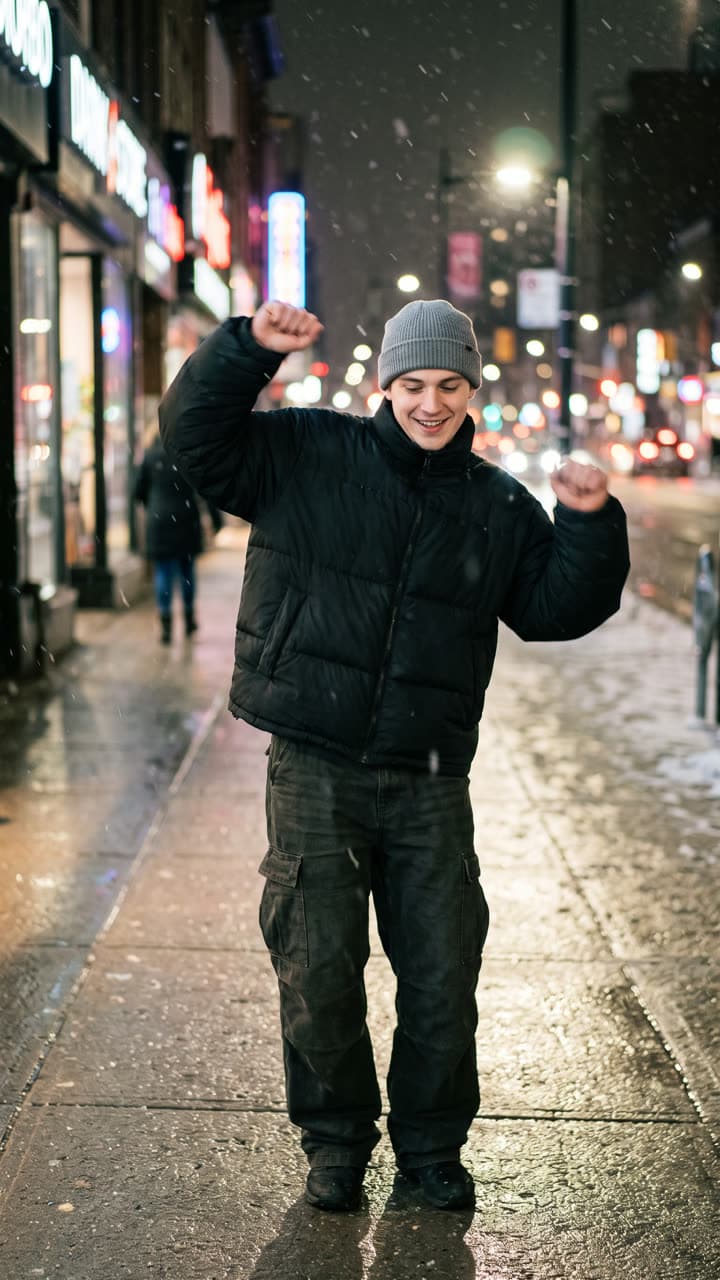 Shoulder bounce
1 Pick a look · optional
We put you into this example — everything else stays as it is — then it moves like the example, at no extra cost.
Failed renders refund credits
What putting yourself in a trend actually means
Most TikTok trends are a format rather than a single video: a setting, an outfit, one recognisable move and a sound. When people say they used AI to get into a trend, they mean a tool recreated the setting, the outfit and the move with their face, starting from one ordinary photo. No filming, no location, no costume.
There are two ways to do it. A template, which Dromana calls a look, is one trend already set up: the place, the clothes, the light and the motion are fixed, and you only add your photo. A free prompt lets you describe the whole scene yourself. Templates are faster and land closer to the version everyone recognises; prompts give you control when the trend is too new for a template.
Step by step: from one photo to a trend video
Step 1
Pick the trend
Open this week's trends or browse all looks. Each look is one trend already set up, with an example showing exactly what you'll get.
Step 2
Choose one clear photo
Front-facing, eyes visible, decent light and only you in the frame. Waist-up and full-length both work; the photo checklist covers what to avoid.
Step 3
Change one detail if you want
Type an outfit or a color before you generate, such as "a black puffer instead of the sequins". Leave everything else as the look set it.
Step 4
Generate
You get the still and a 5-second vertical video with you in the scene. Most clips are ready in under a minute.
Step 5
Add the sound in TikTok
Upload the clip, pick the trending sound from TikTok's own library and slide it until your first movement lands on the beat.
Step 6
Label it and post
Switch on the AI-generated content label in the post settings, then publish.
Try this look on your own photo.
Make it with my photoTrends that work well from a single photo
- Dance trends: Shoulder bounce catches you mid-dance on a snowy street at night, and Office happy dance is the desk version.
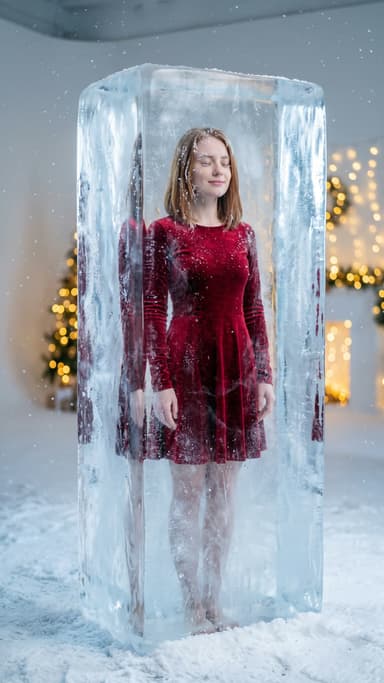
- Seasonal formats: thaw out of a block of ice with Holiday defrost, or let Santa photobomb your selfie in Selfie with Santa.
- Figurine posts: Mini me steps out turns you into a tiny collectible climbing out of your phone.
- Walk formats: Catwalk strut and Slow-mo squad walk are built around one confident walk toward the camera.
- Transitions: the Look-around transition and Fan transition cut from you to the new scene in one move.
New looks are added every week, and seasonal ones arrive before each holiday. The trends page always puts this week's formats first, so it's the quickest place to check what's moving.
Template or your own prompt?
Use a template when the trend already has one. The scene, outfit and timing have been tuned so the result matches what people expect to see, and that recognition is half of why a trend video works.
Write your own prompt in AI Video when a format is brand new or you want a twist. Describe who is in it, where, what happens and how the camera moves, in one or two sentences: "me in a red puffer on a frozen lake at dusk, I spin once and laugh, the camera circles slowly". If you only want your existing photo to move a little, make a photo move keeps the original picture and adds gentle motion.
How to make it actually look like you
- Use a sharp, front-facing photo. Side profiles and heavy angles give the AI less of your face to keep.
- Take off sunglasses and pull back hair or hoods that cover your eyes and jawline.
- Match the framing to the look: a full-length template works best from a full-length photo.
- One person per photo for solo looks. Crop friends out rather than hoping the right face gets picked.
- Skip beauty mode and heavy filters on the source photo; they smooth away the details that make you recognisable.
Timing the clip to the sound
A trend clip is short, so the timing matters more than in any other post. The main movement in a 5-second clip usually starts in the first second or two. Line that moment up with the first strong beat of the sound, let the clip end on a clear pose or a smile, and loop it if the song has a chorus that hits later. Dromana can also make 8 or 10-second clips when a format needs a longer build.
Always add the music inside TikTok from its sound library rather than baking a song into the video. The in-app sound keeps the audio licensed and links your post to the trend's sound page, which is where a lot of trend views come from.
Is it allowed, and do I need to label it?
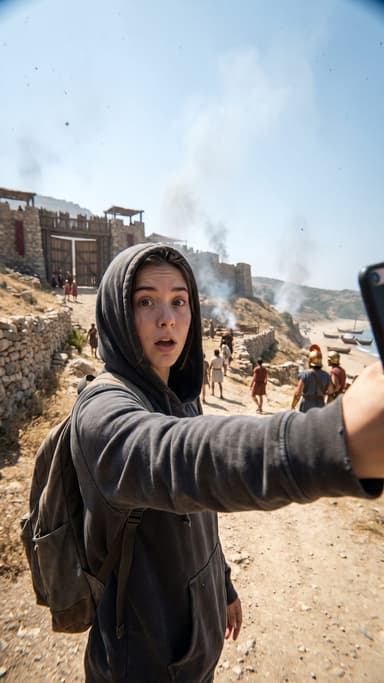
TikTok allows AI-made videos, but it asks creators to label realistic AI-generated content, and unlabeled clips can be marked or limited. Our guide to whether AI videos are allowed on TikTok explains the rules, and labelling AI content shows where the switch is in each app.
Only use photos of yourself or of people who have agreed to it. A trend video of a friend is fun when they're in on it; making someone appear to do something they never agreed to is not, and the platforms remove it.
What it costs
New accounts get 140 free credits with no card, which covers two five-second videos. Free results carry a small dromana.app badge in one corner. Any pack takes the badge off everything you've made, earlier videos included: 6 videos for $4.99, or a single video for $1.49, paid once with no subscription.
For a round-up of the formats moving this season, see the Christmas TikTok trends list, and the video template apps comparison if you want to see how other trend tools work.
Questions people ask
How do I put myself in a TikTok trend with AI?
Pick a trend template, upload one clear photo of yourself, generate a 5-second vertical clip, then add the trending sound inside TikTok and switch on the AI label before posting.
Do I need to film anything?
No. One photo is enough. The AI creates the setting, outfit and movement around your face.
Can I use the trending sound?
Yes. Add it in TikTok from the sound library after you upload the clip, so the music stays licensed and your post joins the trend's sound page.
Will the video look like me?
With a sharp, front-facing photo in good light, your face is kept. If it isn't, try a clearer photo rather than generating again with the same one.
Is it free?
New accounts get 140 free credits with no card, enough for two five-second videos. Free results carry a small badge that any pack removes.
Do I have to label it as AI on TikTok?
TikTok asks creators to label realistic AI-generated content. Switch on the AI-generated label in the post settings before you publish.
Effects from this guide

Keep reading
 Best AI video template apps: pick a trend, add a photo, get the clip4 min read
- Christmas TikTok trends 2026: snow globes, tacky lights, matching PJs and more9 min read
 Are AI videos allowed on TikTok? The rules, labels and what gets removed4 min read
 A photo with Santa without the mall line: a Santa selfie and video from one photo5 min read
 The holiday defrost trend: thaw out of the ice when the season starts4 min read
Ready to make yours?
Add one photo and get the look from this guide.