Viggle vs DomoAI: dance videos, anime styles and what each one costs
By Sebastian Ward, Reviews and comparisons editor · Updated · 4 min read
the short version
Viggle is known for motion transfer: putting a character or your photo into someone else's dance or movement. DomoAI is known for style transfer: turning a video or photo into anime, cartoon or other looks. As of November 2026, Viggle paid plans started at $7.99 a month billed yearly and DomoAI at $9 a month billed yearly.
AI Photo to Video
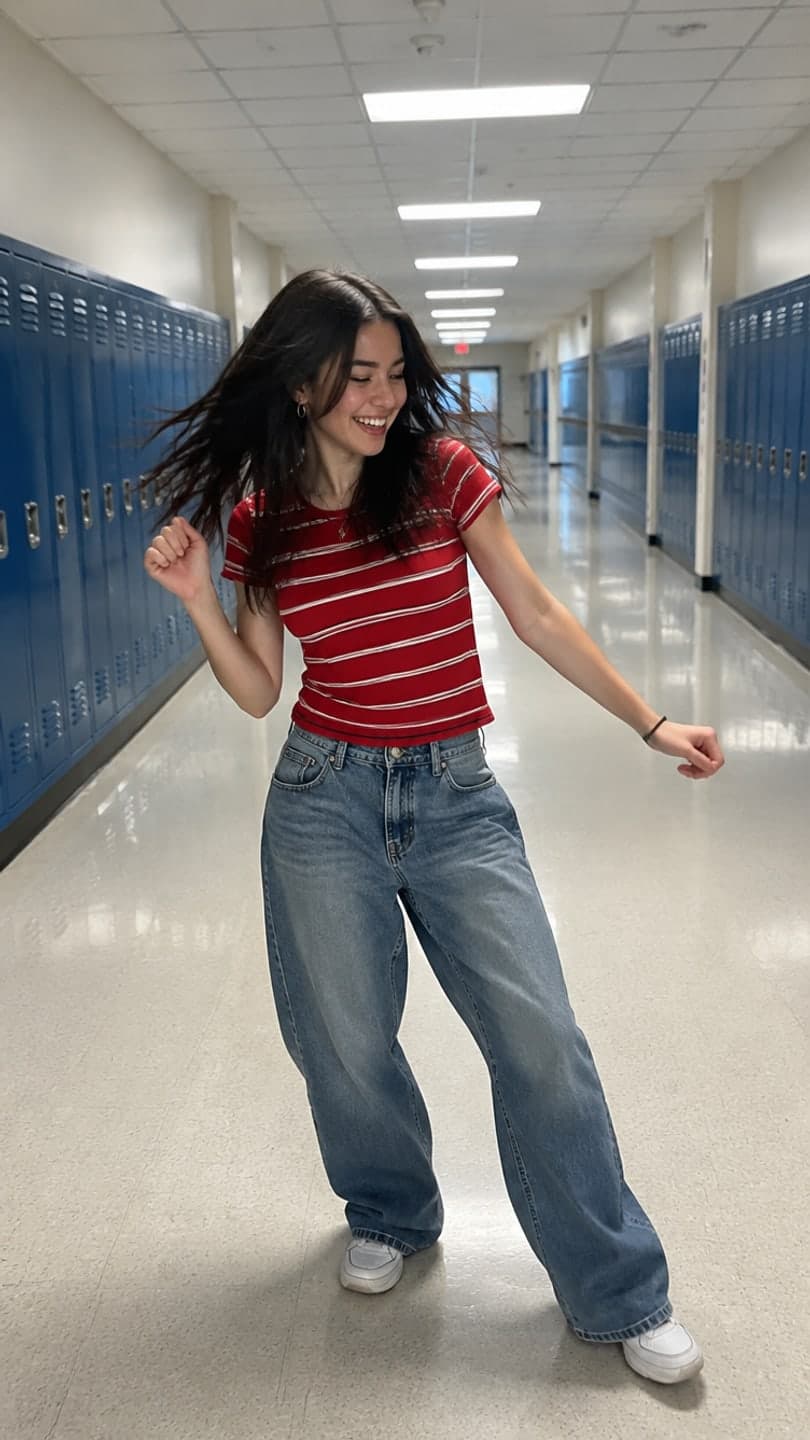 Hallway dance
1 Pick a look · optional
We put you into this example — everything else stays as it is — then it moves like the example, at no extra cost.
Failed renders refund credits
What does each tool do best?
Viggle made its name with memes and dances. You give it a character, often a single photo, and a motion source, and it makes that character perform the movement. It's the tool behind many of the clips where a cartoon, a celebrity look-alike or a friend suddenly does a viral dance.
DomoAI started from the other direction: changing the look of something that already moves. Upload a video and it can turn it into anime, clay, pixel or painted styles while keeping the original motion. It has since added image generation and photo animation, but style is still its strongest pull.
A third type of app is worth knowing about: template apps where the motion and the style are both preset and you only add your face. Dromana is one of those; Dromana is our own product, and we'll describe it alongside the other two.
What do Viggle and DomoAI cost?
Viggle and DomoAI video plans on their own pricing pages, November 19, 2026:
- Viggle Free: a credit allowance that refreshes each day, one video at a time, watermarked results, files kept for 7 days.
- Viggle Pro: $7.99 a month billed yearly (shown down from $9.99), 80 credits a month, no watermark.
- Viggle Live: $15.99 a month billed yearly, 200 credits a month.
- Viggle Max: $63.99 a month billed yearly, 800 credits a month.
- DomoAI Basic: $13 a month, or $9 a month billed yearly, 600 credits a month, no watermark.
- DomoAI Standard: $42 a month, or $29 a month billed yearly, 2,200 credits a month.
- DomoAI Pro: $142 a month, or $99 a month billed yearly, 8,000 credits a month.
Both are cheaper to start than most general-purpose video generators, especially on yearly billing. The catch with yearly billing is that you pay up front for twelve months; if you only want a dance clip for one party, check whether a monthly option or a free tier covers it first.
Try this look on your own photo.
Make it with my photoWhich one is better for dance videos?
Viggle, in most cases. Copying a specific movement onto a specific character is exactly what it was built for, and it handles full-body motion well. The quality depends on the motion source: clear, front-facing dances with the whole body in frame transfer best.
If you don't have a motion clip and just want yourself dancing, a template is simpler. Dromana's dance looks, such as the hallway dance or the street dance, take one photo and handle the choreography for you. Our guide to making an AI dance video from a photo walks through it.
Which one is better for anime and cartoon styles?
DomoAI. Turning existing footage into anime or another illustrated style while keeping the motion is its home ground, and it offers a wide range of styles to choose from. Viggle can place stylised characters into motion, but it isn't mainly a restyling tool.
For a still image of yourself in an anime or cartoon style, a one-photo restyle is the quickest route. Our guide to turning yourself into anime compares how different apps handle faces, which is where style tools differ most.
What if you only want one or two clips?
Then even a $7.99 plan is more than you need, and a yearly bill is much more. Viggle's free tier is one option if a watermark doesn't bother you. Another is a pay-per-video app.
On Dromana, new accounts get two 5-second videos free. After that, one video costs $1.49 and packs run up to 30 videos for $18.99, tax included, with credits that last 12 months and no renewal. Buying any pack also removes the watermark from everything the account has made. See the pricing page for details.
Which should you choose?
- You want to copy a specific dance or meme motion onto a character: Viggle.
- You want to restyle footage as anime, clay or another illustrated look: DomoAI.
- You want yourself in a trending dance without a motion clip: a template app such as Dromana.
- You make this kind of content every week: compare the yearly plans of the first two.
For wider lists, see Viggle alternatives, DomoAI alternatives and our round-up of the best AI dance video apps. To try a dance look with your own photo, open AI Video.
Questions people ask
Is Viggle or DomoAI better?
Viggle is better at moving a character through a specific dance or motion. DomoAI is better at restyling footage into anime and other illustrated looks.
Is Viggle free?
Viggle has a free tier whose credits refresh each day, one video at a time and watermarked results. Paid plans remove the watermark.
How much does DomoAI cost?
In November 2026, DomoAI Basic was $13 a month, or $9 a month billed yearly, for 600 credits a month.
Do Viggle and DomoAI add watermarks?
Viggle's free results are watermarked; its paid plans aren't. DomoAI lists watermark-free outputs on its paid plans.
Can I make a dance video from one photo without a plan?
Yes. Dromana's dance looks need one photo, new accounts get two videos free, and packs start at $1.49. Dromana is our own product.
Where do these prices come from?
From the official Viggle and DomoAI pricing pages on November 19, 2026. Prices change, so confirm on the live pages.
Effects from this guide

Keep reading
 Viggle alternatives: 6 AI apps for dance and motion videos4 min read
 DomoAI alternatives: 7 tools for anime, style and dance videos4 min read
 AI dance video from one photo: how to make yourself dance (and keep your face)4 min read
 Best AI dance video apps in 2026: make anyone dance from a photo5 min read
 Viral AI video effects explained: bullet time, rides, snow globes and more6 min read
Ready to make yours?
Add one photo and get the look from this guide.