Turn yourself into anime with AI: styles, prompts and moving clips
By Sophia Miller, Fashion and aesthetics editor · Updated · 4 min read
the short version
Turning yourself into an anime character is one of the most popular AI photo transformations. Upload a clear selfie, name the style, like soft hand-painted, 90s cel animation, bold action-series or cute chibi, and keep your key features, like hair, glasses and outfit. Then animate the result with a classic anime moment, like wind in your hair or cherry blossoms falling.
AI Photo to Video
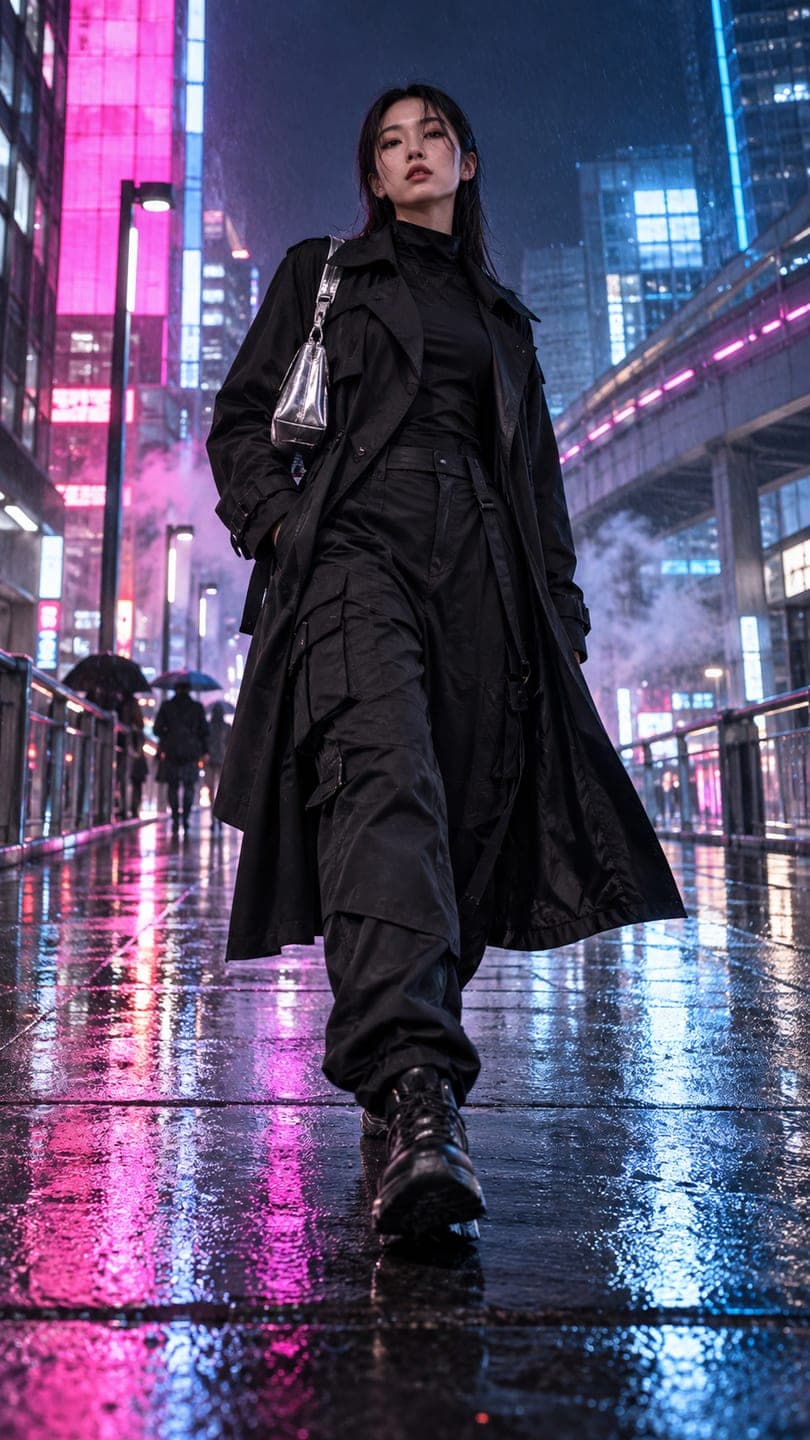 Neo-Tokyo techwear
1 Pick a look · optional
We put you into this example — everything else stays as it is — then it moves like the example, at no extra cost.
Failed renders refund credits
Why is the anime filter trend so popular?
Anime has one of the biggest fan communities in the world, and seeing yourself as a character in that style is irresistible. AI makes it possible from a single selfie: the model redraws you with anime proportions, big expressive eyes and painted backgrounds while keeping what makes you recognizable, like your hair color, glasses, freckles or favorite jacket.
It's also a fun way to make profile pictures, couple portraits and group shots that feel personal without showing your real face.
Which anime styles can I try?
- Soft hand-painted: watercolor skies, gentle light, cozy countryside scenes.
- 90s cel animation: crisp lines, flat colors, a slightly grainy, retro feel.
- Action series: bold lines, dramatic poses, speed lines and energy effects.
- Romance and slice of life: soft pastels, school uniforms, sunsets.
- Cyberpunk: neon cities, rain and holograms.
- Chibi: tiny, cute, big-headed versions.
Try this look on your own photo.
Make it with my photoHow do I turn my photo into anime?
Step 1
Upload a clear selfie
Front-facing, good light, hair and face visible.
Step 2
Name the style and scene
In AI Image: "90s cel anime style portrait, same hair color and glasses, denim jacket, neon city at night, rain, cinematic lighting".
Step 3
Keep your key features
List one or two: hair color, glasses, freckles, earrings.
Step 4
Generate a few versions
Each image uses 10 credits; try two or three styles.
Which details keep the anime version recognizable?
Anime simplifies faces, so likeness comes from your distinctive features rather than exact proportions. Mention your hair color and style, glasses, eye color, freckles, a beard or a signature accessory. Keep your outfit or describe a similar one. A front-facing photo with clear features helps the AI pick up what matters. If the result looks generic, add one more specific detail and try again.
How do I animate my anime portrait?
Anime is full of iconic small moments: hair and a scarf blowing in the wind, cherry blossoms drifting, rain on a window, a slow turn to the camera with a gleam in the eye. Take your favorite image into AI Video and describe one: "wind blows her hair and petals drift past, she turns and smiles, anime style". A five-second anime clip on Dromana is 70 credits.
- Wind in the hair and clothes.
- Cherry blossoms or leaves drifting past.
- Rain and neon reflections.
- A dramatic slow turn or a smile.
- Clouds moving over a countryside scene.
Can I make couple or group anime portraits?
Yes. Use one photo with everyone in it, faces clearly visible, and describe the scene: a summer festival, a rooftop at sunset, a train station. Mention each person's main feature if you can, like "one with red hair, one with glasses". Group portraits make great profile banners and gifts. Ask your friends or partner first. For realistic rather than anime group scenes, see best AI apps for group photos and videos.
Is it okay to make anime versions of characters from shows?
Turning yourself into an original anime character is fine. Recreating a specific copyrighted character, like using their exact costume, logo or name to sell something, can infringe the creator's rights. Keep it personal and original, especially if you plan to use the image commercially. For commercial use on Dromana, results need to come from a paid plan or a pack you bought.
What else can I turn myself into?
If you like anime, you'll also like a Renaissance portrait, a superhero version or a 3D cartoon version of yourself, all coming to our guides this month. For a realistic city-night look with an anime feel, try the neo Tokyo look, and for retro styles, see the 80s AI photo trend. New accounts get 140 free credits with no card.
Questions people ask
Can AI turn my photo into anime?
Yes. Upload a clear selfie, name an anime style and scene and mention your key features.
Which anime styles can I try?
Soft hand-painted, 90s cel, action series, romance, cyberpunk and chibi.
How do I keep it looking like me?
Mention distinctive features like hair color, glasses, freckles and a signature outfit.
Can I animate my anime portrait?
Yes. Add wind in the hair, drifting petals or a slow turn in AI Video.
Can I make a couple anime portrait?
Yes, from one photo of you both; ask your partner first.
How much does it cost?
Each image uses 10 credits and a 5-second clip 70; new accounts get 140 free credits.
Effects from this guide
 AI fashion portraitSkip the photographer: get a magazine-style fashion portrait from one selfie. Quiet-luxury coats, street editorial, studio light. Same face, new shoot. Free to try.
 Make a photo moveUpload one photo, get a 5-second video in a minute or two: a smile, a head turn, wind in the trees, waves rolling in. Works on portraits and landscapes, free to try.
Keep reading
 The 80s AI photo trend: how to make your own retro portrait and poster4 min read
 Best AI avatar generators in 2026: profile pictures, styles and moving avatars4 min read
 Best AI apps for group photos and videos with friends4 min read
 Turn yourself into a vintage Christmas cartoon, then make it move4 min read
 The AI figurine trend: make a mini you climb out of your phone5 min read
Ready to make yours?
Add one photo and get the look from this guide.