The AI figurine trend: make a mini you climb out of your phone
By Sophia Miller, Fashion and aesthetics editor · Updated · 5 min read
the short version
The figurine trend turns you into a small collectible figure on a desk. The Mini me steps out look adds a holiday twist: the figure climbs out of a phone showing a photo grid, then steps onto the desk and waves in a 5-second video. Use a full-body photo in the outfit you want the figure to wear. Your first two videos are free.
AI Photo to Video
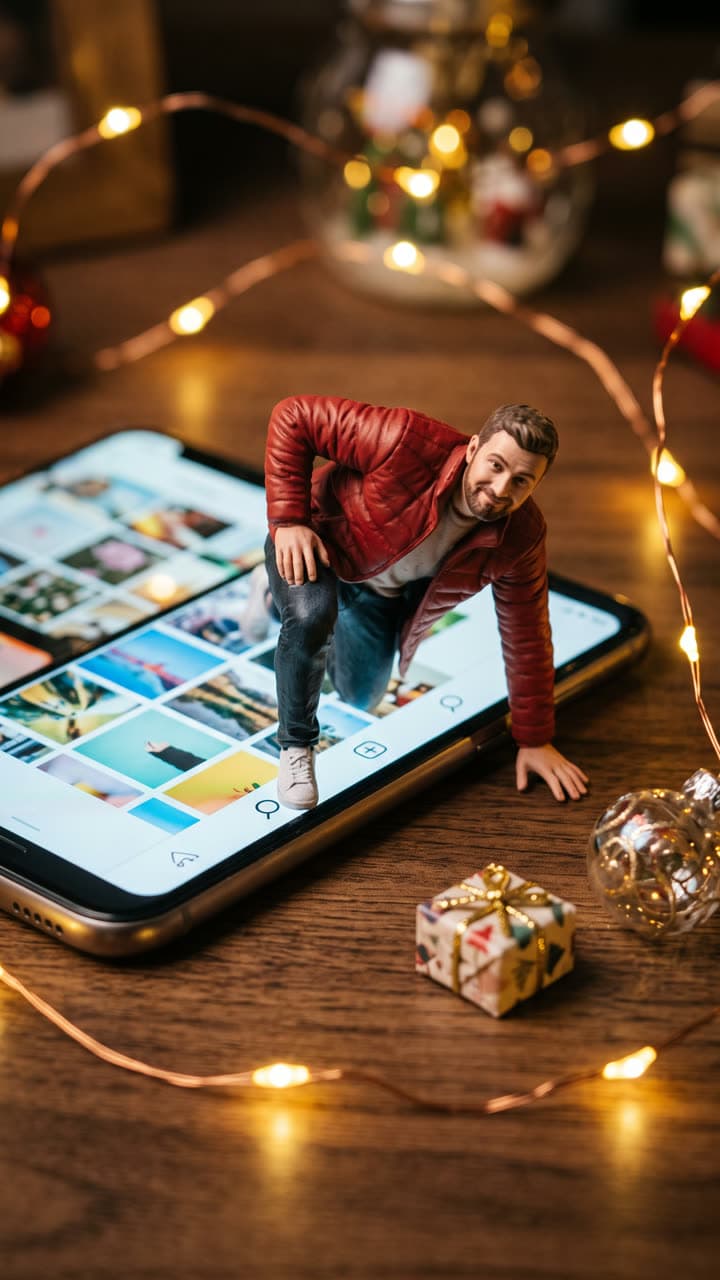 Mini me steps out
1 Pick a look · optional
We put you into this example — everything else stays as it is — then it moves like the example, at no extra cost.
Failed renders refund credits
Where the figurine trend came from
The figurine format took off as a still image: a photo of you turned into a painted collectible, standing on a desk next to its own retail box, sometimes with a computer screen behind it showing the 3D model. It spread because it hits two things at once: it's flattering, since everyone looks good as a polished little figure, and it looks expensive, like something a fan would actually buy.
This season's version moves. Instead of standing still next to a box, the mini you climbs out of a phone screen that shows a grid of photos, as if stepping off your own profile and onto the desk. It turns a single image into a short story with a beginning and an end, which is exactly what Reels and TikTok reward.
How to make it
Step 1
Open the look
Start from the Mini me steps out look. The desk, the phone, the fairy lights and the climbing pose are already set.
Step 2
Upload a full-body photo
The figure wears what you wear in the photo, so pick the outfit you want immortalised. Head-to-toe framing gives the best proportions.
Step 3
Add a detail if you want
Type one change, such as "holding a tiny coffee cup" or "in a Santa hat", or leave the look as it is.
Step 4
Generate
You get the still of the figure halfway out of the screen and a 5-second video where it pulls itself out, steps onto the desk, dusts off and waves.
Want only the classic boxed figure? Use AI Image with your photo and describe it: "a 1/7 scale collectible figure of me on a wooden desk next to its retail box, studio product photo".
Try this look on your own photo.
Make it with my photoGetting the figure right
- Full body, standing: a cropped photo makes the figure guess your legs and shoes.
- Distinctive clothes read best at small scale: a bright jacket, a pattern or a hat.
- Natural posture: stand straight with your arms relaxed, and let the look pose the figure.
- Simple accessories survive the shrink: a bag, glasses or headphones come through; tiny jewellery usually doesn't.
- Clear light on your face, so the painted finish keeps your features.
Variations to try
One line of text gives you a different collectible. A few that work:
- "Inside a clear display box with my name printed on the lid" for the classic boxed edition.
- "Standing on a laptop keyboard next to a tiny coffee cup" for a work-from-home version.
- "Holding a tiny wrapped gift and wearing a Santa hat" to turn it into a Christmas card.
- "On a bookshelf between two novels, waving" for book accounts.
- "Climbing out of a framed photo on the wall" if you'd rather leave the phone out.
For a group, make one figure per person from separate photos and post them side by side; each figure stays sharp that way.
Making it move well
The video is where this trend beats the original. Keep the camera close and still, and give the figure one clear action: climbing out, stepping down, waving. If you write your own motion on AI Video, end it with "Close, steady shot" so the desk and the phone stay put while the figure moves. Small, deliberate actions look like stop-motion; fast ones look like a glitch.
Five seconds is enough for climb, step and wave. If you want a longer story, make two clips and cut them together: the figure climbing out, then the figure walking across the desk to a gift.
Posting it
Pin the clip to the top of your profile: because the phone in the video shows a grid of photos, it reads as you stepping out of your own page. A carousel of your real photo, then the still, then the video also does well, because people swipe to compare. Pair it with a short, playful sound and keep the caption to a line.
If this is your first trend post, our guide to the Instagram restyle trend covers the same before-and-after format, and how to label AI content shows where each app's AI label lives.
Free to try, no subscription
The first figurine video on a new account is free, with a small dromana.app badge in the corner. More videos are paid once, in packs, and nothing renews; the ones you buy have no badge, which matters if the clip is going to sit at the top of your profile. Details are on the pricing page.
Questions people ask
What is the AI figurine trend?
Turning a photo of yourself into a small painted collectible figure on a desk, often next to its box. The new version has the figure climbing out of your phone.
What photo should I use?
A full-body photo, standing, in the outfit you want the figure to wear, with clear light on your face.
Can the figure come with a box?
Yes. Type "inside a clear display box with my name on the lid" before you generate.
How long is the video?
Five seconds: the figure climbs out of the screen, steps onto the desk and waves.
Can I make a figure of my whole friend group?
Make one per person from separate photos and post them side by side. Each figure stays sharper that way.
Is it free?
Your first two videos are free with a small badge. After that, 6 videos cost $4.99 with no subscription.
Effects from this guide
 Make a photo moveUpload one photo, get a 5-second video in a minute or two: a smile, a head turn, wind in the trees, waves rolling in. Works on portraits and landscapes, free to try.
 AI fashion portraitSkip the photographer: get a magazine-style fashion portrait from one selfie. Quiet-luxury coats, street editorial, studio light. Same face, new shoot. Free to try.
Keep reading
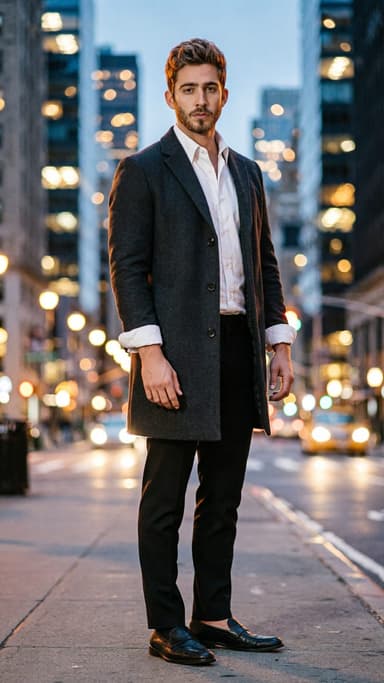 The Instagram Restyle AI trend: how it works and how to make it move4 min read
 What photos work best for AI video? The pre-upload checklist4 min read
 Do you have to label AI pics and videos on TikTok, Instagram and YouTube?4 min read
 Turn yourself into a vintage Christmas cartoon, then make it move4 min read
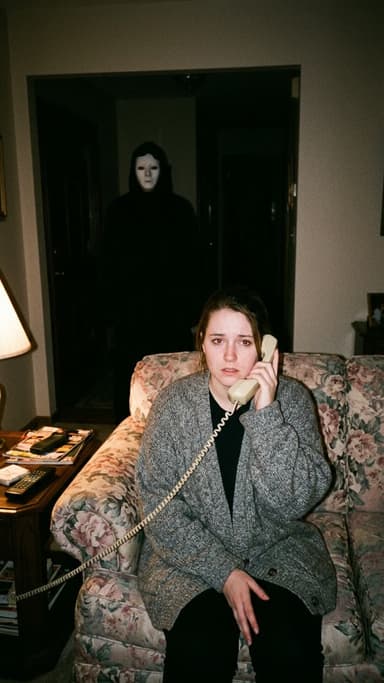 Halloween AI photo trends 2026: the late-night call, ghost besties, video store horror and more5 min read
Ready to make yours?
Add one photo and get the look from this guide.