The Instagram Restyle AI trend: how it works and how to make it move
By Liam Walker, Social media and creator strategy · Updated · 4 min read
the short version
Instagram's Restyle effect in Stories turns a photo into a new style or scene with one tap, and it sparked a wave of viral AI photos in October 2026. It's fast and free inside the app, but it gives a single still. To get a moving version, a specific trend scene or more control over the result, take the photo into a photo-to-video tool and animate it.
AI Photo Restyle
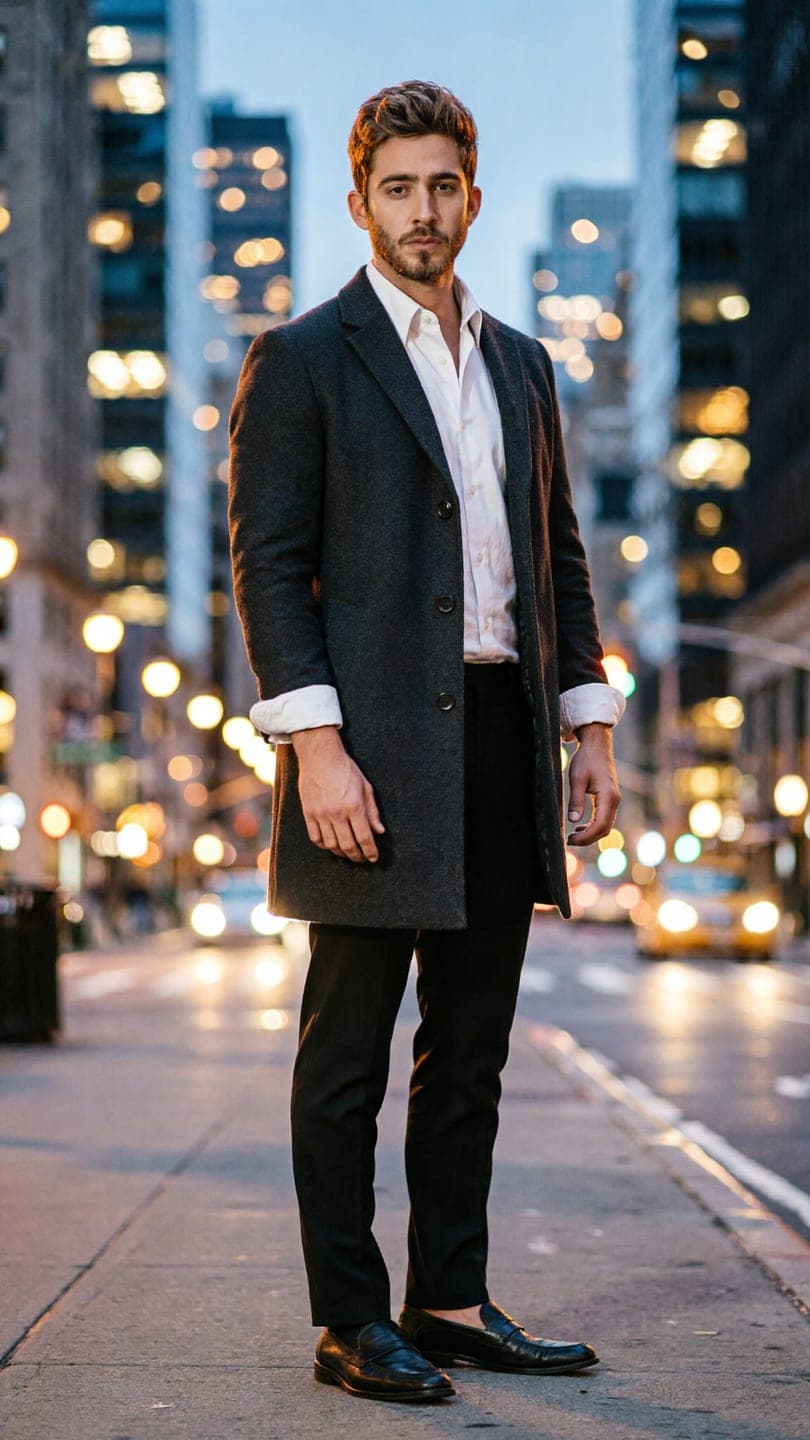 City full-length
1 Pick a look · optional
We put you into this example and keep everything else the same.
Failed renders refund credits
What is Instagram Restyle?
Restyle is an AI effect inside Instagram Stories. You pick a photo, tap Restyle, and swipe through preset effects that change the style, outfit or background, or you type what you want changed. Tutorials showing how to use it went viral in mid-October 2026, and a lot of the AI portraits filling feeds this month started there.
- Open Instagram and go to your Story.
- Choose a clear photo from your camera roll.
- Tap Restyle and swipe through the effects.
- Pick one, or type a change, then post or save it.
Features change often and roll out by region, so the exact buttons may look slightly different on your phone.
What can Restyle do well, and what can't it?
Restyle is great for a quick, shareable still in a few seconds, without leaving the app. Where people hit limits is when they want more than one image: a short video, a very specific trend scene, a consistent set for a carousel, or a result to use outside Instagram. It also gives you little say over the exact outfit, place or light, so two people using the same effect often end up with nearly identical pictures. That's fine for a quick Story, but it's why the restyles that stand out are usually taken one step further: animated, put into a recognizable trend shot, or cut into a carousel with real photos from the same day.
- Good at: one-tap style changes, quick background swaps, posting straight to Stories.
- Limited for: moving clips, exact trend formats, matching sets, downloading a clean file to use elsewhere.
Try this look on your own photo.
Make it with my photoHow do I make my Restyle photo move?
Step 1
Save the restyled photo
Download it from your Story or save it before posting.
Step 2
Open a photo-to-video tool
On Dromana, go to AI Video or the make a photo move page and add the photo.
Step 3
Describe one motion
"she turns toward the camera and smiles, hair moves in the wind, slow push in".
Step 4
Generate a short clip
Five seconds is plenty. A 5-second clip on Dromana uses 70 credits.
Can I recreate a specific trend instead?
If the trend you want is a particular shot, like a catwalk walk, a fit check in a lift mirror or a city crosswalk at night, a ready-made look is faster than describing it. Looks recreate the example scene with you in it from one photo, then animate it the same way. Try city standing, night crosswalk or the elevator fit check. A look video costs the same as a plain clip, 70 credits on Dromana.
New accounts get 70 free credits with no card, plus 35 more each day they visit.
How do I post restyled photos without looking fake?
- Mix AI shots with real photos in the same carousel.
- Keep the restyle close to how you look; heavy smoothing reads as a filter.
- Use the same style across a set so it looks intentional.
- Turn on Instagram's AI label; see how to label AI content.
For format sizes and which clips perform on Reels, see the best AI video apps for Instagram.
Is Restyle safe to use with my photos?
Read Instagram's own terms for how it handles photos used in its AI features. When you use another tool, check how long it keeps uploads, whether it trains on them and whether you can delete them. Dromana deletes uploads and results after 30 days, lets you delete them sooner and doesn't use your photos to train a public model. Our AI photo app privacy guide has a checklist.
Questions people ask
What is Instagram Restyle?
An AI effect in Instagram Stories that restyles a photo with presets or a typed change.
How do I use Restyle?
Open your Story, pick a photo, tap Restyle, swipe through effects and post or save.
Can Restyle make videos?
It makes stills. To animate one, save it and use a photo-to-video tool such as Dromana's AI Video.
How do I recreate a specific trend?
Use a ready-made look that recreates the trend's shot with you in it from one photo.
Is it free to animate a photo?
New Dromana accounts get 70 free credits, enough for one short clip.
Why does my restyled face look different?
Restyles can soften features. Animate the sharpest original photo for the most accurate face.
Effects from this guide
 Make a photo moveUpload one photo, get a 5-second video in a minute or two: a smile, a head turn, wind in the trees, waves rolling in. Works on portraits and landscapes, free to try.
 Street style photoLook like a fashion week street style shot from one plain selfie: tailoring, city pavement, show-season light. Same face, new wardrobe. Free to try, no app to download.
Keep reading
 Best AI video apps for Instagram Reels and Stories in 20264 min read
 Do you have to label AI pics and videos on TikTok, Instagram and YouTube?4 min read
 Viral AI video effects explained: bullet time, rides, snow globes and more6 min read
 Main character video ideas: "October is all about me" and other trends4 min read
 Halloween TikTok trends 2026: what's blowing up and how to make each one9 min read
Ready to make yours?
Add one photo and get the look from this guide.