How to turn a photo into an Instagram Reel
By Liam Walker, Social media and creator strategy · Updated · 4 min read
the short version
To turn a photo into an Instagram Reel, animate it into a short vertical clip with an image-to-video tool, then add a trending sound and a line of text in the Instagram editor. One photo can become a five-second Reel; three or four animated photos make a ten to fifteen second Reel. Keep it 9:16, put the best moment first and keep text inside the safe area.
AI Photo Restyle
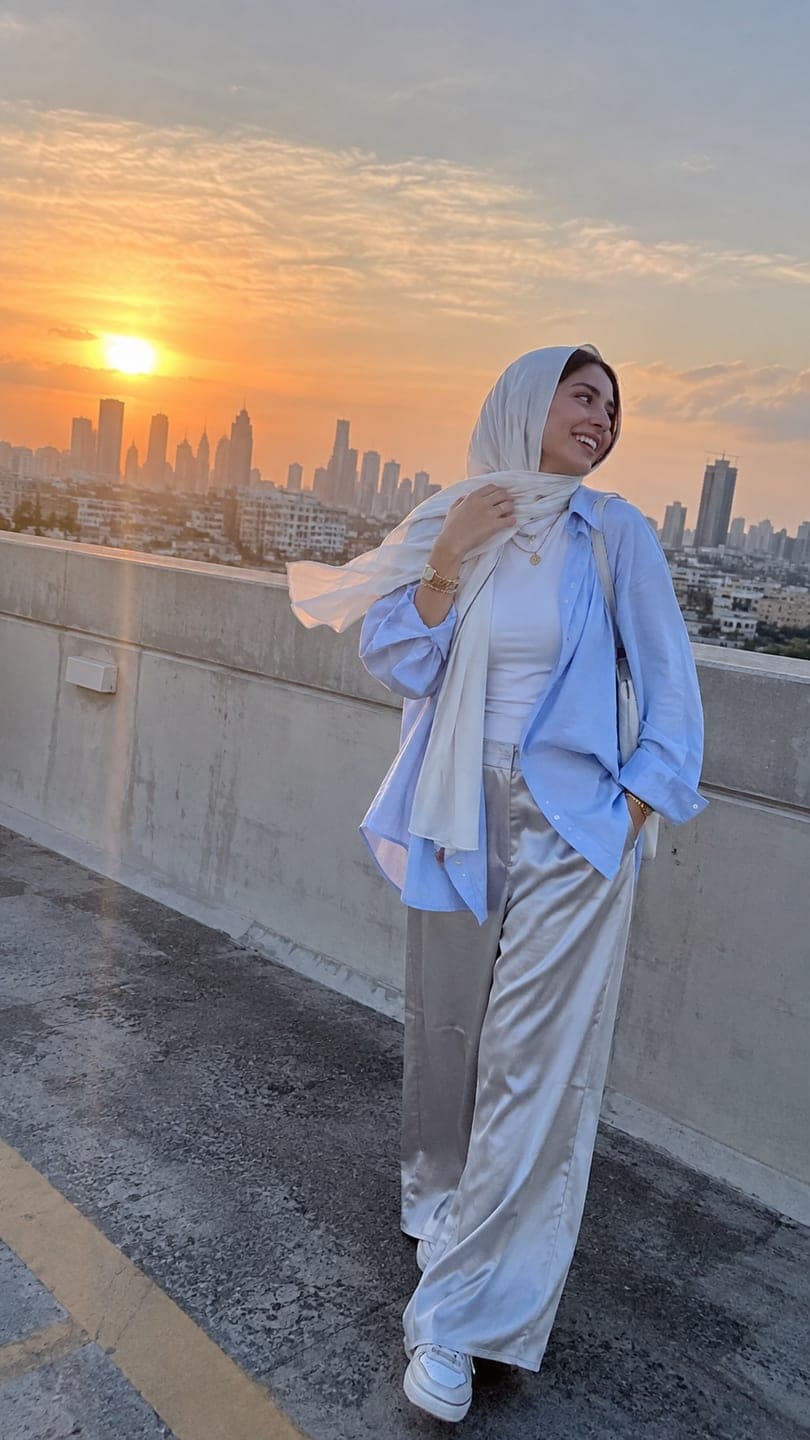 Rooftop sunset
1 Pick a look · optional
We put you into this example and keep everything else the same.
Failed renders refund credits
Why turn photos into Reels?
Reels reach people who don't follow you, while photo posts mostly reach the people who already do. If your camera roll is full of great photos but you rarely film video, turning them into Reels is the fastest way to grow. AI animation adds real motion, like hair moving, waves rolling or a camera pushing in, so the Reel feels like footage rather than a slideshow.
It works for travel, fashion, food, products, events and everyday moments.
How do I turn one photo into a Reel?
Step 1
Pick a vertical, sharp photo
Portrait orientation suits Reels' 9:16 frame best.
Step 2
Animate it
On the make a photo move page: "she turns toward the camera and smiles, city lights blur behind, slow push in".
Step 3
Open Instagram and create a Reel
Upload the clip, add a trending sound and a short line of text.
Step 4
Post with a caption and hashtags
Two or three relevant hashtags are enough.
A single animated photo makes a five-second Reel that loops.
Try this look on your own photo.
Make it with my photoHow do I make a Reel from several photos?
- Choose three to six photos that tell a little story: arrival, moment, detail, ending.
- Animate two or three of them; leave the rest as still frames.
- Import everything into Instagram's Reel editor or a phone editor.
- Cut on the beat: about a second per photo, two for animated clips.
- Total length: ten to twenty seconds.
Our photo dump video guide explains how to cut a monthly dump into one Reel.
What size and length should a Reel be?
Reels are 9:16 vertical, 1080 by 1920 pixels. Instagram crops the preview in the grid to a more square shape, so keep faces and key details near the middle. Leave space at the bottom and right side, where captions and buttons sit. Short Reels, roughly seven to fifteen seconds, tend to be rewatched and completed more often than long ones, which helps them travel.
Which photos make the best Reels?
- Travel photos with water, sky or crowds that can move.
- Outfit photos that can become a walk or a turn.
- Food and drink with steam, pours or sauce.
- Portraits that can turn into a smile or a glance.
- Products that can spin or be revealed.
Can I use a trend look instead of my photo as it is?
Yes. A ready-made look rebuilds a trend shot with you in it and animates it, already vertical: try rooftop sunset, night crosswalk or the fan transition. Each look video costs the same as a plain clip, 70 credits on Dromana. New accounts get 140 free credits with no card, enough for the first two looks.
How do I make Reels that get views?
- Hook in the first second: the best frame first, not a slow intro.
- A trending sound from Instagram's audio library.
- One short line of text on screen.
- A loop: end on a frame that flows back to the start.
- Turn on the AI label if the Reel has realistic AI content.
See best AI video apps for Instagram for more formats, and labeling AI content for the label setting.
How much does it cost?
Animating each photo for five seconds on Dromana takes 70 credits, so a new account's 140 free credits cover the first photo of your Reel. After that, 6 more videos are $4.99 and 15 are $9.99, with no subscription, and any pack removes the small badge free clips carry, including from the clips you made before you paid. Try it in AI Video.
Questions people ask
How do I turn a photo into an Instagram Reel?
Animate it into a short vertical clip, then add a trending sound and text in Instagram's Reel editor.
Can I make a Reel from one photo?
Yes. One animated photo makes a five-second Reel that loops.
What size should a Reel be?
9:16 vertical, 1080 by 1920 pixels, with key details near the center.
How long should a Reel be?
Roughly seven to fifteen seconds tends to be watched to the end most often.
Which photos make good Reels?
Photos with something that can move: water, hair, crowds, steam or a product.
How much does it cost to animate photos for a Reel?
70 credits per 5-second clip; a new account's 140 free credits cover two.
Effects from this guide

Keep reading
 Best AI video apps for Instagram Reels and Stories in 20264 min read
 Photo dump videos: how to turn a carousel into a cinematic clip4 min read
 How to turn photos into a TikTok or Reel people actually watch4 min read
 A photo with Santa without the mall line: a Santa selfie and video from one photo5 min read
 The holiday defrost trend: thaw out of the ice when the season starts4 min read
Ready to make yours?
Add one photo and get the look from this guide.