Photo dump videos: how to turn a carousel into a cinematic clip
By Liam Walker, Social media and creator strategy · Updated · 4 min read
the short version
Cinematic photo dump videos are replacing static carousels on Instagram and TikTok: the same mix of candid moments, but each photo moves a little, and the whole set plays to music as one short clip. Pick eight to twelve photos, animate a few of them with subtle motion, cut them on the beat and keep the result under twenty seconds.
AI Photo Restyle
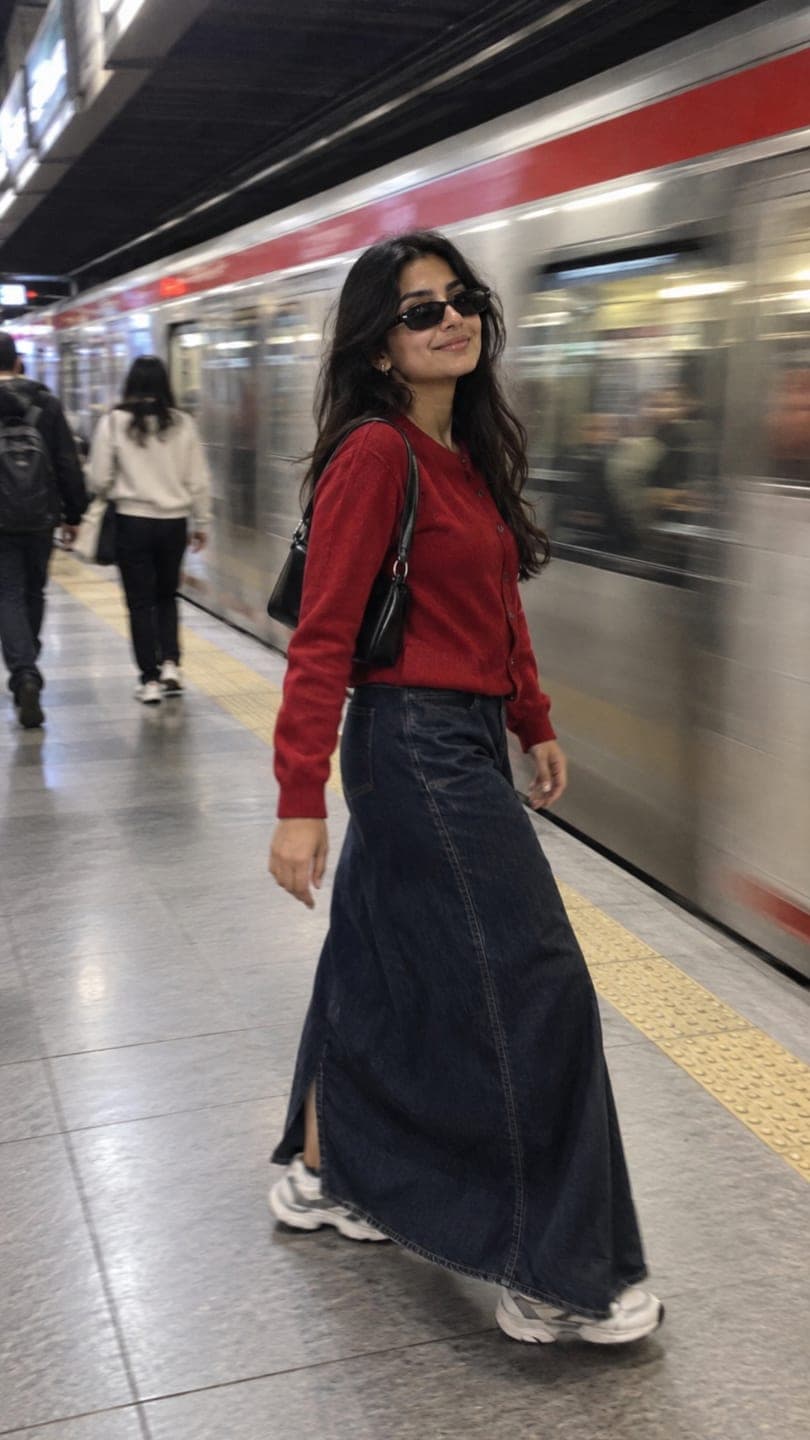 Subway candid
1 Pick a look · optional
We put you into this example and keep everything else the same.
Failed renders refund credits
Why are photo dump videos replacing carousels?
Carousels still work, but a video autoplays, loops and gets pushed to people who don't follow you. Creators noticed that the same monthly dump, cut into a short clip with music, reaches more people than ten swipes. The best ones don't look like a slideshow: some photos move, the camera drifts, and everything feels like footage from a film.
The trick is motion. A still photo held for a second reads as a slideshow; the same photo with leaves moving, hair blowing or a slow push in reads as a memory.
Which photos should go in the dump?
- One strong opener: your best face shot or the most beautiful place.
- Two or three candids: laughing, walking, mid-conversation.
- Details: coffee, hands, a ticket stub, your shoes on the pavement.
- A place: a street, a view, a window with light.
- A friend or two, if they're happy to be in it.
- A closer: something that feels like the end of the month.
Our photo dump ideas guide has a longer list of shots to take during the month.
Try this look on your own photo.
Make it with my photoHow do I add motion to each photo?
Animate three or four of the photos, not all of them; a mix of moving and still frames feels natural. Choose the ones with something that would move in real life: hair, water, leaves, a crowd, steam from a cup. Use the make a photo move page and describe the motion in a few words: "steam rises from the cup, slow push in" or "she laughs and looks away, hair moves in the wind".
- Keep motion small; big moves look fake in a dump.
- Use the same kind of camera motion across clips: all slow push-ins, or all handheld.
- Five seconds per clip gives you room to trim to the beat.
- A 5-second clip on Dromana uses 70 credits.
How do I edit the dump into one video?
Step 1
Pick a song first
Choose a trending sound or something that fits the month's mood, and note where the beat drops.
Step 2
Order the photos
Opener, candids, details, place, closer. Put your best moving clip on the beat drop.
Step 3
Cut on the beat
Hold stills for about half a second, moving clips for one to two seconds.
Step 4
Keep it short
Ten to twenty seconds total. People rewatch short dumps; they skip long ones.
Step 5
Add a caption
Something short and specific: "october, mostly coffee and walking".
Our guide to turning photos into a TikTok video covers the editing apps and export sizes.
What aesthetic works best for photo dump videos?
Soft, slightly imperfect and warm usually wins. Grain, a little blur and natural light make the clip feel like memories rather than ads. Digicam and disposable-camera looks are popular for this; see the digicam aesthetic and disposable camera aesthetic guides. Keep text minimal: one line of caption, no stickers.
Which mistakes make a photo dump video look cheap?
- Animating every photo: the eye needs still frames to rest on.
- Mixing filters: three different color grades in one clip look accidental.
- Too long: anything past twenty seconds loses people halfway through.
- Big motion: spins and zooms make memories look like an ad.
Fix the grade first, then add motion to only the photos that would move in real life.
How much does a photo dump video cost to make?
Editing is free in most phone apps. The motion is where credits go: animating four photos on Dromana uses 220 credits. New accounts get 70 free credits with no card, plus 35 more each day they visit, so a monthly dump fits comfortably if you make a clip every couple of days through the month. Plans from $10 a month remove the small badge free clips carry.
Questions people ask
What is a photo dump video?
A monthly photo dump cut into one short clip with music, where some photos are animated with subtle motion.
How many photos should a dump video have?
Eight to twelve, with three or four of them animated.
How long should it be?
Ten to twenty seconds, cut on the beat.
How do I make a photo move?
Use the make a photo move page and describe a small motion, like hair in the wind or a slow push in.
Which aesthetic works best?
Warm, grainy, natural-light looks such as digicam or disposable camera.
How much does it cost?
Each 5-second Dromana clip uses 70 credits; new accounts start with 70 free credits.
Effects from this guide
 Make a photo moveUpload one photo, get a 5-second video in a minute or two: a smile, a head turn, wind in the trees, waves rolling in. Works on portraits and landscapes, free to try.
 Cinematic photo filterGive travel and city photos a film-still grade: wet neon streets, blue-hour skylines, golden sunrise flare. Same place, same framing, far more mood.
Keep reading
 35 photo dump ideas that don't feel random4 min read
 How to turn photos into a TikTok or Reel people actually watch4 min read
 The digicam look: how to get that 2000s digital camera vibe4 min read
 Halloween TikTok trends 2026: what's blowing up and how to make each one9 min read
 AI influencer photos from a selfie: shoot-free content that still looks like you4 min read
Ready to make yours?
Add one photo and get the look from this guide.