How to turn photos into a TikTok or Reel people actually watch
By Liam Walker, Social media and creator strategy · Updated · 4 min read
the short version
To turn photos into a TikTok or Reel, pick 5 to 10 strong shots, open with movement in the first second (an animated photo works), cut to the beat of a sound you chose first, export vertical 9:16, and add short on-screen text. Use a photo carousel when people should swipe and savor, and a video when you want reach.
AI Photo to Video
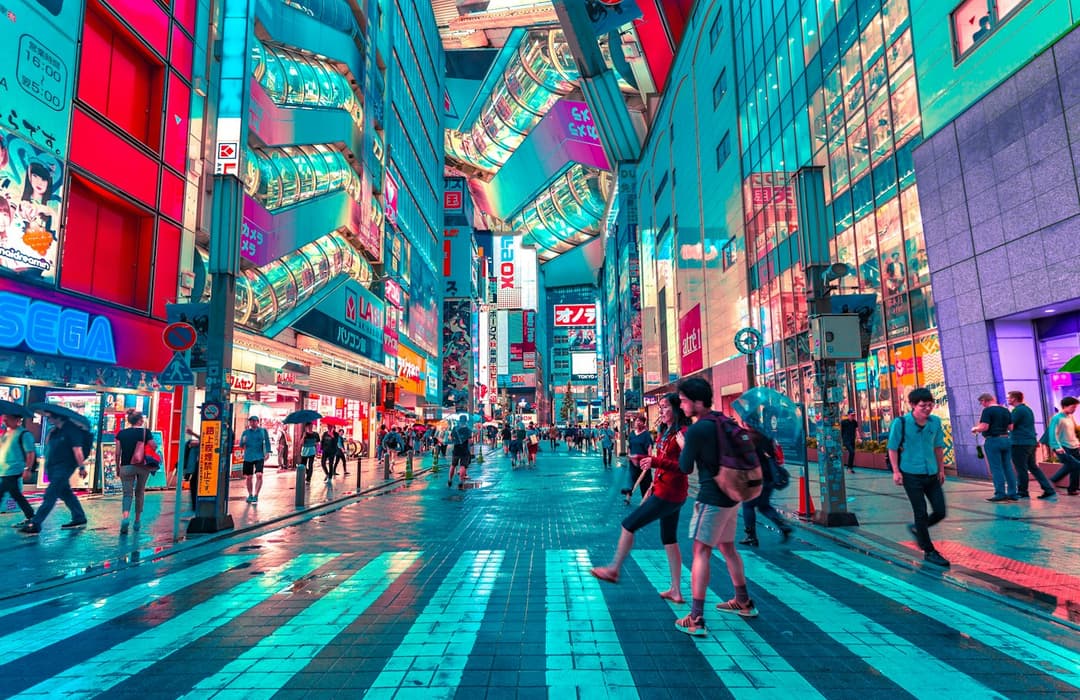 Night city
1 Pick a look · optional
Describe what happens, in your own words. To change outfit or place, pick a look or switch on New outfit or scene.
Failed renders refund credits
Should I post a carousel or a video?
TikTok and Instagram both let you post photos two ways. A photo carousel lets people swipe at their own pace and is great for trip recaps, outfit rotations and anything people will want to save. A video made from photos plays by itself, feels more like the rest of the feed and is easier to push with a trending sound.
- Choose a carousel when every photo is strong on its own and the story is "look at all of this".
- Choose a video when you have a clear hook, a sound that matters, or a before-and-after moment.
- Not sure? Post the video, then drop the best stills as a carousel a few days later.
What should the first second of a TikTok show?
A slideshow that opens on a static photo looks like every other slideshow. Movement in the first second is what stops a thumb. You have a few options:
- Animate your best photo into a 5-second clip and use it as the opener. See how to make a photo move.
- Open on the most surprising image instead of the first one chronologically.
- Use a quick zoom or shake on the first beat of the sound.
- Put a short text hook on screen: "POV: you finally went to Tokyo".
Try this look on your own photo.
Make it with my photoWhat size should a TikTok video be?
Short-video apps are vertical. Export at 9:16, ideally 1080 × 1920 pixels. Horizontal photos will get black bars or a blurred background unless you crop them. For carousels on Instagram's feed, a 4:5 portrait crop takes up more screen than a square.
If a photo is horizontal and you don't want to lose half of it, restyle a vertical version with AI Image in 9:16, or keep the wide shot for a YouTube banner and pick a different photo for the vertical edit.
How do I turn photos into a TikTok video, step by step?
Step 1
Choose the sound first
Pick the sound before cutting. The beat decides how long each photo stays on screen.
Step 2
Pick 5 to 10 photos
Fewer, better photos beat a dump of 30. Order them like a story: arrival, highlights, a funny one, a strong ending.
Step 3
Make the opener move
Animate one hero shot in AI Video and place it first. A city at night with moving lights or a portrait that turns to camera both work.
Step 4
Cut on the beat
Most editors can snap cuts to beat markers. Change photos on the strong beats.
Step 5
Add text and captions
Keep on-screen text short and high on the screen, away from the caption and buttons at the bottom.
Step 6
End with a loop or a payoff
End on your strongest photo, or match the last frame to the first so the video loops seamlessly.
How do I make a cinematic travel recap?
Trip photos look ten times better when they share a look. Before you edit, run your city and landscape shots through the cinematic photo filter for a consistent night or golden-hour grade, then animate one or two with drifting clouds or flickering lights using animate landscape photos. Put the moving shots at the start and middle so the edit never feels static.
What TikToks can I make from photos?
- Photo dump of the month with one animated opener. More in our photo dump ideas.
- Then vs now: a throwback photo that comes to life, cut to today.
- Outfit rotation: a week of fits, one per beat, with a fit check clip at the start.
- If I lived in another era: the same selfie as Y2K, 80s and editorial.
- Trip recap: arrival shot, food, views, night out, the last sunset.
- Glow-up reveal: a regular selfie that cuts to a styled AI portrait on the drop.
What should I check before posting?
Write a caption that adds context instead of repeating the on-screen text, use a few specific hashtags rather than a wall of generic ones, and if the video includes realistic AI-generated or AI-edited people or scenes, use the platform's AI label. Our guide on labeling AI content explains when it is required.
Questions people ask
What size should a TikTok made from photos be?
Vertical 9:16, ideally 1080 × 1920 pixels. That fills the screen on TikTok, Reels and YouTube Shorts.
How many photos should I put in a TikTok slideshow?
Five to ten is the sweet spot for a video. Carousels can hold more, but only include shots that are strong on their own.
How do I make a photo slideshow less boring?
Open with movement, cut on the beat, keep each photo on screen for under a second or two, and add a short text hook.
Can I turn a single photo into a video?
Yes. AI image-to-video turns one still into a 5-second clip with natural motion, which works as a hook or a full post.
Should a photo slideshow have music?
Yes. Choose the sound first; it sets the pacing and gives you a chance to ride a trend.
Effects from this guide
 Make a photo moveUpload one photo, get a 5-second video in a minute or two: a smile, a head turn, wind in the trees, waves rolling in. Works on portraits and landscapes, free to try.
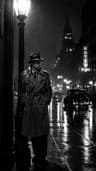 Cinematic photo filterGive travel and city photos a film-still grade: wet neon streets, blue-hour skylines, golden sunrise flare. Same place, same framing, far more mood.
Keep reading
 35 photo dump ideas that don't feel random4 min read
 AI dance video from one photo: how to make yourself dance (and keep your face)4 min read
 Product video from one photo: short ads for TikTok Shop, Reels and your store4 min read
 Best AI video apps for TikTok and Reels creators in 20264 min read
 Best AI tools for YouTube Shorts in 2026: make, clip and caption4 min read
Ready to make yours?
Add one photo and get the look from this guide.