Best AI tools for YouTube Shorts in 2026: make, clip and caption
By Sebastian Ward, Reviews and comparisons editor · Updated · 4 min read
the short version
YouTube Shorts creators use AI for three jobs: making new clips, cutting long videos into Shorts, and captioning. Dromana generates vertical clips of you or your product from one photo; Opus Clip turns long videos into Shorts; Descript, Kapwing and Captions handle edits and subtitles; InVideo assembles faceless explainers from a script.
AI Photo to Video
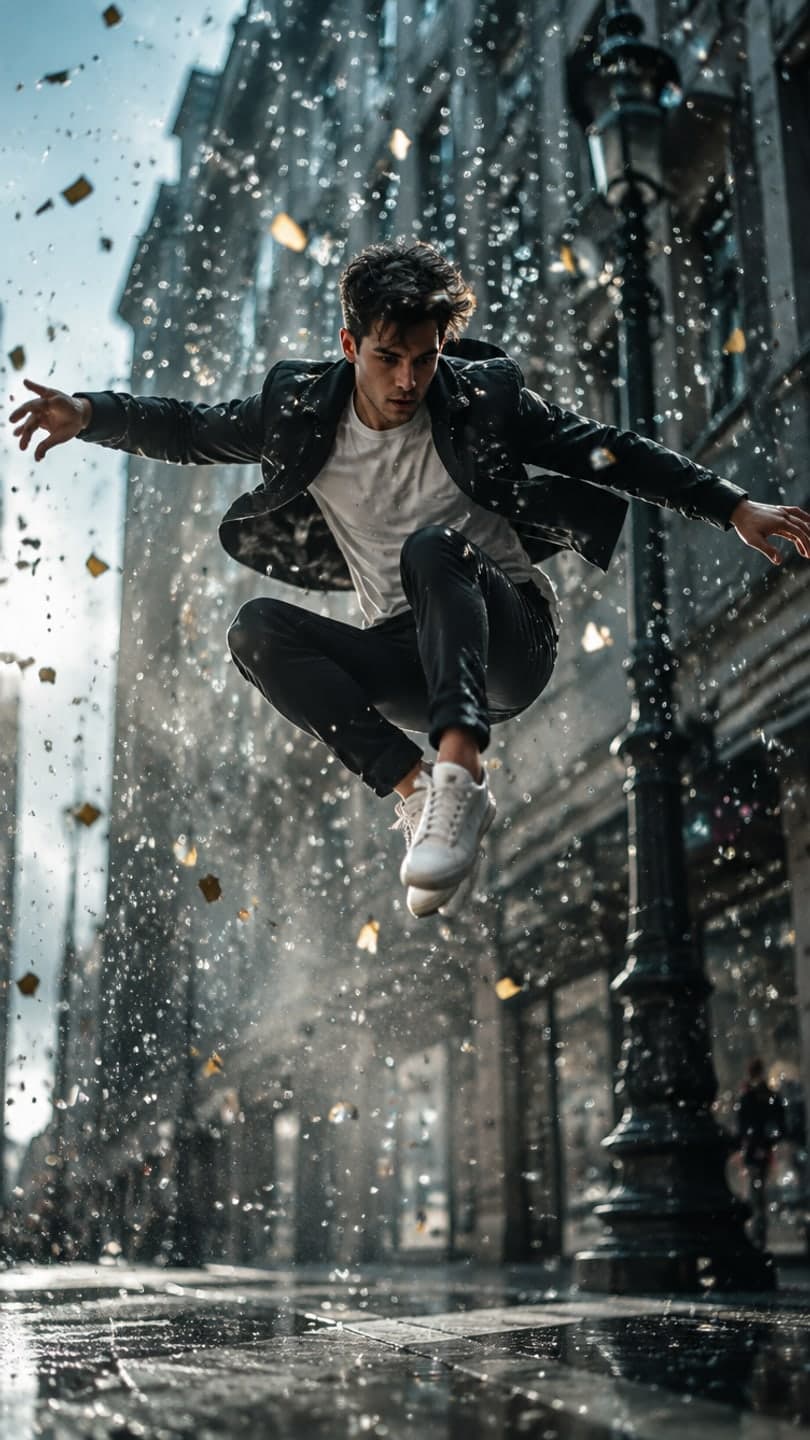 Bullet time
1 Pick a look · optional
We put you into this example — everything else stays as it is — then it moves like the example, at no extra cost.
Failed renders refund credits
How are YouTube Shorts different from TikTok?
Shorts look like TikToks, but they live inside YouTube, which changes what works. Viewers often arrive from a channel they already watch, so Shorts that connect to your longer videos do well. Search matters more: titles and the first line of the description help Shorts get found long after posting. And many successful Shorts are clipped from long-form videos rather than made from scratch.
- Vertical 9:16, up to a few minutes, though 15 to 45 seconds is the sweet spot for most.
- A hook in the first second, like on any short-form platform.
- A searchable title with the topic in plain words.
- A loop or a clear payoff, since rewatches count.
Disclosure: we make Dromana, one of the tools below. We've noted which jobs other tools do better.
It also helps to think about Shorts as a funnel rather than a separate channel. A Short reaches people who have never heard of you; the goal is to make them curious enough to tap through to your channel or a longer video. That's why the best Shorts often feel like a teaser: one surprising moment, one strong visual or one useful tip, with a clear reason to see more. AI tools help you produce those moments faster, but the idea still has to come from you.
Which AI tools are best for YouTube Shorts?
- Dromana: new vertical clips from one photo, like trend looks, product shots or cinematic scenes.
- Opus Clip: finds the best moments in a long video and cuts them into captioned Shorts.
- Descript: edit by editing the transcript, then export vertical Shorts.
- Kapwing: browser editing with auto-subtitles and resizing for Shorts.
- Captions: AI edits and subtitles for talking-head Shorts.
- InVideo: faceless explainer Shorts from a script, with stock footage and voiceover.
- Canva: thumbnails, title cards and branded intros.
Try this look on your own photo.
Make it with my photoWhich tool is best for making Shorts from scratch?
If you don't have footage, generate it. Dromana turns a photo into a 5 to 10-second vertical clip, either from a ready-made look such as bullet time, the time-travel vlog or lost in a book, or from your own description in AI Video. Several clips cut together with a voiceover make a full Short. New accounts start with 70 free credits, no card; a look video uses 70.
Which tool is best for turning long videos into Shorts?
If you already make long YouTube videos, clipping is the highest-leverage use of AI. Opus Clip and similar tools scan a long video, pick moments with a clear hook, reframe them vertically around the speaker and add captions. Review every clip; the AI picks good moments often, not always. Descript is the better choice when you want to choose the moments yourself by reading the transcript.
How do I make a faceless YouTube Short with AI?
Step 1
Write a 30-second script
One idea, a hook line, three points and a payoff.
Step 2
Generate the visuals
Script-to-video tools like InVideo assemble stock footage; for custom scenes, generate clips in Dromana from photos or descriptions.
Step 3
Add a voiceover and captions
Record your own voice or use a text-to-speech tool, then add subtitles in Kapwing or Descript.
Step 4
Title it for search
Put the topic in plain words in the title.
Label realistic AI-generated scenes when YouTube asks; our guide to labeling AI content covers YouTube's rules.
Which AI tool should a Shorts creator choose?
- New clips from a photo or idea: Dromana.
- Long videos into many Shorts: Opus Clip.
- Transcript-based editing: Descript.
- Captions and resizing in the browser: Kapwing.
- Talking-head Shorts with subtitles: Captions.
- Faceless explainers from a script: InVideo.
The same clips work across platforms; see the best AI video apps for TikTok and for Instagram.
Questions people ask
What is the best AI tool for YouTube Shorts?
Dromana for new clips from a photo, Opus Clip for cutting long videos into Shorts, and Descript or Kapwing for editing and captions.
Can AI make YouTube Shorts automatically?
Clipping tools can turn a long video into Shorts automatically; generators like Dromana create new clips from a photo or idea.
How long should a YouTube Short be?
Most perform best between 15 and 45 seconds, with a hook in the first second.
Can I make faceless YouTube Shorts with AI?
Yes. Write a short script, generate visuals, add a voiceover and captions, and title it for search.
Do I need to label AI content on YouTube?
YouTube asks creators to disclose realistic altered or synthetic content. Use the disclosure option when uploading.
Is there a free AI tool for Shorts?
Most have free tiers. Dromana gives 70 credits on sign-up with no card, enough for a first clip.
Effects from this guide
 Make a photo moveUpload one photo, get a 5-second video in a minute or two: a smile, a head turn, wind in the trees, waves rolling in. Works on portraits and landscapes, free to try.
 Animate a city photoTurn a city or skyline photo into a 5-second video in a minute or two: traffic streaks, neon flicker and drifting clouds, buildings held still. Free to try, no app.
Keep reading
 Best AI video apps for TikTok and Reels creators in 20264 min read
 How to turn photos into a TikTok or Reel people actually watch4 min read
 Do you have to label AI pics and videos on TikTok, Instagram and YouTube?4 min read
 Best AI travel video apps: trip recaps, dream destinations and summer posts4 min read
 Halloween TikTok trends 2026: what's blowing up and how to make each one9 min read
Ready to make yours?
Add one photo and get the look from this guide.