Best AI travel video apps: trip recaps, dream destinations and summer posts
By Sebastian Ward, Reviews and comparisons editor · Updated · 4 min read
the short version
For travel videos, Dromana animates your landscape and city photos into cinematic clips and can put you into a dream destination from a selfie. Kapwing and Instagram's Edits app cut the recap together, Opus Clip trims long travel vlogs into Shorts, Luma Dream Machine adds sweeping camera moves, and Canva makes itinerary posts.
AI Photo to Video
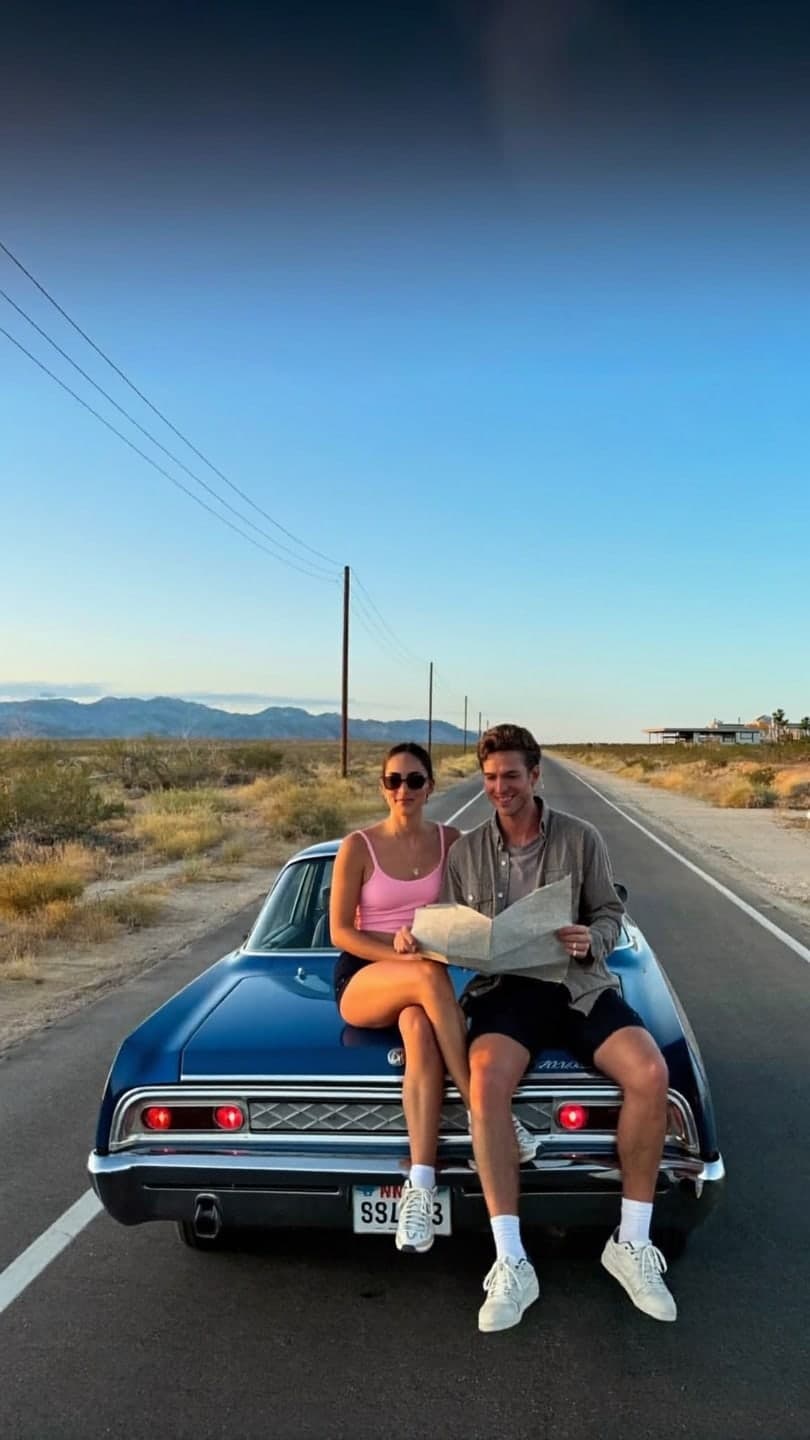 Desert road trip
1 Pick a look · optional
We put you into this example — everything else stays as it is — then it moves like the example, at no extra cost.
Failed renders refund credits
What can AI do for travel videos?
Most trips come back as hundreds of photos and a few shaky videos. AI turns that into something worth posting: landscapes that move, a city street that comes alive, a cinematic recap cut to music, and, for trips you haven't taken yet, a clip of you somewhere you're dreaming about. Summer is the peak, with a second wave around winter holidays and spring break.
Dromana is our own product, which we've tried to rank fairly against the rest.
Which AI travel video apps are best?
- Dromana: animates landscape and city photos, and puts you into travel scenes from a selfie.
- Luma Dream Machine: sweeping, cinematic camera motion over landscapes.
- Kapwing: cutting a recap with captions and music.
- Edits: Instagram's own editor for fast travel Reels.
- Opus Clip: trimming long travel vlogs into Shorts.
- Canva: itinerary, packing-list and "where we went" graphics.
Try this look on your own photo.
Make it with my photoHow do I make my travel photos move?
Landscapes are the easiest photos to animate well: water, clouds, trees and city lights all have natural motion. Upload a photo to the animate landscape photos or animate a city photo page, or write one sentence in AI Video: "waves roll in, clouds drift, slow drone push forward". A 5-second clip uses 70 credits on Dromana; a new account starts with 70 free, no card.
How do I make a cinematic trip recap?
Step 1
Choose eight to twelve shots
A mix of wide views, details and people.
Step 2
Animate the wide shots
Landscapes and streets as short clips; details can stay as stills.
Step 3
Cut on the beat
Assemble in Kapwing or Edits, one to two seconds per shot.
Step 4
Open with your best view
The first second decides whether people watch.
Our photos to TikTok video guide covers the edit in more detail.
Can AI put me in a destination I haven't visited?
Yes, for fun or for a "where I'm going next" post. Dromana's looks include travel-style scenes like the desert road trip, rooftop sunset, Neo-Tokyo and Christmas market. Be clear in the caption that it's AI if people might think you're really there.
How do I keep travel AI clips honest?
Travel content works on trust: people save your posts because they want to go where you went. Animating a real photo you took is fine and widely understood. Putting yourself in a place you've never been is fun, but say so, especially if you post travel tips or recommendations. Followers who feel misled stop trusting your real trips too.
- Animate your own photos freely; that's a creative edit of a real moment.
- Label scenes you weren't actually in, in the caption or with the platform's AI label.
- Don't present generated places as recommendations for specific hotels or restaurants.
- Keep real photos in the mix so the account feels like yours.
A good compromise is a "dream trip" series that's clearly labeled, alongside real recaps of the trips you've taken.
When should I post travel content?
Travel posts do best when people are planning, not only when you're traveling. Recaps posted in January and February catch people booking summer trips; summer posts catch people on vacation scrolling by the pool; and autumn recaps catch holiday-trip planners. Post a quick clip while you're there for friends, and save the polished recap for when you're home and have time to edit it properly.
Which travel video app should I choose?
- Animating travel photos or putting yourself in a scene: Dromana.
- Sweeping cinematic camera moves: Luma Dream Machine.
- Cutting the recap: Kapwing or Edits.
- Shorts from long vlogs: Opus Clip.
- Itinerary graphics: Canva.
Questions people ask
What is the best AI app for travel videos?
Dromana for animating travel photos and putting you in scenes; Kapwing or Edits for cutting the recap; Luma for cinematic camera moves.
Can AI make my landscape photos move?
Yes. Water, clouds, trees and city lights animate especially well from a single photo.
How do I make a travel recap video?
Pick eight to twelve shots, animate the wide ones, cut them on the beat and open with your best view.
Can AI put me somewhere I haven't been?
Yes, with travel looks from a selfie. Say it's AI if viewers might think it's real.
Is there a free AI travel video app?
Yes, within limits. Dromana starts you with 70 credits, enough to animate one travel photo for 5 seconds.
What photos animate best?
Photos with a clear foreground, subject and background, like a road leading to mountains.
Effects from this guide
 Animate landscape photosBring a landscape photo to life: drifting clouds, rolling waves, mist, wind in the trees or a flickering fire, with the camera still or gliding. Vertical or horizontal.
 Animate water in a photoMake the water in a photo move: a waterfall that pours, waves that roll in, a river that flows or a pool that ripples, while rocks, sand and buildings stay still.
 Animate hotel and vacation rental photosTurn hotel, resort, cabin and vacation rental photos into short videos: the pool ripples, the fire flickers, curtains move, clouds pass. For booking pages and Reels.
 Animate a city photoTurn a city or skyline photo into a 5-second video in a minute or two: traffic streaks, neon flicker and drifting clouds, buildings held still. Free to try, no app.
Keep reading



Ready to make yours?
Add one photo and get the look from this guide.