AI influencer photos from a selfie: shoot-free content that still looks like you
By Liam Walker, Social media and creator strategy · Updated · 4 min read
the short version
You can make a week of influencer-style posts from one selfie: pick two or three looks that fit your feed, such as quiet luxury, a catwalk walk or a café morning, generate a still and a 5-second clip from each, and post them across Stories, Reels and your grid. Keep the same photo and light for a consistent face, and label realistic AI posts.
AI Photo to Video
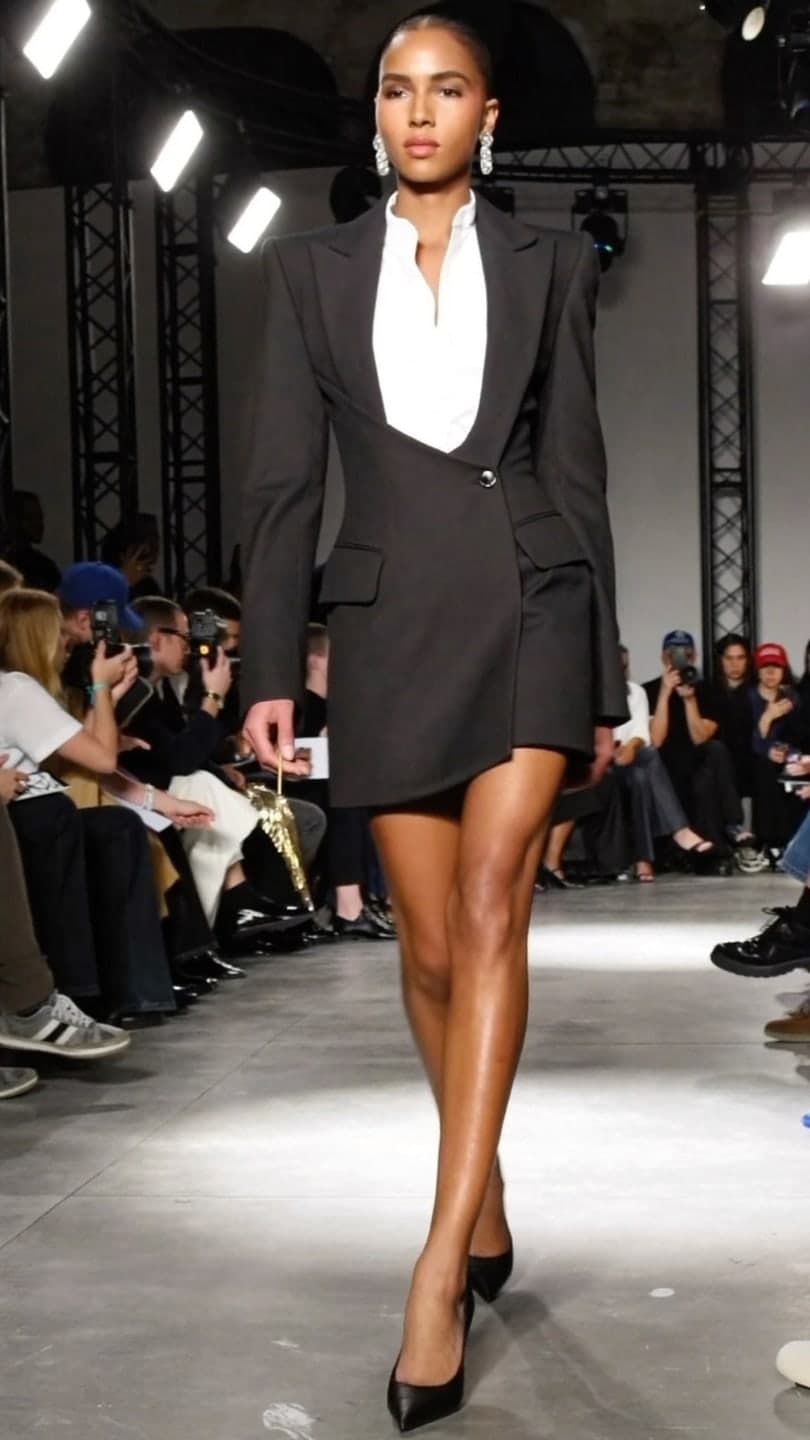 Catwalk strut
1 Pick a look · optional
We put you into this example — everything else stays as it is — then it moves like the example, at no extra cost.
Failed renders refund credits
Can AI really make influencer content from one photo?
Yes, for a certain kind of post. A look takes your face from one clear selfie and rebuilds a whole scene around it: an outfit, a place, the light and the camera style. The result is a believable still of you somewhere you weren't, plus a short vertical video where you move, walk or turn to the camera. It won't replace a real trip or a real product review, but it covers the aesthetic posts that fill a feed between them.
The trick is choosing scenes your audience would believe and enjoy. A creator known for coffee and books looks right in a café morning or rainy café study; a fashion account suits quiet luxury or catwalk strut; a party feed suits paparazzi flash or festival day.
How do I get a consistent face across posts?
- Use the same selfie for every look in a batch. Changing photos changes small details.
- Pick a photo with even, soft light and your face clearly visible, no sunglasses or heavy filter.
- Front-on or a slight turn works best; extreme angles are harder to carry into a new scene.
- Keep your hair similar to the photo, or say how you want it in the prompt.
- Check each result before posting and redo any where the face drifts.
Try this look on your own photo.
Make it with my photoHow do I make a week of posts in one sitting?
Step 1
Choose a theme
Two or three looks that match your aesthetic: for example, an outfit look, a place and one seasonal trend.
Step 2
Generate the stills
Upload the same selfie to each look. A still from a look takes about a minute.
Step 3
Turn the best into clips
Make a 5-second vertical video from the stills you like most with make a photo move or the look's own motion.
Step 4
Schedule them
Clips for Reels and TikTok, stills for the grid and carousels, a frame grab for Stories.
Costs are easy to plan: a look video uses 70 credits for 5 seconds, and a plain still from AI Image starts at 10. New accounts get 70 free credits with no card, enough for one video, and 35 more each day they visit.
Which looks work best for influencer feeds?
- Fashion: quiet luxury, catwalk strut, desert couture and the AI fashion portrait.
- Lifestyle: café morning, rainy café study and cosy seasonal scenes.
- Nightlife and events: paparazzi flash, festival day and Neo Tokyo.
- Outfit videos: the outfit video from a photo page turns one outfit into a short try-on clip.
- Seasonal: Halloween and holiday trends, refreshed every week; see this year's Halloween AI trends.
Posting it without losing trust
Audiences forgive AI posts that are fun and obvious; they don't forgive being misled. Use the platform's AI label on realistic images and videos, don't present a generated trip as a real one in a sponsored post, and never show a product doing something it can't. For brand deals, keep the usual paid-partnership disclosure on top.
Mixing real and generated posts works best. Use AI looks for the aesthetic beats and keep real photos and talking-to-camera videos for your actual life and opinions. That mix keeps the account feeling like a person, which is the whole point of following an influencer.
Can I use these posts commercially?
Results made on a paid plan, or with credits you bought, can be used commercially, including brand content and ads, and plans remove the watermark. Results made only with free credits are for personal use. Starter's first month is $4.99 if you've never paid. You still need the rights to the photo you upload, and anyone else in it must have agreed.
Questions people ask
How do I make AI influencer photos of myself?
Upload one clear selfie to a look such as quiet luxury, catwalk strut or café morning, generate the still, and turn your favourites into 5-second vertical clips.
Will the photos look like me?
They're built from your face in the photo you upload. Use the same clear, evenly lit selfie for every look and check each result before posting.
How many posts can I make for free?
New accounts get 70 free credits with no card, enough for one 5-second video, and 35 more each day you visit.
Do I need to label AI influencer posts?
Label realistic AI images and videos with the platform's AI tag, and keep ad disclosures for sponsored posts.
Can the videos talk?
No, the clips are silent motion: walks, turns, poses and camera moves. Add music or a voiceover when you post.
Can I use them for brand deals?
Yes, if they were made on a paid plan or with credits you bought. Free-credit results are for personal use.
Effects from this guide
 AI fashion portraitSkip the photographer: get a magazine-style fashion portrait from one selfie. Quiet-luxury coats, street editorial, studio light. Same face, new shoot. Free to try.
 Outfit video from a photoTurn one outfit photo into a 5-second fit check video: a turn, a walk, fabric moving. No tripod, no filming. 70 free credits to start.
 Make a photo moveUpload one photo, get a 5-second video in a minute or two: a smile, a head turn, wind in the trees, waves rolling in. Works on portraits and landscapes, free to try.
Keep reading
 Best AI influencer generators in 2026: virtual influencers, AI creators and you in every trend5 min read
 How to take a selfie AI tools love: 12 tips4 min read
 Best AI photoshoot generators: a full shoot from your selfies4 min read
 Halloween TikTok trends 2026: what's blowing up and how to make each one9 min read
 Thanksgiving photo ideas: 25 shots for the table, the family and Friendsgiving4 min read