AI video generators that keep your face: which tools look most like you
By Sebastian Ward, Reviews and comparisons editor · Updated · 4 min read
the short version
Face drift, where you stop looking like yourself halfway through a clip, is the most common complaint about AI video. Tools that start from your real photo and change as little as possible keep faces best. Dromana rebuilds trend scenes around your face from one photo; Hedra keeps portraits steady while they talk; Runway and Luma give more control. A sharp, front-facing photo matters more than the tool.
AI Photo to Video
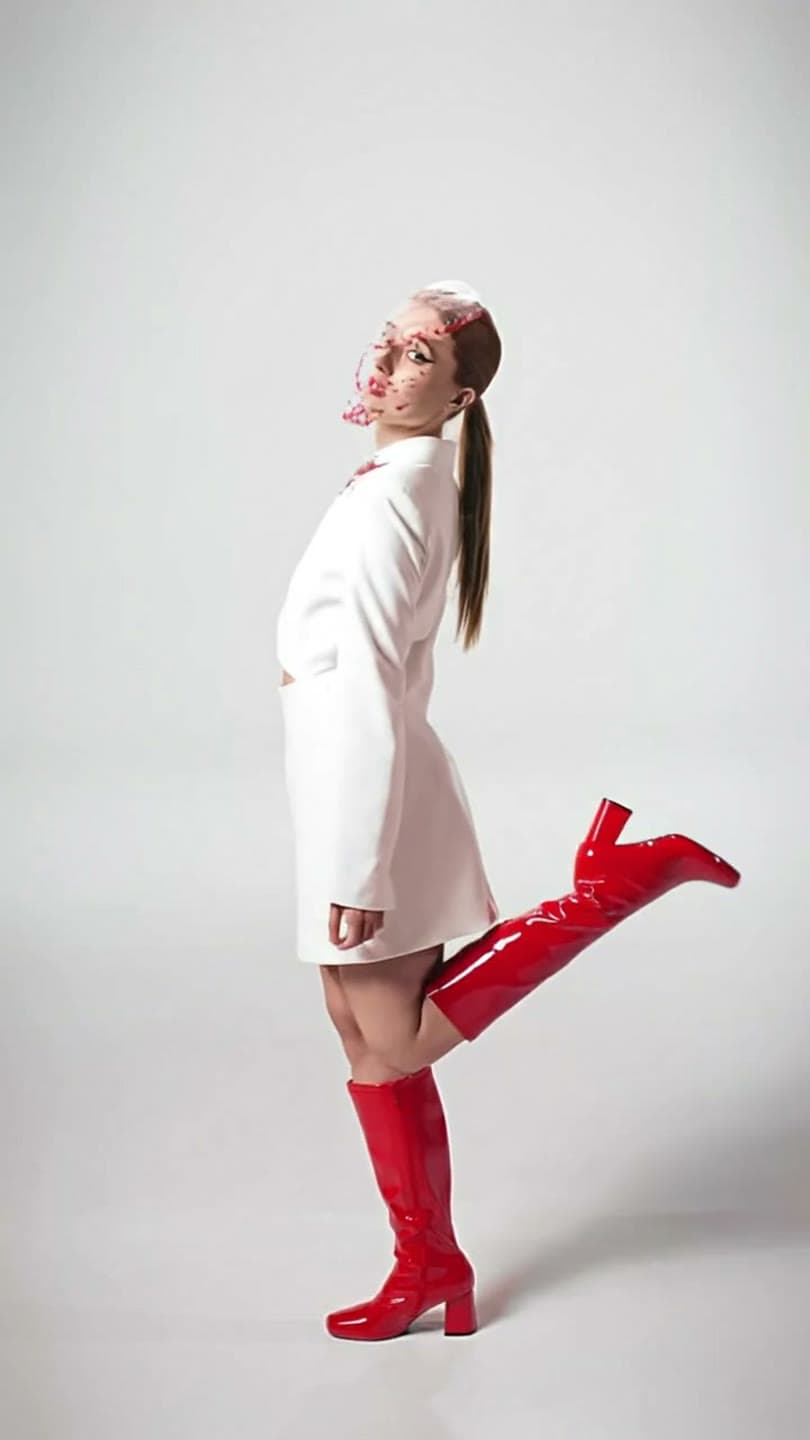 Studio pose
1 Pick a look · optional
We put you into this example — everything else stays as it is — then it moves like the example, at no extra cost.
Failed renders refund credits
Why do AI videos change your face?
An image-to-video tool has to invent every frame after the first one. When you turn your head, smile or move into new light, it has to guess what your face looks like from that angle, and every guess can drift a little further from the real you. Big movement, fast camera moves, low resolution and small faces in a wide shot all make it worse.
Some drift is normal. What separates tools is how well they hold on to identity across the clip, and how much control they give you to reduce movement where it matters. Before we compare them, a disclosure: Dromana is our product and appears below with tools we don't make.
Which AI video tools keep faces most accurate?
- Dromana: rebuilds a trend scene around you from one photo, then animates it with moderate movement that keeps your face.
- Hedra: built for talking portraits, so the face stays front and center with little drift.
- Runway: lets you control motion and camera precisely, which helps keep faces steady.
- Luma Dream Machine: smooth, natural motion; best with slow camera moves.
- Higgsfield: many presets; faces hold best on presets with simpler movement.
- Pika: great for effects, where spectacle matters more than exact likeness.
Try this look on your own photo.
Make it with my photoHow does Dromana keep your face?
Dromana's looks work in two steps. First the scene is recreated as a still image with you in it, keeping your face, hair and build from your photo. You can check that still before anything moves. Then the still is animated with motion chosen for that look, usually a walk, a turn or a camera push rather than wild action. Because the first frame already looks like you, the clip starts from the right place.
Looks such as studio pose, city standing and paparazzi flash keep faces large in frame, which helps. A look video uses 70 credits; if you want a higher-quality remake of a clip you like, switch to the Dromana setting. Failed jobs refund automatically.
What photo keeps my face most accurate?
The photo matters more than the tool. Most face problems start with a source photo that hides information the AI then has to invent.
- Sharp focus on your eyes; no motion blur.
- Face turned toward the camera, or at most a slight angle.
- Even, soft light without hard shadows across half your face.
- No sunglasses, hands, hair or masks covering features.
- Your face fills a good part of the frame, not a tiny figure in a landscape.
- No beauty filter; filters change your features before the AI even starts.
Our guide to the best photos for AI video has examples of photos that work and photos that don't.
Which settings and prompts reduce face drift?
Step 1
Ask for less movement
"Slight head turn" holds better than "spins around". Each extra action is another chance to drift.
Step 2
Keep the camera calm
A slow push in or a static camera is safer than orbiting around you.
Step 3
Stay close
Waist-up or closer keeps more detail on your face.
Step 4
Choose short clips
Five seconds drifts less than ten.
Step 5
Remake the winner
Test cheaply, then remake the clip you like at higher quality.
Can I make an AI video of someone else's face?
Only with their permission. Making realistic videos of real people without consent can hurt them and breaks most platforms' rules, and in many places it's illegal for intimate or misleading content. Use your own photos, or photos of people who've agreed. Label realistic AI content when you post; see how to label AI content. Dromana doesn't use your uploads to train a public model, and you can delete them whenever you like.
Which tool should I choose for face accuracy?
- You in a trend scene, looking like you: Dromana.
- A talking portrait: Hedra.
- Precise control over every movement: Runway.
- Natural cinematic motion: Luma Dream Machine.
- Effects where likeness matters less: Pika or Higgsfield.
Try it with your own photo in AI Video or animate a photo directly on the make a photo move page. More rankings are in our best AI photo-to-video tools guide.
Questions people ask
Which AI video generator keeps faces most consistent?
Tools that start from your real photo and use moderate motion, such as Dromana's looks or Hedra's talking portraits, keep faces best.
Why does my face change in AI videos?
The tool invents each new frame; big movement, fast camera moves and small or blurry faces make it drift.
How do I stop face drift in AI video?
Use a sharp, front-facing photo, ask for less movement, keep the camera calm and make shorter clips.
Does a better photo really help?
Yes. A clear, evenly lit photo where your face fills the frame is the biggest single improvement.
Can I check my face before the video is made?
On Dromana's looks, yes: the scene is made as a still with you in it first, then animated.
Can I use someone else's face?
Only with their permission, and never for misleading or intimate content.
Effects from this guide

Keep reading
 What photos work best for AI video? The pre-upload checklist4 min read
 The 10 best AI image-to-video and photo-to-video tools in 2026, by what you want to make6 min read
 How to take a selfie AI tools love: 12 tips4 min read
 Viral AI video effects explained: bullet time, rides, snow globes and more6 min read
- AI photo to video: the questions people actually ask, answered6 min read
Ready to make yours?
Add one photo and get the look from this guide.