The AI zoom-out video: start close, pull back to reveal a bigger world
By Claire Ye, Editor-in-chief, AI imaging · Updated · 4 min read
the short version
An AI zoom-out video starts close, on your face, a cup or an object, then the camera pulls back to reveal a bigger and often surprising scene: a whole city, a mountain, a stage full of people or the inside of a snow globe. Describe the starting framing and what the reveal shows, ask for one smooth pull-back and keep the clip around five to eight seconds.
AI Photo to Video
 Snow globe
1 Pick a look · optional
We put you into this example — everything else stays as it is — then it moves like the example, at no extra cost.
Failed renders refund credits
What is the zoom-out trend?
Zoom-outs are a classic film move that became a social trend because the reveal is so satisfying: the viewer thinks they know what they're looking at, then the frame keeps widening. A close-up of someone smiling becomes a person standing on a rooftop above a glowing city; a coffee cup becomes a giant cup in a tiny café; a winter portrait turns out to be inside a snow globe on a shelf.
AI makes the move possible from a single photo, because the model can invent the wider world that the original photo never showed.
Which reveals work best?
- Face to rooftop: a portrait pulls back to show the city skyline.
- Person to landscape: a hiker becomes a tiny figure on a mountain ridge.
- Object to world: a cup or a toy turns out to be enormous, or tiny.
- Snow globe: a winter scene turns out to be inside a glass globe.
- Stage: a singer pulls back to reveal a packed arena.
- Window: a cozy room pulls back through the window to a snowy street.
Try this look on your own photo.
Make it with my photoWhat are the steps for a zoom-out clip?
Step 1
Use a close-up photo
A face, an object or a small detail, sharp and well lit.
Step 2
Describe the start and the reveal
In AI Video: "start close on her face, the camera pulls back smoothly to reveal she's standing on a rooftop above a glowing city at night".
Step 3
Ask for one continuous move
"one smooth pull-back, no cuts".
Step 4
Generate five to eight seconds
Longer clips give the reveal more room.
A five-second zoom-out on Dromana costs 70 credits; eight seconds costs 88.
Which prompts work for zoom-outs?
- "start on the coffee cup, pull back to reveal a tiny café inside a giant teacup"
- "close on his face, pull back to reveal he is standing on a cliff above the ocean at sunset"
- "close on her smile, pull back to reveal she's inside a snow globe on a windowsill"
- "start on the guitar, pull back to reveal a stadium full of lights"
- "close on the sneaker, pull back to reveal it floating above the city"
Can I use a ready-made look instead?
Yes. Some looks already have a built-in reveal: the snow globe and product snow globe looks show you or your product inside a globe, and the rooftop sunset look ends on a wide city view. Looks cost the same as a plain clip, 70 credits on Dromana.
Why does my zoom-out look strange?
- The face changes as it shrinks: start from a sharp, front-facing photo.
- The move is jerky: ask for "one smooth, slow pull-back".
- The reveal is generic: describe the wider scene specifically.
- It cuts instead of moving: add "continuous shot, no cuts".
- The clip ends too early: try eight seconds.
How do I post a zoom-out?
Put the close-up in the very first frame and the reveal at the end, so the video loops back to the close-up. A sound with a build and a drop matches the move perfectly. Caption it with a hint, not the answer: "wait for it". For the opposite effect, a push in, see the 3D parallax photo effect guide, and for more reveal formats, viral AI video effects.
How much does it cost?
New Dromana accounts get 140 free credits with no card, enough for two five-second zoom-outs. Failed jobs refund automatically. Any pack, from $4.99 for 6 videos, removes the small badge. Start with a close-up photo on the make a photo move page or in AI Video.
Questions people ask
What is an AI zoom-out video?
A clip that starts close on a face or object and pulls back to reveal a bigger, surprising scene.
How do I make a zoom-out from a photo?
Use a close-up photo and describe the start, the pull-back and what the reveal shows.
Which reveals work best?
Ones that change scale or setting: a rooftop city, a mountain, a stadium or a snow globe.
How long should a zoom-out be?
Five to eight seconds, so the reveal has room.
Why does my face change during the zoom-out?
Start from a sharp, front-facing photo and ask for a slow, smooth pull-back.
How much does a zoom-out cost?
A five-second zoom-out on Dromana is 70 credits, and you get 70 free to start.
Effects from this guide

Keep reading
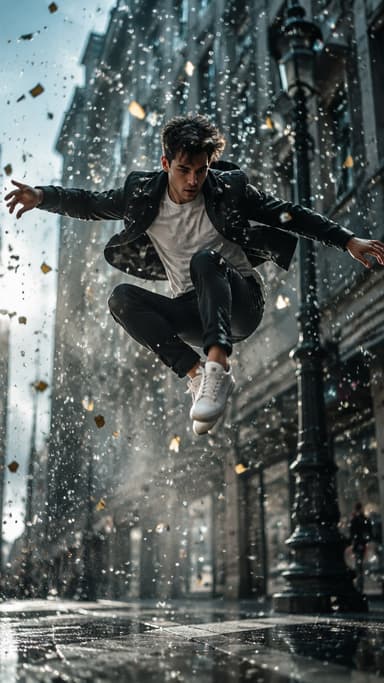 Viral AI video effects explained: bullet time, rides, snow globes and more6 min read
 The 3D parallax photo effect: give a flat photo depth with AI4 min read
 40 image-to-video prompts that actually work4 min read
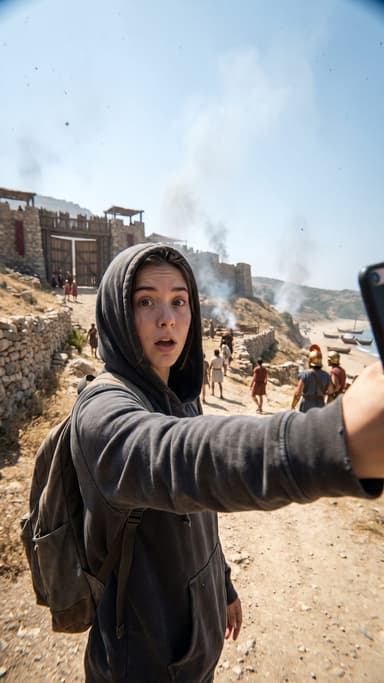 AI photo to video: the questions people actually ask, answered6 min read
- The 10 best AI image-to-video and photo-to-video tools in 2026, by what you want to make5 min read
Ready to make yours?
Add one photo and get the look from this guide.