Picsart alternatives: 7 photo editing and AI apps compared
By Sebastian Ward, Reviews and comparisons editor · Updated · 4 min read
the short version
Picsart packs a full mobile photo editor, templates, stickers and a growing set of AI tools into one app. Alternatives usually win on focus: Canva for designed posts, Adobe Express for quick branded edits, Fotor for simple AI retouching, Photoroom for product backgrounds, Lensa for avatars and Dromana for realistic AI scenes and short videos from one photo.
AI Photo to Video
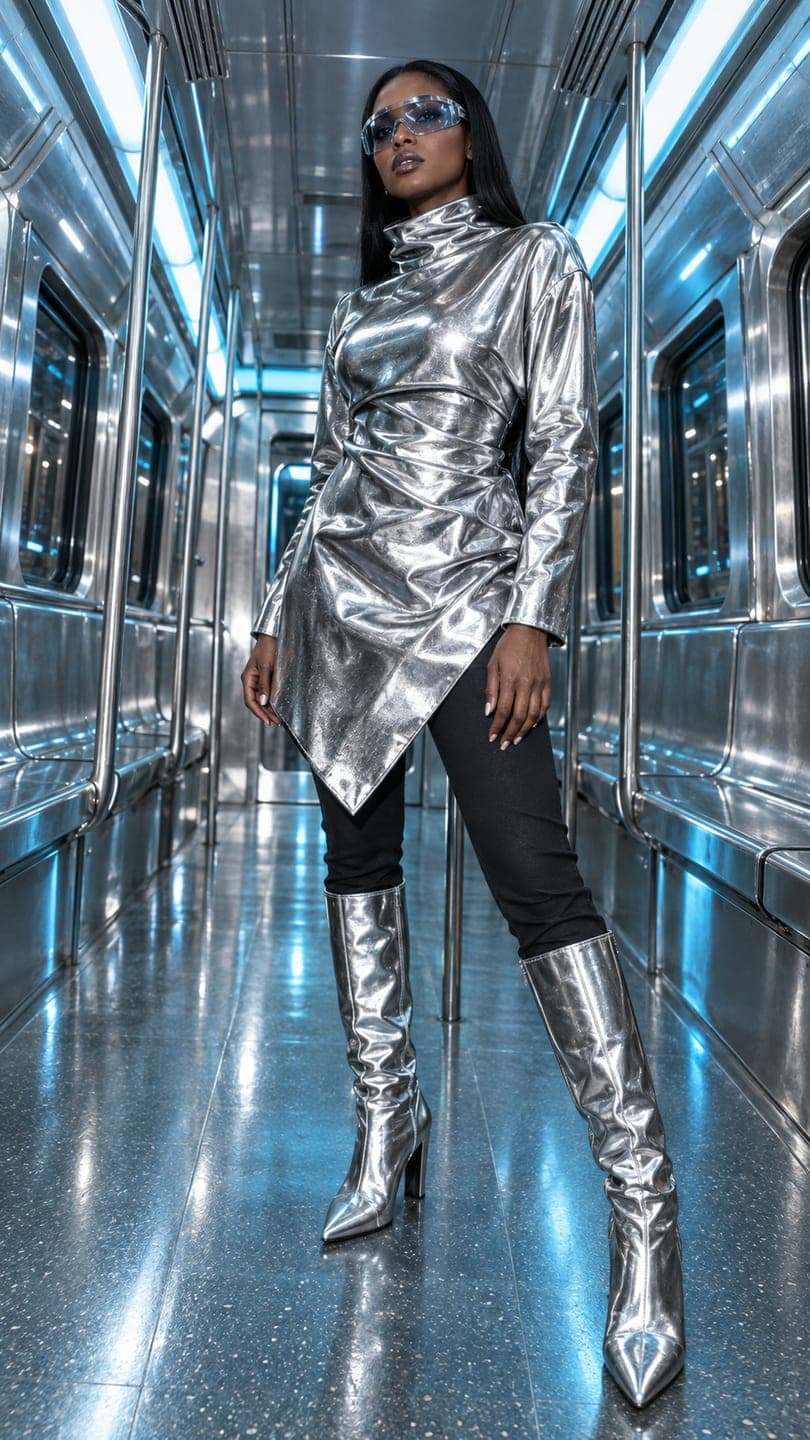 Chrome carriage
1 Pick a look · optional
We put you into this example — everything else stays as it is — then it moves like the example, at no extra cost.
Failed renders refund credits
Why look for a Picsart alternative?
Picsart is one of the most popular all-in-one creative apps: you can edit photos, remove backgrounds, add text and stickers, use templates, make collages and try AI effects and generators. That breadth is the point, but it also means a busy interface and features spread across a subscription. People look for alternatives when they want one job done really well, whether that's designed layouts, product photos or realistic AI results, or when they want something simpler on their phone.
Full disclosure: we make Dromana, and it's one of the options below. We've tried to describe each app by what it actually does best.
What are the best Picsart alternatives?
- Canva: templates and designed posts, stories, thumbnails and cards.
- Adobe Express: quick branded edits, social posts and short videos.
- Fotor: simple editing, retouching and one-tap AI effects.
- Photoroom: product photos with clean or generated backgrounds.
- Lensa: AI avatars and selfie retouching.
- Remini: sharpening and enhancing blurry or old photos.
- Dromana: lifelike AI scenes and vertical clips of you, made from a single photo.
Try this look on your own photo.
Make it with my photoWhich alternative is best for designed posts?
For layouts with text, like a sale announcement, a carousel, a YouTube thumbnail or a story template, Canva is the strongest replacement, with a huge template library and brand kits. Adobe Express is a close second and fits naturally if you use other Adobe apps. Both handle quick edits too, but they're design tools first, photo editors second.
Which alternative is best for AI effects on your own photos?
Picsart's AI effects are fun but often stylized. If you want something that looks like a real photo of you in a new outfit or place, choose a tool that starts from your face and rebuilds the scene. Dromana's looks recreate a finished example shot with you in it from one photo: try the Y2K chrome, studio pose or night crosswalk. In AI Image, you can also describe your own scene; each image uses 10 credits.
Which alternative is best for product photos?
For shops and sellers, Photoroom specializes in removing backgrounds and placing products on clean or generated backdrops, at scale. For moving product clips, like a spin, an unboxing or a product in a seasonal scene, Dromana's product photo to video page and product looks turn one photo into a short video. Our best AI product photography tools compares more options.
Which alternative makes videos?
Picsart and Canva can animate text and elements in templates. For actual AI motion, where people walk, hair moves and cameras push in, you need an image-to-video tool. Dromana animates any photo on the make a photo move page and turns its looks into vertical clips; a 5-second clip on Dromana uses 70 credits. New accounts get 140 free credits with no card.
What about cost and free plans?
Most of these apps have a free tier with limits and a subscription for the full feature set. Compare what you'd actually use: if you only need templates, Canva's free plan may be enough; if you need AI clips a few times a month, pay-as-you-go credit packs can be cheaper than another subscription. Dromana sells packs from $4.99 for 6 videos without a plan, and any pack removes the badge. See our AI video generator pricing guide for how to compare credit-based tools.
Which Picsart alternative should I choose?
- Designed posts and templates: Canva or Adobe Express.
- Simple retouching and effects: Fotor.
- Product backgrounds: Photoroom.
- Avatars: Lensa.
- Enhancing old or blurry photos: Remini.
- Realistic AI scenes and videos of you: Dromana.
For a broader ranking, see the best AI photo editor apps, or our Lensa alternatives and Remini alternatives guides.
Questions people ask
What is the best Picsart alternative?
Canva for designed posts, Fotor for simple editing, Photoroom for product photos and Dromana for realistic AI scenes and videos.
Which alternative is best for templates?
Canva, with Adobe Express a close second.
Which alternative is best for product photos?
Photoroom for backgrounds; Dromana for turning product photos into short videos.
Is there a Picsart alternative that makes AI videos?
Yes. Dromana animates photos and turns looks into vertical clips.
Which alternative keeps my face realistic?
Tools that change the scene, not your face, like Dromana's looks.
Is there a free alternative?
Canva and others have free tiers; Dromana gives 140 free credits on sign-up.
Effects from this guide
 AI fashion portraitSkip the photographer: get a magazine-style fashion portrait from one selfie. Quiet-luxury coats, street editorial, studio light. Same face, new shoot. Free to try.
 Make a photo moveUpload one photo, get a 5-second video in a minute or two: a smile, a head turn, wind in the trees, waves rolling in. Works on portraits and landscapes, free to try.
Keep reading
 Best AI photo apps to restyle a selfie in 2026: aesthetics, portraits and edits4 min read
 Lensa alternatives: 7 AI avatar and photo apps compared4 min read
 Remini alternatives: 7 apps for enhancing, restyling and animating photos4 min read
 Turn yourself into a vintage Christmas cartoon, then make it move4 min read
 The AI figurine trend: make a mini you climb out of your phone5 min read
Ready to make yours?
Add one photo and get the look from this guide.