How much does photo restoration cost? A retoucher, an app or AI, compared
By Daniel Hughes, Safety, rights and family memories · Updated · 4 min read
the short version
Professional restorers price each photo by its damage, from a few dozen dollars for light fading to well over a hundred for missing pieces. Subscription apps charge weekly or monthly. Pay-per-photo AI costs a few dollars and now handles fading, scratches, creases and small tears well. Dromana restores a photo and brings it to life for $2.99, or 5 photos for $9.99.
AI Photo Restyle
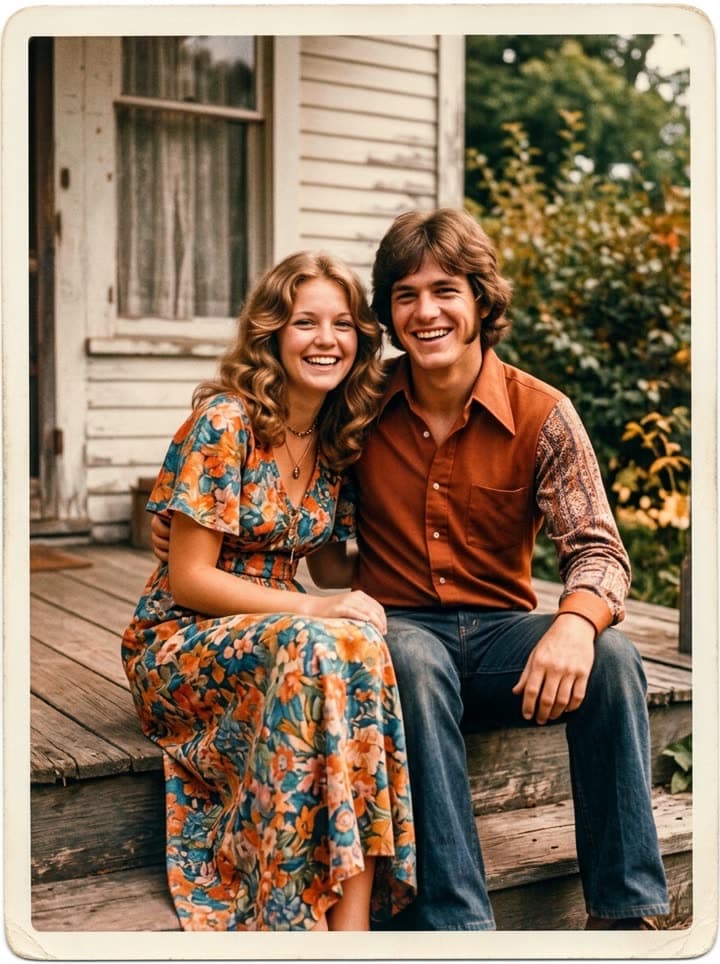 Restore an old photo
1 Pick a look · optional
Failed renders refund credits
The short answer
Published price lists from restoration services in 2026 mostly fall into three bands: around $25 to $50 a photo for light damage such as fading and a few scratches, around $50 to $150 for moderate work like creases, stains and colour casts, and more again for severe damage, missing corners or a face that has to be rebuilt. Scanning is often charged on top. Pay-per-photo AI sits at a few dollars a photo, and subscription apps charge by the week or month whether you restore one photo or a hundred.
Which one you need depends on the damage, not on the price. Most family photos have fading, scratches and creases, and that is where AI is now good enough. Heavy damage is where a person is still worth paying.
What a professional restorer charges, and why
A restorer prices by the hour behind the job. Light fading takes minutes; a torn portrait with a missing eye can take an afternoon of careful painting, because the restorer has to rebuild what isn't there from what is. That is why quotes vary so widely, and why most services ask to see the photo before giving a firm price.
- Worth it for: missing pieces, burns, water damage across a face, mould, and photos for a large framed print.
- Also worth it for: archives, museums and anything where every detail must be documented, not guessed.
- Expect: a quote first, a few days to a few weeks of turnaround, and a revision or two included.
Try this look on your own photo.
Make it with my photoPhoto labs and scanning services
Many photo labs offer restoration as an add-on to scanning. That's convenient when you have a box of prints: they scan everything, then fix the photos you choose. Check the price per scan as well as the price per restoration, since a large batch adds up quickly. If you'd rather scan at home, our guide on how to scan old photos gets you clean files with a phone or a flatbed.
Apps and subscriptions
Restoration apps often start with a free trial and then switch to a weekly or monthly subscription. That is good value if you have hundreds of photos to work through in one go, and poor value if you have five photos for a birthday. Read the renewal terms before you start the trial, and cancel once the album is done. Our round-up of AI photo restoration apps compares how they charge.
Pay-per-photo AI: what it handles, and what it doesn't
- Handles well: fading, yellowing and colour casts, dust and scratches, creases and fold lines, small tears, soft focus.
- Handles with care: heavy grain, faces that are small in the frame, photos of photos.
- Can't do honestly: rebuild a missing face, read text that has gone, or recover detail that was never in the print.
When too much is missing, AI fills the gap with something plausible, and plausible isn't the same as true. Always compare the result with the original, keep the original scan, and use a person for the photos where a guess would hurt.
Restoring a photo on Dromana
Dromana restores a photo and then brings it to life as a 5-second clip, priced per photo and paid once, with no subscription. A new account's first two videos are free. The steps:
Step 1
Restore
Upload the scan to restore old photos. It fixes fading, colour casts, scratches and creases and keeps every face as it was.
Step 2
Colourise if you want
For black-and-white prints, colourise old photos adds natural colour.
Step 3
Bring it to life
Use bring old photos to life for a gentle clip: a blink, a smile, a turn of the head.
Our step-by-step guide to restoring old photos with AI covers the details, and prices are on the pricing page.
How to decide
- A few faded or scratched family photos for a gift or a slideshow: pay-per-photo AI.
- A whole box of prints to digitise: a scanning service, then AI for the ones that need fixing.
- A badly damaged portrait, a missing piece or a large framed print: a professional restorer.
- A family archive you want preserved as it is: scan everything at high resolution first, restore copies, never the originals.
Questions people ask
How much does it cost to restore an old photo?
From a few dollars with pay-per-photo AI to roughly $25–$150 or more with a professional, depending on the damage.
Is AI photo restoration accurate?
For fading, scratches and creases, yes. Where parts are missing it has to guess, so compare the result with the original.
Can AI fix a torn photo?
Small tears and fold lines, yes. Large missing pieces, especially across a face, are better left to a professional.
Do I need to scan the photo first?
A scan or a flat, glare-free phone photo in daylight gives the best result.
Is Dromana's photo restoration a subscription?
No. You pay once for one photo, restored and brought to life, or for a pack of five; nothing renews.
Will restoration change faces?
It keeps faces as they were. If a face is badly damaged it may soften details, so check the result before you share it.
Effects from this guide
 Old photo restorationRestore old family photos with AI: remove scratches, creases, stains and fading, repair torn corners and add natural color, while every face stays exactly as it was.
 Colorize black-and-white photosColorize black-and-white and sepia photos with AI: realistic skin tones, period-true clothes and rooms, and the faces of the people you love left exactly as they were.
- Bring old photos to lifeAnimate an old family photo: the people in it blink, breathe and smile again in a gentle 5-second clip. For memorial slideshows, anniversaries and family memories.
Keep reading
 How to restore old photos with AI: bring back the faces in the family album5 min read
- How to scan old photos at home with a phone or scanner, before you restore them4 min read
- Best AI photo restoration apps in 2026: restore, colorize and animate old photos4 min read
- Animate old photos of loved ones: see them blink and smile again, gently5 min read
 Día de los Muertos photo tribute: restored and moving photos for your ofrenda4 min read
Ready to make yours?
Add one photo and get the look from this guide.