Día de los Muertos photo tribute: restored and moving photos for your ofrenda
By Daniel Hughes, Safety, rights and family memories · Updated · 4 min read
the short version
For Día de los Muertos on November 1 and 2, families place photos of their loved ones on the ofrenda among marigolds, candles and favourite foods. You can restore faded or damaged photos for printing, colorize black-and-white ones, and make a gentle moving portrait to play on a tablet or share with relatives far away, keeping the tradition at the centre.
AI Photo to Video
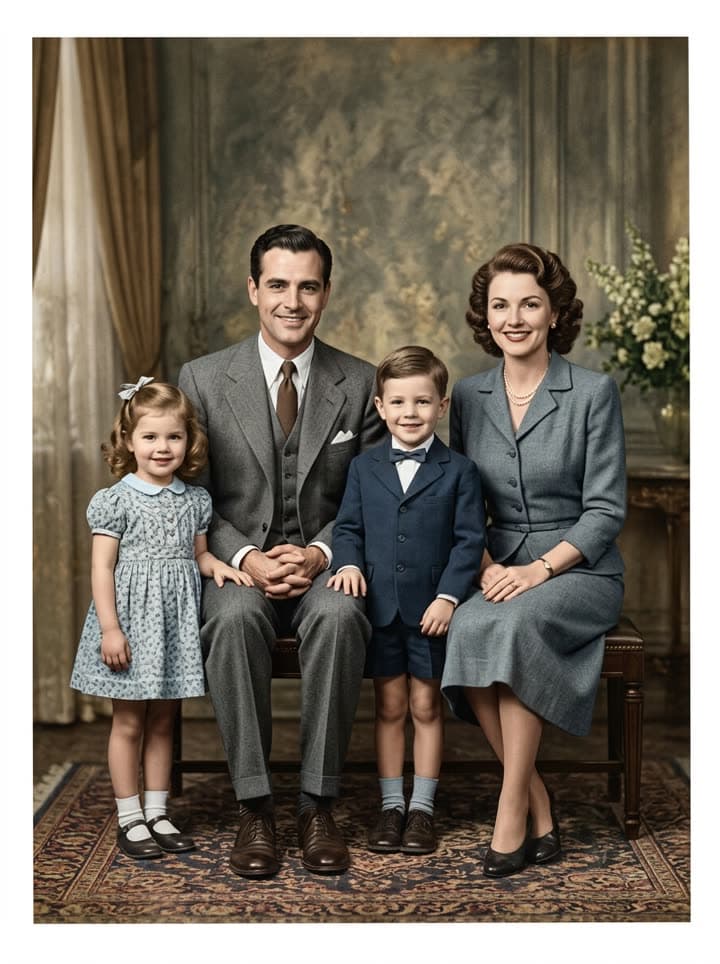 Family photo comes alive
1 Pick a look · optional
Describe what happens, in your own words. To change outfit or place, pick a look or switch on New outfit or scene.
Failed renders refund credits
The photo at the heart of the ofrenda
Día de los Muertos is a celebration, not a mourning. On November 1 families remember the children who died, the angelitos, and on November 2 the adults, welcoming their spirits home for a night with the things they loved: cempasúchil marigolds to light the way, candles, copal, pan de muerto, sugar skulls with their names, water for the journey, and their favourite dishes and drinks. Papel picado flutters over the altar.
And at the top, almost always, their photographs. The photo says who the ofrenda is for. Often it's the only picture the family has: a wedding portrait, a studio photo from the 1950s, a snapshot that's been in a wallet for decades. That's exactly the kind of photo that has faded, creased and cracked.
Restore the photos for printing
Step 1
Photograph or scan the print
Lay it flat in daylight and shoot straight down, or scan at 600 dpi. Take it out of the frame first to avoid glare.
Step 2
Restore it
Upload it to restore old photos. Scratches, creases and fading go; faces stay exactly as they were.
Step 3
Print a fresh copy
Print at 4×6 or 5×7 for the altar and keep the original safe in an album, away from candle heat and moisture.
Try this look on your own photo.
Make it with my photoAdd color to black-and-white portraits
Seeing abuela's face in color, her dress and the flowers in her hair, often feels like meeting her again. Colorize old photos adds natural, period-true color to black-and-white and sepia prints. Ask the oldest relatives what colors things were: the shawl she always wore, his favourite shirt, the color of the house. Write those details into the prompt.
Keep the black-and-white original on the altar too if the family prefers; some relatives feel the original is the one that belongs there, and both have their place.
A moving portrait for the altar
A newer tradition in many homes is a tablet or a digital frame on the ofrenda showing a slow loop of the family's photos. A few seconds where a grandmother blinks and smiles, or a couple lean together, among the candles and marigolds can be deeply moving, especially for grandchildren who never met them.
Make one with bring old photos to life: upload the restored photo and keep the motion small, a still camera, a blink, a breath, a soft smile. Each clip is 5 seconds; new accounts get 70 free credits with no card, enough for one. Our guide on animating photos of loved ones covers prompts and how to share with care.
Sharing with family far away
- Send the restored photos to relatives in other cities or countries so each home's ofrenda has the same faces.
- Make a short video of the altar with the moving portraits and send it in the family chat on the night of November 1 or 2.
- Ask each relative to share one memory or a favourite dish of the person, and post them together with the photo.
- Write the names and years on the back of every printed photo, so the next generation knows who they are.
Respecting the tradition
The technology should serve the ofrenda, not take it over. Keep the marigolds, the candles, the food and the stories at the centre, and let the photos be what they've always been: a way of saying “you are remembered, come home tonight”. Ask the elders of the family before animating a photo of someone they lost; some will love it, others may prefer the still image.
If you share publicly, present moving portraits as made from a photograph, not real footage. Free results carry a small watermark; a plan removes it for prints and frames, and Starter's first month is $4.99 if you've never paid.
Questions people ask
When is Día de los Muertos?
November 1 and 2. November 1 honors children who have died and November 2 honors adults, though many families celebrate both nights together.
What photos go on an ofrenda?
Photos of the loved ones being honored, usually placed on the top level, along with marigolds, candles, water, pan de muerto, sugar skulls and their favourite foods.
Can I restore a damaged photo for the altar?
Yes. Upload a scan or phone photo to the restore tool; scratches, creases and fading are repaired while the face stays exactly the same.
Can I make a photo of my grandparent move?
Yes. The bring old photos to life tool makes a gentle 5-second clip where they blink, breathe and smile, which you can play on a tablet on the ofrenda.
Is it free?
New accounts get 70 free credits with no card, enough for several restorations or one moving portrait. Free results carry a small watermark.
Is animating photos respectful for Día de los Muertos?
Many families find it a beautiful addition, but ask the elders first and keep the motion gentle. The ofrenda and its traditions stay at the centre.
Effects from this guide
 Old photo restorationRestore old family photos with AI: remove scratches, creases, stains and fading, repair torn corners and add natural color, while every face stays exactly as it was.
- Bring old photos to lifeAnimate an old family photo: the people in it blink, breathe and smile again in a gentle 5-second clip. For memorial slideshows, anniversaries and family memories.
 Colorize black-and-white photosColorize black-and-white and sepia photos with AI: realistic skin tones, period-true clothes and rooms, and the faces of the people you love left exactly as they were.
Keep reading
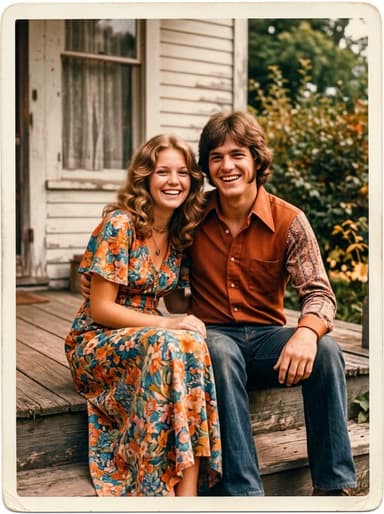 Animate old photos of loved ones: see them blink and smile again, gently5 min read
- How to restore old photos with AI: bring back the faces in the family album5 min read
 How to colorize black-and-white photos with AI so they look real4 min read
- How to make a memorial slideshow from old photos, with a few that move4 min read
- Best AI photo restoration apps in 2026: restore, colorize and animate old photos4 min read
Ready to make yours?
Add one photo and get the look from this guide.