Best AI photo restoration apps in 2026: restore, colorize and animate old photos
By Sebastian Ward, Reviews and comparisons editor · Updated · 4 min read
the short version
The best AI photo restoration apps fall into three groups. Genealogy services like MyHeritage pair restoration and colorizing with family trees. Enhancers like Remini sharpen faces on your phone, and editors like Picsart and Fotor add restore tools to a full editor. Dromana, our product, restores, colorizes and gently animates old photos in one place while keeping faces unchanged.
AI Photo Restyle
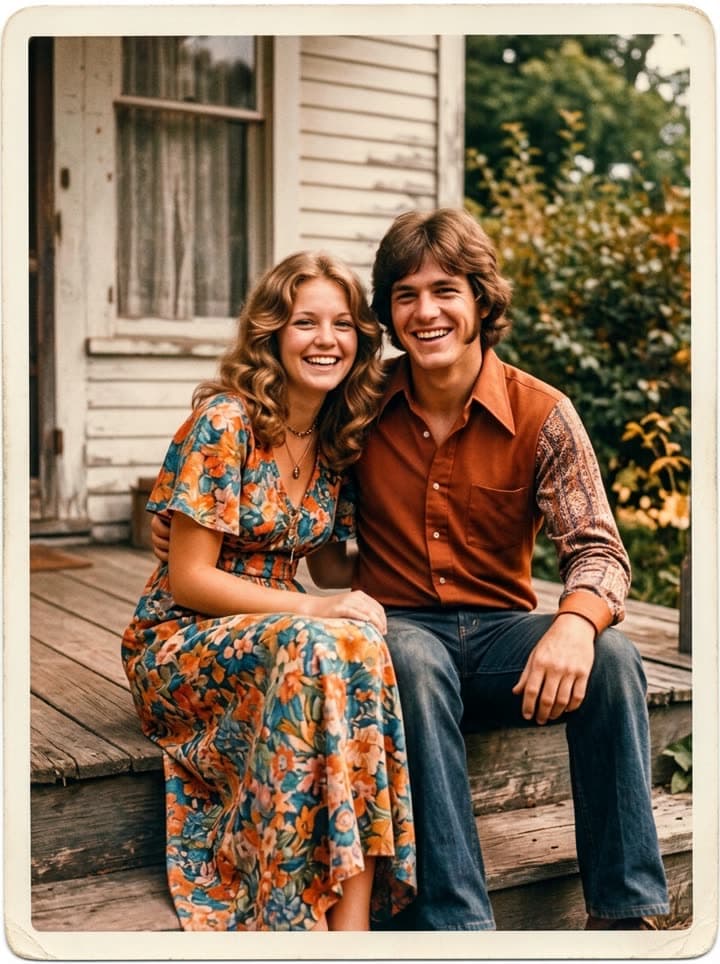 Restore an old photo
1 Pick a look · optional
Failed renders refund credits
What to look for in a photo restoration app
Restoration sounds simple, but tools differ a lot in what they do to a face. The best ones remove damage and leave the person alone; others sharpen so aggressively that skin turns plastic and a grandmother comes out twenty years younger. Before choosing, decide what you need: repairing damage, adding color, a sharper face for printing, or a moving portrait for a tribute.
Disclosure: Dromana is our own product and is included below. We've described each tool by what it's built for, not by a test score, so you can pick the one that fits your box of photos.
The best AI photo restoration apps
- MyHeritage: a genealogy service with photo enhancing, colorizing and animation tools, built around family trees and historical records. Best if you're already researching your family history there.
- Remini: a phone app focused on enhancing faces in blurry and low-resolution photos, including old ones. Strong on sharpness; check that faces still look like the person.
- Picsart: a full mobile and web editor with AI enhance and retouch tools, useful if you also want to crop, add text or make collages.
- Fotor: an online editor with one-click restore and colorize tools alongside general editing.
- Canva and Adobe Express: design tools that are best for what comes after restoration, such as laying out photos into cards, memorial programs and slideshows.
- Dromana: restores scratches, creases, stains and fading, colorizes black and white, and turns the restored photo into a gentle 5-second moving portrait, with prompts written to keep every face unchanged.
Try this look on your own photo.
Make it with my photoRestoring, colorizing and animating: which tool for which job
For damaged prints, look for a tool that removes creases and stains without smoothing faces; that's what Dromana's restore tool is written for, and you can add specifics like “repair the torn corner” in plain words. For black-and-white photos, colorizers differ mostly in skin tones; generate a few versions and choose the most natural.
For moving portraits, the question is how much motion. Gentle blinking and breathing with a still camera feels like a memory; big gestures can feel unsettling for people we knew. Bring old photos to life defaults to the gentle kind, and our guide to animating photos of loved ones explains why.
How to test any restoration app
Step 1
Pick three test photos
One creased color print, one black-and-white portrait and one group photo with small faces.
Step 2
Run each through the free tier
Most apps let you try a few photos before paying. Dromana gives new accounts 70 free credits with no card.
Step 3
Compare faces with the originals
Look at eyes, teeth, glasses and hairlines. Show the results to someone who knew the people.
Step 4
Check the export
Resolution for printing, watermarks, and whether you can delete your uploads.
Privacy: who sees your family photos
- Read whether the service uses your uploads to train its models, and whether you can opt out.
- Check how long photos are stored and how to delete them.
- Be careful with photos of living relatives, especially children; ask before uploading.
- Prefer services that keep your uploads private to your account by default.
Dromana keeps your uploads private to your account and lets you delete them; our privacy policy explains how long files are kept.
Cost: subscriptions versus credits
Restoration apps mostly charge either a subscription, often weekly on mobile, or by credits. If you have one box of photos to restore, avoid weekly subscriptions that renew quietly; a credit pack or a single month is usually cheaper. On Dromana, a restoration uses 20 credits and a 5-second moving portrait 70; Starter's first month is $4.99 if you've never paid, and plans remove the watermark for printing.
Questions people ask
What is the best app to restore old photos?
It depends on the job: MyHeritage if you're building a family tree, Remini for sharpening faces on your phone, Picsart or Fotor for restore tools inside an editor, and Dromana to restore, colorize and gently animate photos while keeping faces unchanged.
Is there a free AI photo restoration app?
Most have a free tier with limits or watermarks. Dromana gives new accounts 70 free credits with no card, enough to restore several photos.
Which app can make old photos move?
MyHeritage and Dromana both animate old photos. Dromana keeps the camera still and the motion gentle: blinking, breathing and soft smiles.
Do restoration apps change faces?
Some do, by smoothing skin and reshaping features. Always compare the result with the original and choose a tool that keeps people looking like themselves.
Can I restore photos on my phone?
Yes. Most of these tools work in a phone browser or app; photograph the print flat in daylight and upload it.
Are my family photos private?
It varies by service. Check whether uploads are used for training and how to delete them. Dromana keeps them private to your account.
Effects from this guide
 Old photo restorationRestore old family photos with AI: remove scratches, creases, stains and fading, repair torn corners and add natural color, while every face stays exactly as it was.
 Colorize black-and-white photosColorize black-and-white and sepia photos with AI: realistic skin tones, period-true clothes and rooms, and the faces of the people you love left exactly as they were.
- Bring old photos to lifeAnimate an old family photo: the people in it blink, breathe and smile again in a gentle 5-second clip. For memorial slideshows, anniversaries and family memories.
Keep reading
 How to restore old photos with AI: bring back the faces in the family album5 min read
 How to colorize black-and-white photos with AI so they look real4 min read
- Animate old photos of loved ones: see them blink and smile again, gently5 min read
- Día de los Muertos photo tribute: restored and moving photos for your ofrenda4 min read
- How to make a memorial slideshow from old photos, with a few that move4 min read
Ready to make yours?
Add one photo and get the look from this guide.