Best AI video tools for small business marketing in 2026
By Sebastian Ward, Reviews and comparisons editor · Updated · 4 min read
the short version
Small businesses need short videos constantly, without a production budget. Use Dromana for product and lifestyle clips from one photo, Canva or Adobe Express to add branding and offers, InVideo for script-based explainers, HeyGen or Synthesia for presenter videos, and Animoto for slideshows. Check that the plan covers commercial use before posting ads.
AI Photo to Video
 Gift guide flat lay
1 Pick a look · optional
We put your product into this example — everything else stays as it is — then it moves like the example, at no extra cost.
Failed renders refund credits
What videos does a small business actually need?
Most small businesses don't need a brand film; they need a steady supply of short clips. A café needs a new Reel every few days, a skincare brand needs product clips for each launch, a salon needs before-and-after posts, and an online shop needs videos for every hero product in gift season. AI tools are most useful here when they cut the time per clip from hours to minutes.
- Product clips for social posts, listings and ads.
- Lifestyle clips that set a mood for the brand.
- Explainers and how-tos for the website or FAQ.
- Presenter or founder videos for announcements.
- Promotions: sales, launches, holiday offers.
Disclosure: Dromana is our product and appears in this list. It covers product and lifestyle clips; we point to other tools for the rest.
Which AI video tools are best for small business marketing?
- Dromana: product and lifestyle clips from one photo, keeping your product's shape, label and color.
- Canva: branded templates, brand kits and resizing for every platform.
- Adobe Express: polished templates and generative tools, often included with Adobe plans.
- InVideo: explainer videos from a script, with stock footage, captions and voiceover.
- HeyGen: presenter-style avatar videos and translation for announcements and outreach.
- Synthesia: studio-style presenters for training and internal videos.
- Animoto: quick slideshow videos from your photos with music.
Try this look on your own photo.
Make it with my photoWhich tool is best for product videos?
For product clips, fidelity comes first: the product must look exactly like what customers will receive. Dromana's product looks rebuild a ready-made ad scene with your product in place and keep its shape, label and color: try the cozy candle, floating sneaker, water ripple, bakery box or the holiday gift guide flat lay. Check every clip before posting. Our best AI product video tools comparison goes deeper.
- A look video uses 70 credits; credit packs start at $8 for 500 credits, no subscription.
- Results from a paid plan or a bought pack can be used in ads and listings.
- Plans from $10 a month remove the dromana.app badge.
How do I keep AI videos on-brand?
- Pick two or three looks that match your brand's mood and reuse them across products.
- Keep a brand kit in Canva or Adobe Express with logo, fonts and colors.
- Add the logo and offer as an overlay rather than asking the AI to render text.
- Use the same caption style and sound choices across posts.
- Post on a schedule; consistency matters more than any single video.
Can I use AI videos in paid ads?
Usually, if your plan covers commercial use and you own the rights to what you upload. On Dromana, results made on a paid plan or with a credit pack you bought can be used in ads, listings and posts for your business; results made only with free credits are personal use. Ad platforms and social networks may also require you to label realistic AI content, and your ad claims must be true for the real product. See labeling AI content.
Which AI video tool should a small business choose?
- Product and lifestyle clips from photos: Dromana.
- Branding, offers and resizing: Canva or Adobe Express.
- Explainers from a script: InVideo.
- Presenter and founder videos: HeyGen or Synthesia.
- Photo slideshows with music: Animoto.
Sellers on marketplaces should also read our Etsy listing video and TikTok Shop holiday videos guides. Start with a product photo on the product photo to video page.
Questions people ask
What is the best AI video tool for small businesses?
Dromana for product and lifestyle clips from one photo, Canva or Adobe Express for branding, InVideo for explainers, HeyGen for presenter videos.
How much do AI marketing videos cost?
On Dromana a look video uses 70 credits, and packs start at $8 for 500 credits with no subscription.
Can I use AI videos in ads?
Yes, if your plan allows commercial use and you own the rights to the photos. On Dromana that means a paid plan or a bought credit pack.
How do I keep AI videos on-brand?
Reuse a few looks that fit your brand, add logo and offers as overlays, and keep a consistent caption style.
Can AI make a product video from a photo?
Yes. Product looks put your product into a ready-made ad scene while keeping its shape, label and color.
How often should a small business post videos?
Consistency beats volume; a few short videos a week on a schedule works for most small businesses.
Effects from this guide

Keep reading
 Best AI product video tools for small sellers in 20264 min read
 Canva AI video alternatives: 7 tools for making and editing social videos4 min read
- TikTok Shop holiday videos: product video ideas from Black Friday to Christmas5 min read
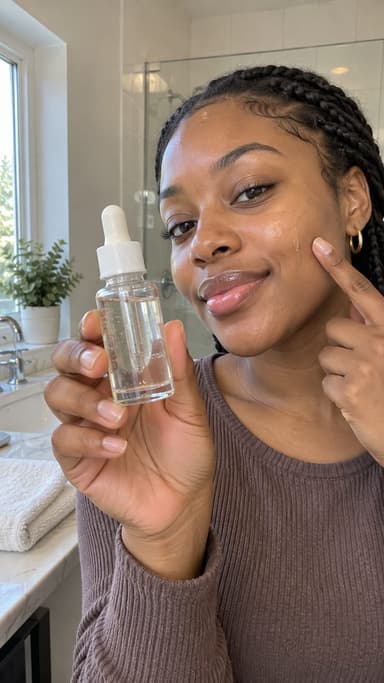 Best AI UGC ad tools: creator-style product videos without hiring creators4 min read
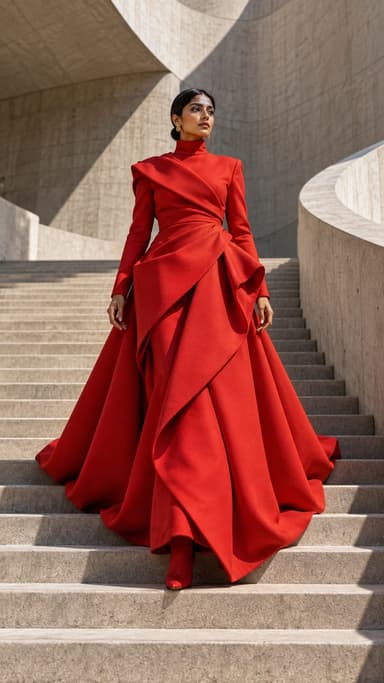 Best AI Lunar New Year video apps: greetings, family portraits and red envelopes4 min read
Ready to make yours?
Add one photo and get the look from this guide.