Best AI tools for Black Friday and Cyber Monday ads in 2026
By Sebastian Ward, Reviews and comparisons editor · Updated · 4 min read
the short version
Black Friday rewards sellers who post many fresh videos fast. Dromana turns one product photo into ad clips like a snow globe, gift unboxing or light trails; Canva and Adobe Express add the deal, price and countdown; HeyGen makes presenter-style offers; InVideo builds explainers. Prepare clips in early November and post daily through Cyber Monday.
AI Photo to Video
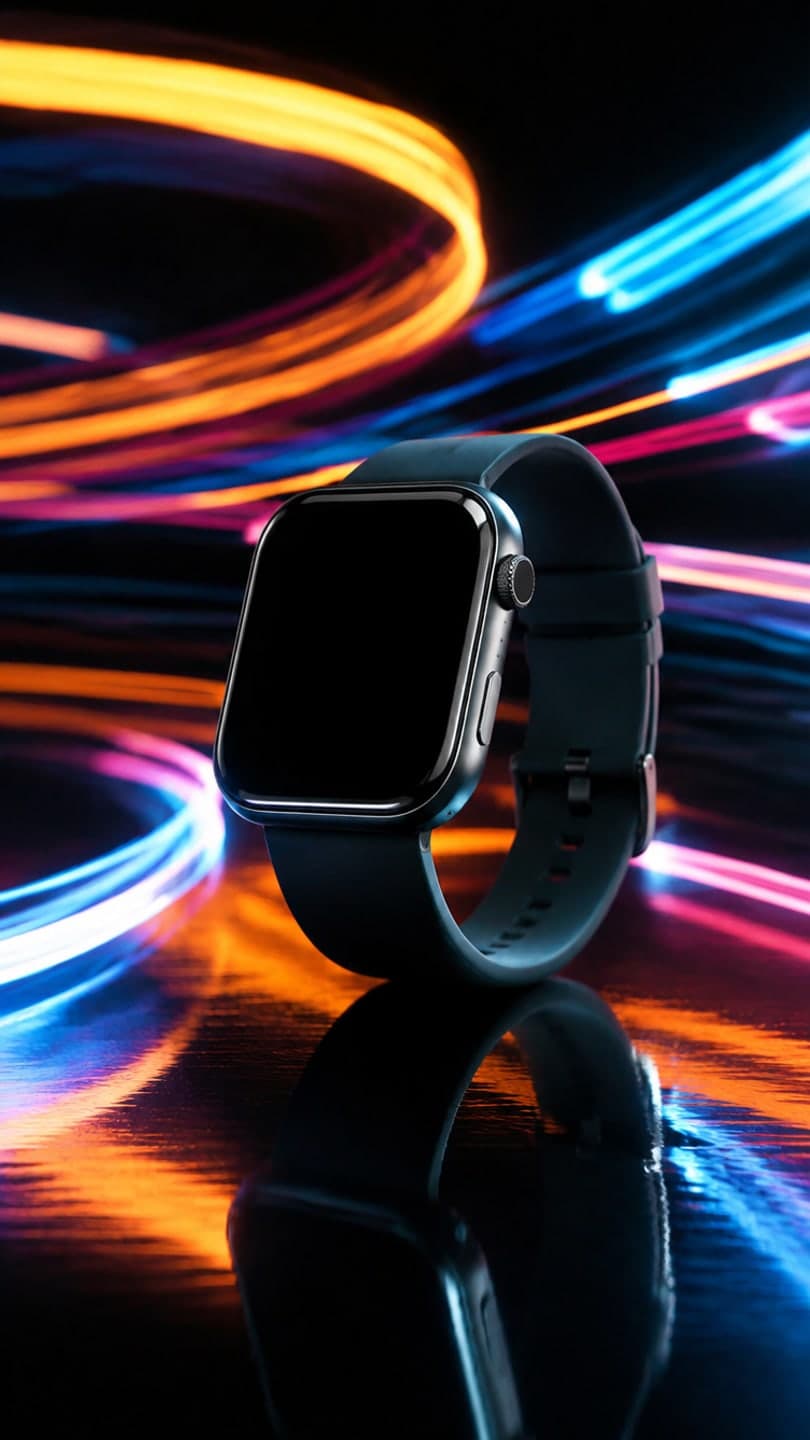 Light trails
1 Pick a look · optional
We put your product into this example — everything else stays as it is — then it moves like the example, at no extra cost.
Failed renders refund credits
Why are Black Friday videos different?
Black Friday and Cyber Monday compress a month of sales into a few days. Buyers scroll fast, compare offers and decide in seconds, so the winning videos show the product immediately, state the deal clearly and create urgency. TikTok's own holiday campaign runs from November 11 to 30, so preparation starts earlier than most small shops expect.
Transparency first: Dromana is our own product and is part of this comparison.
Which AI tools are best for Black Friday ads?
- Dromana: product ad clips from one photo, keeping the product's shape, label and color.
- Canva: deal graphics, price stickers and countdown stories in brand templates.
- Adobe Express: polished promotional designs and resizing for every placement.
- HeyGen: presenter-style videos announcing the offer.
- InVideo: explainer videos for bigger-ticket products.
- Kapwing: fast edits, captions and resizing between formats.
Try this look on your own photo.
Make it with my photoHow do I make Black Friday product clips quickly?
Start from your clean product photos and batch the clips in one sitting. Dromana's product looks are built for the season: light trails for tech, product snow globe and gift unboxing for gifts, gift guide flat lay for bundles and floating sneaker for shoes and accessories. A look video uses 70 credits; credit packs start at $8 for 500 credits with no subscription, and results from a paid plan or a bought pack can be used in ads.
Step 1
Pick your five hero products
The ones with the best margin or the biggest discount.
Step 2
Make three clips each
Different looks, so you can see which converts.
Step 3
Add the deal as text
Price, discount and end date in Canva or Adobe Express.
Step 4
Schedule daily posts
From mid-November through Cyber Monday.
What should a Black Friday ad say?
- The discount in the first second: "40% off today only".
- One product per video; don't crowd the frame.
- A clear end time to create urgency.
- Free shipping or gift wrapping, if you offer it.
- A single call to action: "tap to shop".
Are AI ads allowed on TikTok and Instagram?
Yes, with two cautions. Your plan must allow commercial use, and the ad must not misrepresent the product; if a clip changes the product's look, don't use it. Platforms may also require you to label realistic AI content. Our guide to labeling AI content and the TikTok Shop holiday video guide cover the details.
How do I plan a Black Friday content calendar?
A simple plan beats a scramble. Split the season into four phases and prepare the clips for each before November starts, so the busiest week is spent replying to customers rather than editing.
- Early November: teaser clips and "coming soon" posts for your hero products.
- November 11 to 23: early-access deals, gift guides and bundles.
- Black Friday weekend: one clip per hero product per day, with clear end times.
- Cyber Monday: last-chance posts and free-shipping offers.
Reuse winners. If one look sells a product noticeably better, make two more versions of it for other products, and stop posting the looks that don't convert.
How do I know which Black Friday clip is working?
Watch three numbers for each clip: how many people watch past the first two seconds, how many tap through to the product, and how many buy. A clip with a strong first second but no taps usually has a weak offer or an unclear call to action; a clip with taps but no sales usually has a product page problem. Change one thing at a time, keep the winner, and make new versions of it for your other products.
Which Black Friday ad tool should I choose?
- Product clips from photos: Dromana.
- Deal graphics and countdowns: Canva or Adobe Express.
- Presenter-style offers: HeyGen.
- Explainers for premium products: InVideo.
- Quick resizing and captions: Kapwing.
Start with a product photo on the product photo to video page.
Questions people ask
What is the best AI tool for Black Friday ads?
Dromana for product clips from one photo, then Canva or Adobe Express to add the deal and countdown.
When should I start Black Friday videos?
In early November. TikTok's holiday campaign runs November 11 to 30, and fresh videos daily perform best.
Are AI clips allowed in Black Friday paid ads?
Yes, if your plan allows commercial use and the clip represents the product accurately.
How many Black Friday videos should I make?
Three versions for each of your top five products is a good start, posted daily.
Should the AI generate the price text?
No. Add prices and dates as overlays; generated text is unreliable and hard to update.
How much do AI Black Friday ads cost?
On Dromana a look video uses 70 credits; packs start at $8 for 500 credits.
Effects from this guide

Keep reading
 TikTok Shop holiday videos: product video ideas from Black Friday to Christmas5 min read
- Best AI product video tools for small sellers in 20264 min read
 Best AI video tools for small business marketing in 20264 min read
 Best AI UGC ad tools: creator-style product videos without hiring creators4 min read
 Best AI Christmas video apps in 2026: elf videos, snow globes and cards4 min read
Ready to make yours?
Add one photo and get the look from this guide.