Light trails: AI video template
- You add
- Product photo
- You get
- 9:16 clip
- Credits
- 70
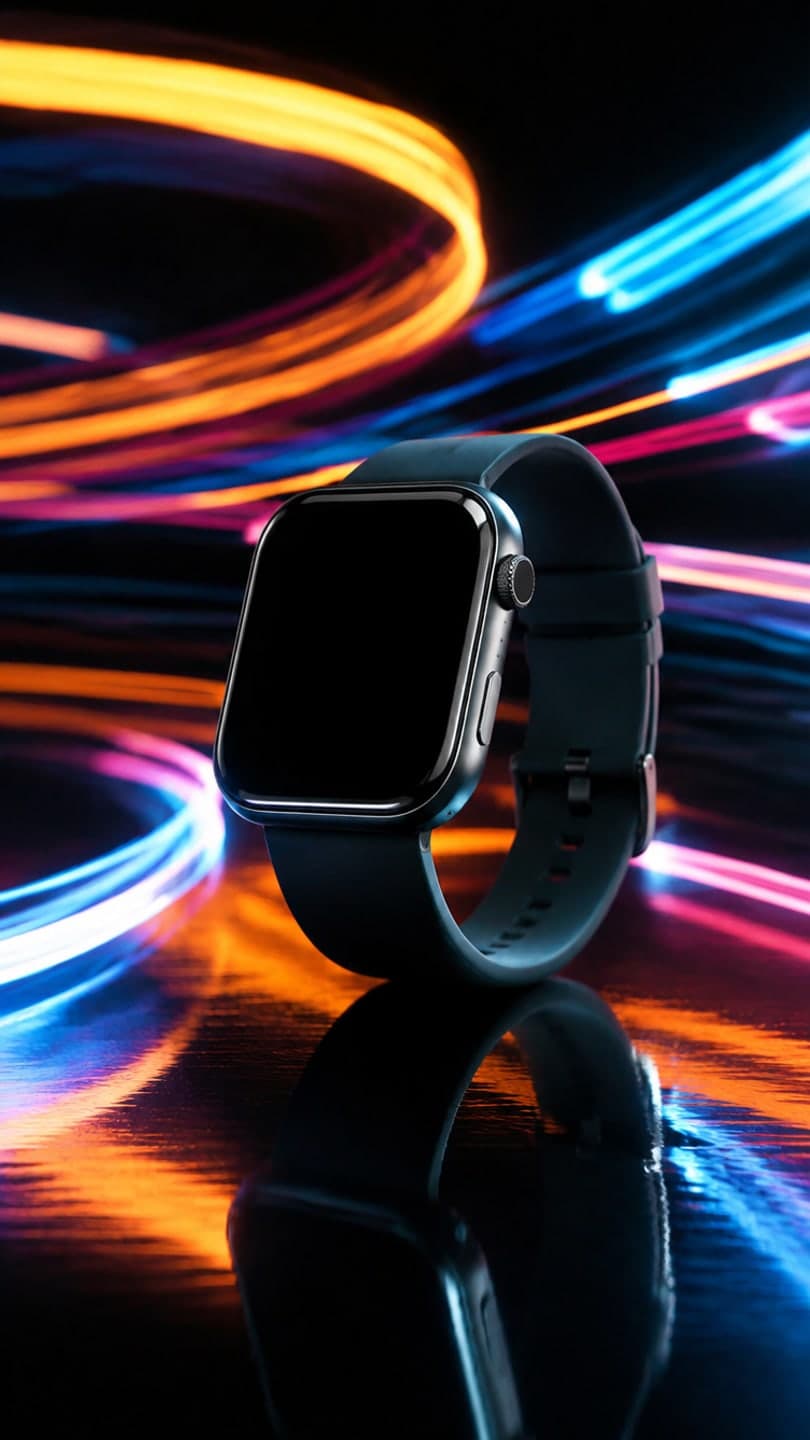
The Light trails template recreates this exact shot — the product on a black reflective surface with colorful LED light trails streaking around it, long-exposure light painting, futuristic tech product ad — with your product in it instead. Everything else stays as it is, then it moves like the example: colorful light trails swirl and streak around the product while the camera slowly orbits it.
AI Photo to Video
Light trails1 Pick a look · optional
We put your product into this example — everything else stays as it is — then it moves like the example, at no extra cost.
Failed renders refund credits
What’s in the shot
The product on a black reflective surface with colorful LED light trails streaking around it, long-exposure light painting, futuristic tech product ad.
How it moves
Colorful light trails swirl and streak around the product while the camera slowly orbits it.
Tips for this look
- When to post it
- Tech launches, gadget shops and night-themed ads.
- Best photo to upload
- A sharp photo of the device on a plain background.
- Try a variation
- Ask for "blue and purple neon trails" for a gaming-product version.
- Posting it
- Use it as a launch teaser with the release date.
How to make it
Step 1
Add your photo
Upload a clear photo of your product. Good light and a sharp label matter more than the background.
Step 2
We put you in the shot
The example is rebuilt with your product in it. Nothing else is changed unless you ask for it.
Step 3
It moves like the example
The finished still becomes a clip with the same motion. Download it or share it in one tap.
FAQ
How do I put my product in the Light trails look?
Open this template, add a clear photo of your product and press Generate. Dromana recreates the example with your product in it and then animates it the same way. No prompt needed.
How much does the Light trails template cost?
70 credits with the default settings for a 5-second clip, the step into the scene included. New accounts get free credits on signing up, no card needed.
Can I change something in the Light trails look?
Yes. Type the change in the prompt box and it is made on top of the example. Ask for "blue and purple neon trails" for a gaming-product version. Leave it empty to get the example exactly.
Will my product change shape or colour?
It is instructed to keep the product exactly as it is in your photo: shape, label, text and colours. A clean, front-on product photo gives the most faithful result.
Can I use the Light trails result in my shop or ads?
Yes, if you made them on a paid plan or with credits from a pack you bought: you can use those results in a shop listing, on a product page, in posts for your business or in ads. Results made only with free credits are for personal use. Either way, you need the rights to the photos and products you upload, anyone shown must have agreed, and some platforms ask you to label AI-generated content.
Only use photos you have the right to use. See our safety guidelines.