JibJab alternatives: 6 ways to make personalized holiday videos
By Sebastian Ward, Reviews and comparisons editor · Updated · 4 min read
the short version
JibJab made face-in-a-video holiday cards famous: your face cut out and pasted on a dancing elf or a singing character. Alternatives take different directions. Dromana recreates you realistically in holiday scenes from one photo; Viggle copies dance moves onto your character; Hedra makes a portrait talk or sing; Pika adds playful effects; Canva and Adobe Express make designed cards.
AI Photo to Video
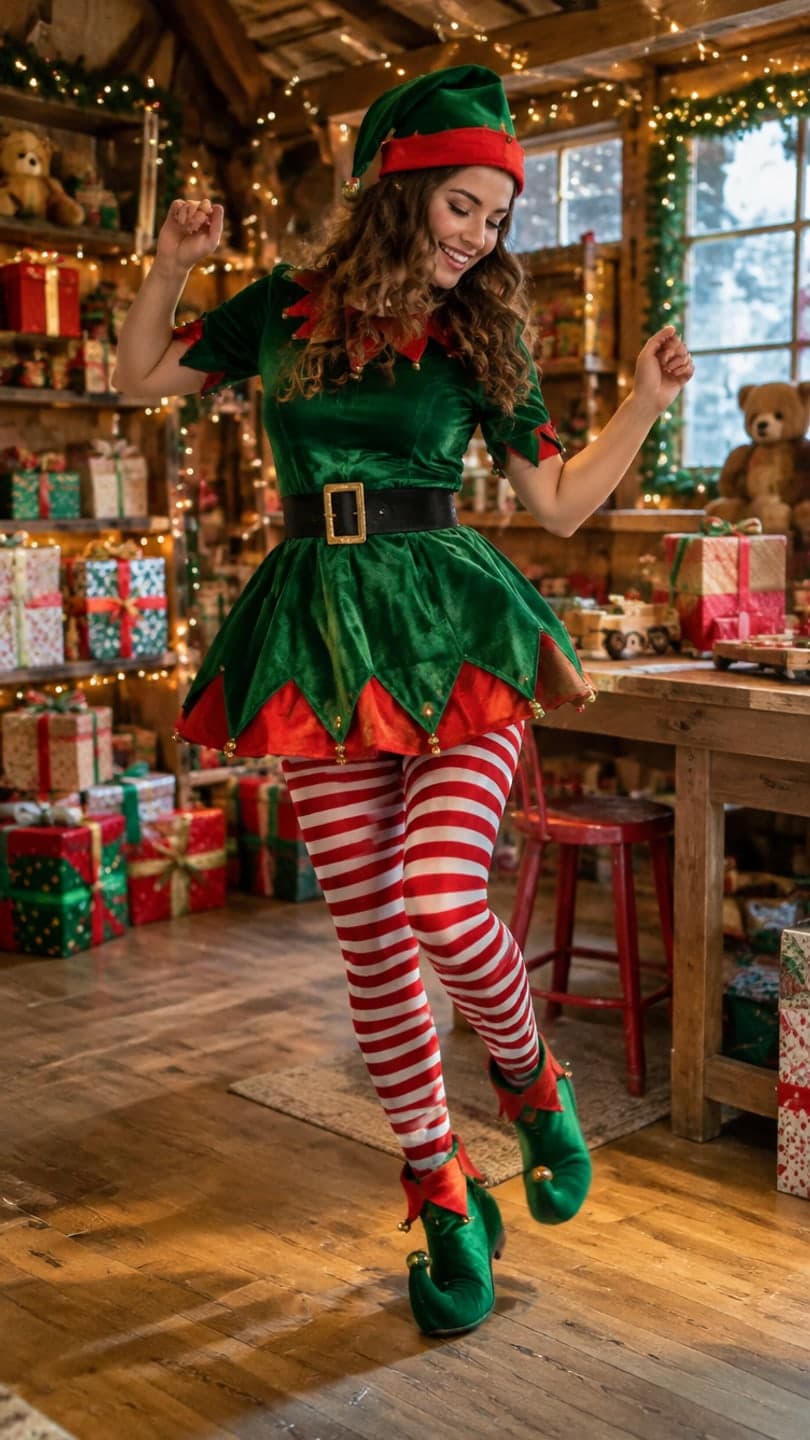 Elf workshop dance
1 Pick a look · optional
We put you into this example — everything else stays as it is — then it moves like the example, at no extra cost.
Failed renders refund credits
Why look for a JibJab alternative?
JibJab is known for personalized e-cards and short videos where you upload faces that get placed on animated characters, most famously dancing elves at Christmas. The charm is the cut-out look: obviously your head, obviously on a cartoon body. People look for alternatives when they want something different: a realistic version where they actually appear in the scene, a dance with their whole body, a talking card or a designed greeting to print.
A quick disclosure: Dromana is our own product and is one of the alternatives below. We've tried to describe every tool by what it's actually best at.
What are the best JibJab alternatives?
- Dromana: realistic holiday scenes from one photo, such as an elf workshop, a snow globe or Christmas lights, then animated.
- Viggle: puts your character into a dance or motion template for meme-style clips.
- Hedra: makes a portrait talk or sing to audio, for spoken greetings.
- Pika: quick, playful effects on a photo for silly reactions.
- Canva: designed cards and short animated greetings with templates.
- Adobe Express: quick designed cards and social posts with brand-style fonts.
Try this look on your own photo.
Make it with my photoWhich alternative looks most realistic?
If you want people to look twice because it looks real, a tool that rebuilds the scene with you in it is the closest. Dromana's holiday looks recreate a finished example shot with your face and build, from one photo, then animate it. Try the elf workshop, the snow globe or Christmas lights. A look video uses 70 credits; new accounts get 70 free credits with no card, and failed jobs refund automatically.
The trade-off: realistic scenes don't have the instantly silly, cut-out charm. For that specific joke, the classic format still wins.
Which alternative is best for dance videos?
For dance memes, Viggle is the specialist: it copies a movement onto the character in your photo. For a realistic, festive dance in a real-looking setting, describe a simple move on top of a holiday look, such as a jig in the elf workshop or a twirl in the snow. Our guide to the AI elf dance video walks through it step by step.
Which alternative is best for cards you can print or send?
For a printed or emailed card with text, Canva and Adobe Express are the easiest: pick a template, drop in a photo, type your greeting. A nice combination is to make the photo with an AI look, then put it into a designed card. Our Christmas card photo ideas cover poses and settings that work for both.
How do the alternatives compare on effort and cost?
They sit at very different points. Designed-card tools like Canva and Adobe Express are fastest for a printable card: pick a template, drop in a photo, done. Effects and dance tools like Pika and Viggle take a minute or two per clip and suit jokes and memes. Realistic scene tools like Dromana take one clear photo and a few minutes per clip, and the result looks like a real moment rather than an animation. Talking-card tools like Hedra need audio, either recorded or typed, so they take a little longer but say something personal.
- Fastest printable card: Canva or Adobe Express.
- Fastest silly clip: Pika or Viggle.
- Most realistic scene: Dromana, about 70 credits a look video.
- Most personal message: Hedra, with your own voice.
- Most tools have free tiers; check current plans for details.
Whichever you choose, try the free tier with one family photo before December gets busy; that's the quickest way to see which style your family actually enjoys.
Which JibJab alternative should I choose?
- You in a realistic holiday scene, animated: Dromana.
- A dance meme with your character: Viggle.
- A talking or singing greeting: Hedra.
- A quick silly effect: Pika.
- A designed card to print or email: Canva or Adobe Express.
For more ideas, see the best AI Christmas video apps or start in AI Video.
Questions people ask
What is the best JibJab alternative?
For realistic holiday scenes, Dromana; for dance memes, Viggle; for talking cards, Hedra; for designed cards, Canva or Adobe Express.
Is there a free JibJab alternative?
Several have free tiers. Dromana gives 70 free credits on sign-up, enough for one holiday look video.
Can I make a dancing elf video without JibJab?
Yes. Use an elf workshop look and describe a simple dance, or use Viggle's dance templates.
Which alternative makes the most realistic videos?
Tools that rebuild the scene around you from your photo, like Dromana's looks.
Can I make a talking holiday card?
Yes. Hedra animates a portrait to speak or sing to your audio.
Can I print a card from these tools?
Canva and Adobe Express are built for printable and emailable cards.
Effects from this guide

Keep reading
 Best AI Christmas video apps in 2026: elf videos, snow globes and cards4 min read
 Christmas card photo ideas for families, couples, friends and pets4 min read
 AI elf dance videos: turn your photo into a dancing Christmas elf4 min read
 Viral AI video effects explained: bullet time, rides, snow globes and more6 min read
 AI photo to video: the questions people actually ask, answered6 min read
Ready to make yours?
Add one photo and get the look from this guide.