AI elf dance videos: turn your photo into a dancing Christmas elf
By Claire Ye, Editor-in-chief, AI imaging · Updated · 4 min read
the short version
The dancing elf is one of the oldest holiday internet traditions: your face on an elf, dancing. AI makes a new version possible, where you actually look like an elf in a workshop full of toys and lights, dancing or waving, instead of a cut-out face on a cartoon. Start from one clear photo and an elf look, then add a short dance move.
AI Photo to Video
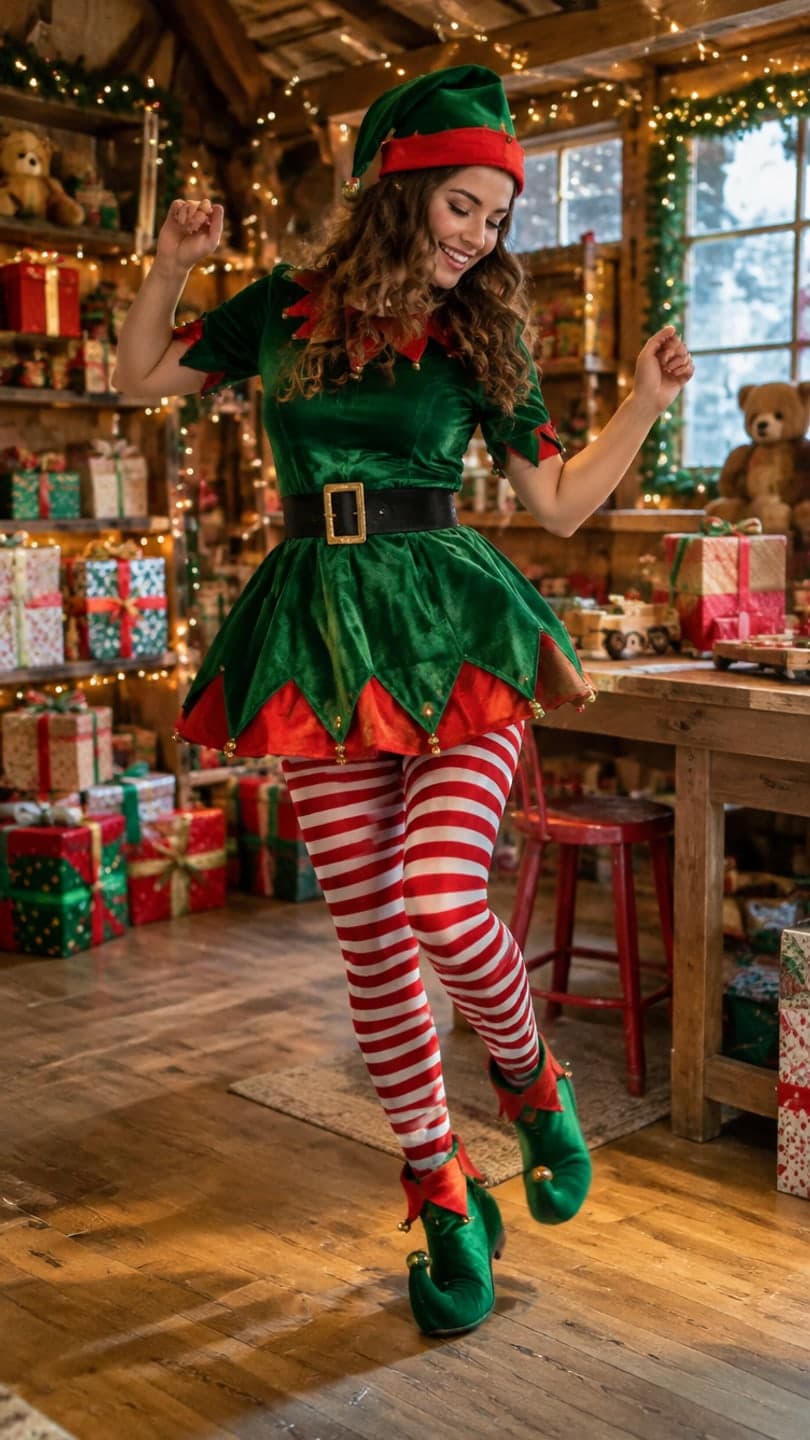 Elf workshop dance
1 Pick a look · optional
We put you into this example — everything else stays as it is — then it moves like the example, at no extra cost.
Failed renders refund credits
Where did the dancing elf tradition come from?
For years the holiday classic was a website that pasted your face onto a cartoon elf body and made it dance. It was funny because it looked so obviously fake. AI elf videos take the same idea and make it realistic: you, dressed as an elf, in a cozy workshop with shelves of toys, string lights and wrapping paper, moving like a real video.
People make them to send to family, to post in December, as office party jokes and as moving Christmas cards. Both styles still get shared: the realistic version for the wow, and a deliberately silly dance for the laugh.
What are the steps to make one?
Step 1
Pick a clear photo
Face visible, even light, chest up or full length. A smile helps; elves are cheerful.
Step 2
Open the elf look
The elf workshop look puts you in a pointed hat and green outfit among toys and lights.
Step 3
Add the dance
In the prompt, describe one move: "she does a happy little jig, swinging her arms, bells on her hat jingling".
Step 4
Generate
It uses 70 credits, the same as a plain clip, and usually takes a couple of minutes.
If you'd rather start from scratch, upload any photo to AI Video and describe the elf costume, the workshop and the dance in one or two sentences.
Try this look on your own photo.
Make it with my photoWhich elf dance versions are fun to make?
- The solo elf: you dancing in the workshop, the classic.
- The family elves: a photo of the whole family turned into a dancing elf crew.
- Office elves: a team photo for the holiday party, with everyone's okay.
- The reluctant elf: someone in full costume, arms crossed, refusing to dance.
- The elf on a break: sitting on a stack of presents with a hot chocolate.
- The pet elf: a dog in an elf hat in the middle of the workshop.
How do I keep my face looking like me?
Big dance moves are where faces drift. Use a sharp, front-facing photo, keep your face reasonably large in the frame and ask for bouncy, simple movement rather than spins. Because the look recreates the still first, you can check that the elf version looks like you before it moves. If the face drifts, try a closer crop or a calmer dance. Our guide to AI video generators that keep your face has more tips.
For dance clips beyond the holidays, see the AI dance video from a photo guide.
Where should I post or send it?
- As a moving Christmas card in the family group chat.
- On TikTok or Reels in the first two weeks of December.
- As your profile video for the holiday season.
- In the office chat before the holiday party, if everyone in it agreed.
Our ranking of the best AI Christmas video apps covers other holiday formats too.
What makes an elf video actually funny?
Contrast and timing. The joke works when something serious or ordinary turns festive: your most serious relative suddenly doing a jig, a whole team of accountants in pointed hats, a grumpy cat surrounded by toys. Put the funniest moment at the very end of the clip, so it loops back into the start. Keep the dance simple and bouncy; a big, clean move reads better on a phone screen than lots of small ones. And match the sound to the move: a fast holiday pop song for a jig, a slow carol for a deadpan sway.
- Cast the least likely person as the elf.
- Save the punchline for the last second.
- One clear move beats several small ones.
- Pick a sound that matches the tempo of the dance.
How much does an elf video cost?
New accounts get 70 free credits with no card, enough for one elf video, and 35 more each day they visit. A look video costs the same as a plain clip: 70 credits on Dromana. Free results carry a small badge; plans from $10 a month remove it and include commercial use, which matters if you're making elf clips for a shop or a business page.
Questions people ask
What is an AI elf dance video?
A clip of you as a realistic Christmas elf, dancing in a toy workshop, made from one photo.
How do I make an elf dance video?
Use a clear photo with the elf workshop look and describe a simple dance move.
Can I make a family elf video?
Yes, from one photo of the family. Keep it to three or four people and simple moves.
Why does my face change when the elf dances?
Big moves cause drift. Use a sharp front-facing photo and ask for simpler, bouncy movement.
How much does it cost?
A look video uses 70 credits; new accounts get 70 free credits.
Is it okay to make elf videos of coworkers?
Only with their okay. Ask before you post anyone else's face.
Effects from this guide

Keep reading
 Best AI Christmas video apps in 2026: elf videos, snow globes and cards4 min read
 AI dance video from one photo: how to make yourself dance (and keep your face)4 min read
- Christmas TikTok trends 2026: snow globes, tacky lights, matching PJs and more7 min read
 What is image-to-video AI? How it works, what it's good at and how to start4 min read
 JibJab alternatives: 6 ways to make personalized holiday videos4 min read
Ready to make yours?
Add one photo and get the look from this guide.