Jewelry product videos: sparkle, velvet and close-ups from one photo
By Noah Reynolds, Media and brand content · Updated · 4 min read
the short version
Jewelry sells on sparkle, and sparkle needs motion: light moving across a stone, a chain swaying, a ring turning slowly on velvet. You can make short jewelry videos from one clean product photo, with a slow spin, a gift-box reveal, a velvet display or a macro close-up. Light it well, keep every detail accurate and use the clips on your shop and social media.
AI Photo to Video
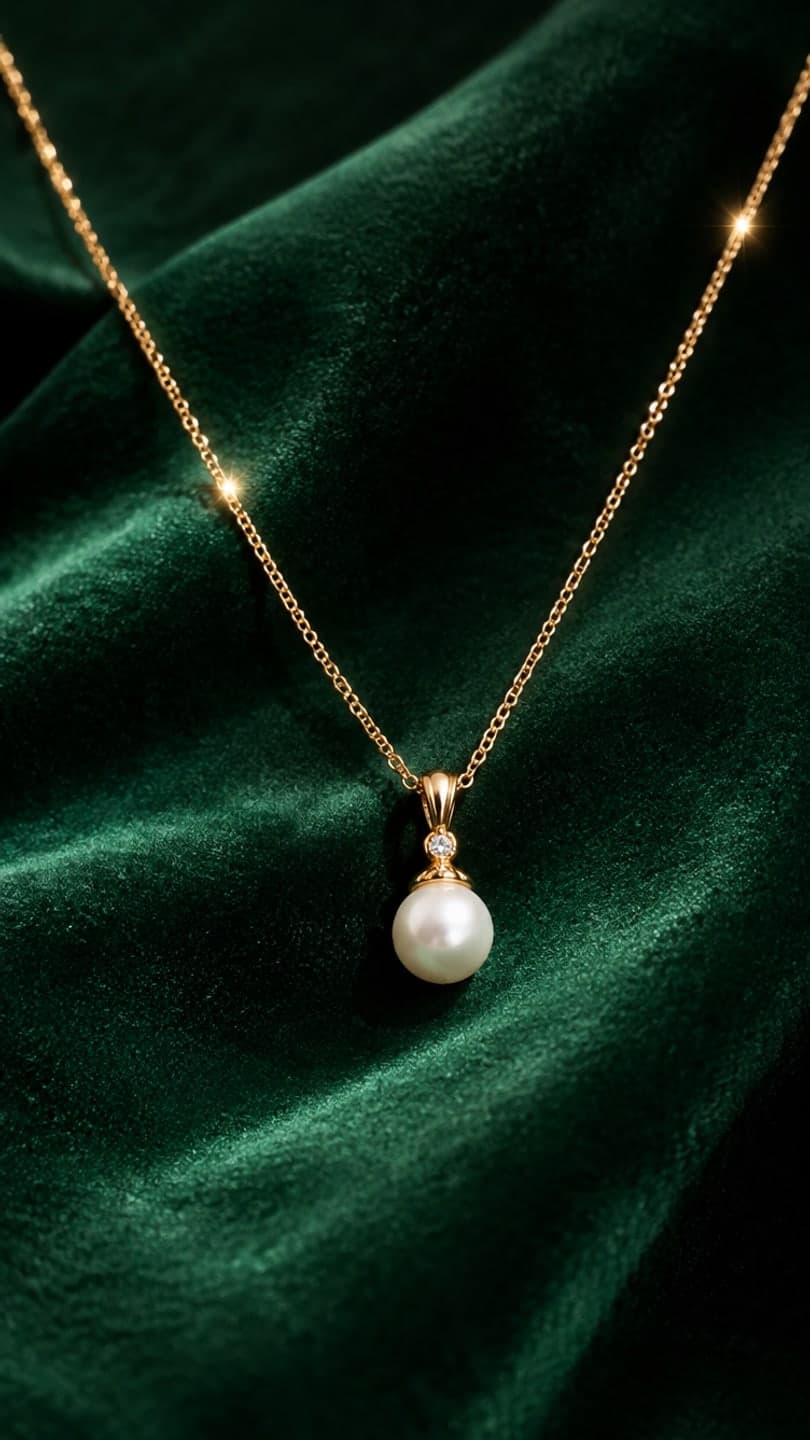 Jewelry on velvet
1 Pick a look · optional
We put your product into this example — everything else stays as it is — then it moves like the example, at no extra cost.
Failed renders refund credits
Why do jewelry brands need video?
A still photo can show a ring's shape, but it can't show how the stone catches light or how a necklace moves. That's what makes people want to buy. Short videos are standard on jewelry sites and dominate jewelry content on Instagram and TikTok. For small makers and resellers, shooting video of every piece is time-consuming, so turning one good product photo into several clips saves hours.
Jewelry is also a gift category, so seasonal clips, like gift reveals and holiday scenes, matter for November and December sales.
Which jewelry video formats work best?
- Slow spin: the piece rotating on a plain or velvet base.
- Velvet display: the piece resting on dark velvet, light glinting.
- Macro sparkle: an extreme close-up as light moves across stones.
- Gift reveal: a box lid lifting to show the piece.
- Natural setting: a watch on a rock, a ring on a stone, a chain on sand.
- Holiday scene: among ornaments, snow or candles.
Ready-made product looks: jewelry on velvet, watch on rock, gift unboxing and holiday ornaments.
Try this look on your own photo.
Make it with my photoHow do I take the product photo?
The source photo decides the result. Use soft, even light from a window or a light box, a clean background and a phone held steady, ideally on a tripod. Clean the piece first; dust and fingerprints show up in close-ups. Shoot from the angle that shows the main stone or design best, and make sure the clasp, setting and any engraving are sharp. Avoid harsh flash, which flattens metal and creates hot spots.
- Soft window light or a light box.
- Clean the piece; dust shows.
- Tripod, macro mode if your phone has it.
- The main stone or detail facing the camera.
- No flash.
What are the steps from photo to sparkle clip?
Step 1
Upload your clean product photo
On the product photo to video page, or pick a jewelry look.
Step 2
Describe the motion
"the ring turns slowly on dark velvet, light sparkles across the diamond, macro shot".
Step 3
Check every detail
Stone count, color, metal tone, setting and engraving must match the real piece.
Step 4
Export for shop and social
Vertical for Reels and TikTok, square for product pages if your theme needs it.
How do I keep jewelry videos accurate?
Accuracy is everything with jewelry: buyers notice when a stone looks bigger, a metal looks more yellow or a design has extra details. Check the clip frame by frame against the real piece in daylight. If the AI adds stones, changes the setting or shifts the metal color, generate again or use the still. Don't describe materials you can't guarantee, like "solid gold" on a plated piece, in the video or the caption.
- Count stones and compare the setting.
- Check metal tone in daylight: yellow, rose or white.
- Look for added or missing details in the design.
- Keep claims about materials accurate.
Can I use these videos commercially?
Yes, with a paid plan or a pack you bought: results made that way can be used in your shop, ads and social posts, while until you buy something, results are for personal use. Any pack, from $4.99 for 6 videos, also removes the small badge. Make sure you own the product photo.
How do I use jewelry clips to sell?
- Second slot in your product gallery, right after the main photo.
- Reels and TikToks with the price and a link.
- Gift guides in November and December.
- Email headers, where a moving sparkle draws attention.
- Pinterest, where jewelry and gift ideas are heavily searched.
More selling formats are in the Shopify product video, Etsy listing video and TikTok Shop holiday videos guides.
What does it cost?
A jewelry look video on Dromana uses 70 credits, the same as a plain clip. A pack of 15 videos is $9.99 and removes the badge; packs start at $4.99 for 3. For more product formats, see the best AI product photography tools.
Questions people ask
How do I make a jewelry video from one photo?
Upload a clean, well-lit product photo and describe a slow spin, sparkle or reveal, or pick a jewelry look.
Which jewelry video formats work best?
Slow spins, velvet displays, macro sparkle, gift reveals, natural settings and holiday scenes.
How should I photograph jewelry for AI video?
Soft window light, a clean piece, a tripod, macro mode and no flash.
Will AI change my jewelry's details?
It can. Check stones, setting and metal color in every clip and regenerate if anything changes.
Can I use AI jewelry videos in my shop?
Yes. Clips made on a paid plan or with credits you bought are licensed for commercial use.
What does it cost?
A jewelry look video uses 70 credits; A pack of 15 videos is $9.99, with no subscription.
Effects from this guide

Keep reading
 Shopify product videos: how to make them from one product photo4 min read
 Best AI product photography tools: studio shots and lifestyle scenes from one photo4 min read
 How to make an Etsy listing video from your product photos4 min read
- TikTok Shop holiday videos: product video ideas from Black Friday to Christmas5 min read
- Best AI product video tools for small sellers in 20264 min read
Ready to make yours?
Add one photo and get the look from this guide.