How to make a cinemagraph from a photo with AI
By Claire Ye, Editor-in-chief, AI imaging · Updated · 4 min read
the short version
A cinemagraph is a photo where just one thing moves, like steam rising from a cup, a waterfall flowing or a candle flickering, while everything else stays frozen. With an image-to-video tool you can get close to the effect by describing that one motion and asking for everything else to stay still. Pick a photo with one obvious moving element and keep the camera locked.
AI Photo to Video
 Morning pour
1 Pick a look · optional
We put your product into this example — everything else stays as it is — then it moves like the example, at no extra cost.
Failed renders refund credits
What is a cinemagraph?
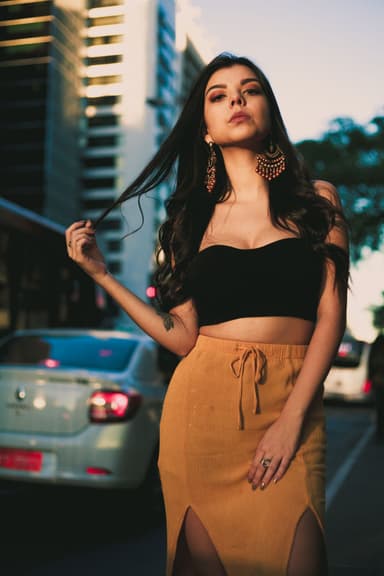
Cinemagraphs became popular in fashion and advertising because they're mesmerizing: the eye expects a photo, then notices one small thing moving. A woman's hair drifting in the wind while she stands perfectly still; steam curling off a coffee on an otherwise frozen café table; a neon sign flickering on a silent street. Traditionally they were made from video footage by masking everything except the moving area and looping it.
AI gives you a shortcut: start from a single photo and generate only the motion you want.
Which photos make good cinemagraphs?
- A hot drink: steam rising from a mug or teacup.
- Water: a waterfall, a fountain, a stream or waves.
- Light: a candle flame, fairy lights, a flickering neon sign.
- Nature: grass, leaves or a flag moving in the wind.
- Hair or fabric: a scarf or a skirt drifting.
- Weather: rain on a window, snow falling outside.
Try this look on your own photo.
Make it with my photoHow do I make one step by step?
Step 1
Upload the photo
On the animate part of a photo page, which holds the camera still and moves only what you name.
Step 2
Describe only the moving part
"only the steam rises from the coffee, everything else stays completely still".
Step 3
Lock the camera
Add "static camera, no camera movement".
Step 4
Generate a short clip
Five seconds is plenty for a loop.
A five-second cinemagraph clip on Dromana uses 70 credits and renders at 768p, sharp enough for a phone screen.
Which prompts work for cinemagraphs?
- "only the candle flame flickers, the room and the person stay perfectly still, static camera"
- "only the waterfall flows, trees and rocks don't move, locked-off shot"
- "only her scarf moves in the wind, she stays still, static camera"
- "only the rain runs down the window, everything inside is still"
- "only the neon sign flickers, the street is frozen"
What are the limits with AI?
AI isn't a perfect mask. It may add a tiny breath, a blink or a slight shift elsewhere in the frame, because it's generating a whole video, not freezing pixels. For most social posts that subtle life looks lovely. If you need a strict, pixel-perfect cinemagraph for an ad, use the AI clip as your moving layer and mask it over the original still in a video editor, keeping only the area you want to move.
- Expect small movement outside the area sometimes.
- Short prompts with "everything else still" help a lot.
- For perfect stills, mask the AI clip over the photo in an editor.
How do I make it loop smoothly?
Cinemagraphs are meant to loop forever. Steady, repeating motions loop best: flames, steam, water and rain. In an editor, a boomerang (playing the clip forward, then backward) hides the jump at the end for motions like hair or fabric. Most phone editors have a reverse or boomerang option that does this in one tap.
Where do cinemagraphs work best?
- Product posts: steam from a coffee shop's cup, a perfume bottle with mist.
- Profile and banner videos that feel calm and premium.
- Travel posts: a waterfall or a lantern-lit street.
- Email and web banners, where subtle motion catches attention without sound.
- Cozy seasonal posts: snow outside a window, a fire crackling.
For cafés and food brands, the morning pour and cozy candle looks are ready-made versions.
How much does it cost?
Each 5-second clip on Dromana uses 70 credits, and new accounts get 140 free credits with no card. For more on choosing photos and motion, see 3D parallax photo effect and image-to-video prompts.
Questions people ask
What is a cinemagraph?
A photo where only one part moves, like steam, water or a flame, while everything else stays still.
Can AI make a cinemagraph from one photo?
Yes. Describe only the moving part and ask for everything else to stay still with a static camera.
Which photos make good cinemagraphs?
Ones with a clear moving element: steam, water, flames, lights, hair or fabric.
Why does other stuff move a little?
AI generates the whole frame; mask the clip over the original photo for a strict cinemagraph.
How do I make a cinemagraph loop?
Use steady repeating motion, or a boomerang in an editor for hair and fabric.
How much does it cost?
A 5-second clip uses 70 credits on Dromana; new accounts get 140 free credits.
Effects from this guide
 Animate part of a photoMake just one part of a photo move: a flickering fire, flowing water, drifting mist or clouds, with the camera and everything else held still. No masking by hand.
 Make a photo moveUpload one photo, get a 5-second video in a minute or two: a smile, a head turn, wind in the trees, waves rolling in. Works on portraits and landscapes, free to try.
 Animate landscape photosBring a landscape photo to life: drifting clouds, rolling waves, mist, wind in the trees or a flickering fire, with the camera still or gliding. Vertical or horizontal.
Keep reading
 The 3D parallax photo effect: give a flat photo depth with AI4 min read
 40 image-to-video prompts that actually work4 min read
 How to make a photo move: 4 ways, ranked4 min read
 How to make a looping video from a photo4 min read
 Viral AI video effects explained: bullet time, rides, snow globes and more6 min read
Ready to make yours?
Add one photo and get the look from this guide.