Best AI video apps for iPhone and Android in 2026
By Sebastian Ward, Reviews and comparisons editor · Updated · 4 min read
the short version
You don't need a native app for AI video on your phone. Some tools, like Pika, Remini and Canva, have mobile apps; others, like Dromana, run in your phone's browser and can be added to the home screen like an app, with no download or storage used. Pick by what you make: trend looks, effects, restoration or designed posts.
AI Photo to Video
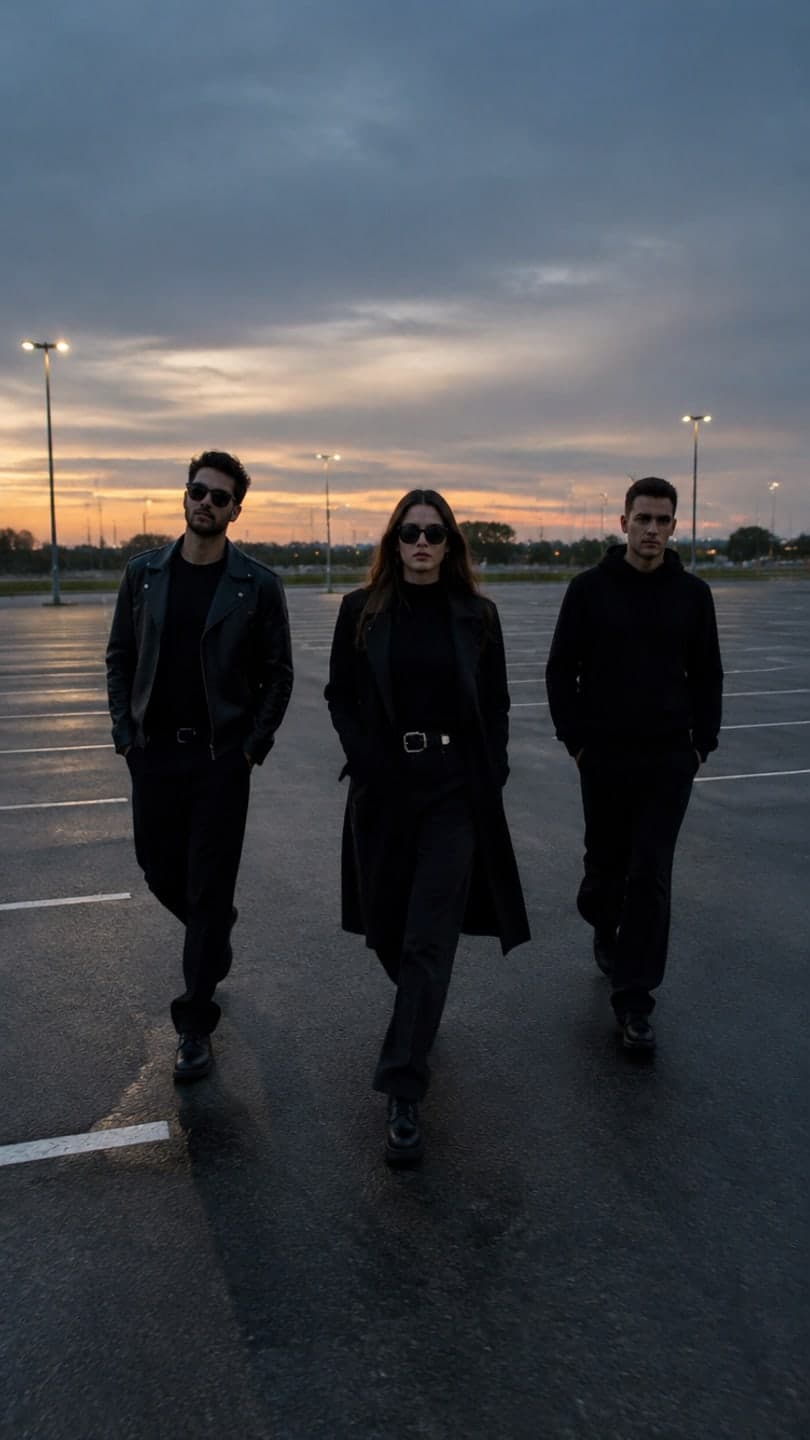 Slow-mo squad walk
1 Pick a look · optional
We put you into this example — everything else stays as it is — then it moves like the example, at no extra cost.
Failed renders refund credits
Do I need to download an app to make AI videos on my phone?
Not necessarily. AI video is generated on servers, not on your phone, so a website can do everything an app does: upload a photo from your camera roll, generate, then save the clip back to your phone. Native apps add things like notifications and offline browsing; web apps save storage, update instantly and work on any phone. Many people use a mix.
For transparency: Dromana is our product. It's a web app today, and native iPhone and Android apps are in development; we've been clear about that below.
There's one practical difference worth knowing. AI clips take a minute or two to render, and on a phone you'll often switch to another app while you wait. Native apps can send a notification when the clip is ready; with a web app you come back to the tab or the home-screen icon and the finished clip is waiting in your library. Either way, nothing is lost if you leave.
Which AI video apps work best on a phone?
- Dromana (web app, add to home screen): one-photo trend looks and AI Video, built mobile-first with a vertical studio.
- Pika (mobile and web): playful effects and quick social clips.
- Higgsfield (mobile and web): a big library of viral presets and camera moves.
- Canva (mobile app): AI edits and video templates inside a familiar design editor.
- Remini (mobile app): photo restoration and enhancement before you animate.
- Viggle (mobile and web): dance and motion memes.
- Hedra (web): talking characters, easiest from a phone browser.
Try this look on your own photo.
Make it with my photoHow do I add Dromana to my home screen?
Step 1
Open dromana.app
Use Safari on iPhone or your usual browser on Android.
Step 2
Add to home screen
On iPhone tap Share, then Add to Home Screen; on Android open the browser menu and choose Install app or Add to home screen.
Step 3
Open it like an app
It opens full screen, with shortcuts to Video, Looks and your Library when you long-press the icon.
Everything works from the phone: pick a look, add a photo from your camera roll, generate and save the clip to your photos. New accounts get 70 free credits, no card; a look video uses 70 and a still image 10.
What should I check in a phone AI video app?
- Vertical 9:16 output, so the clip fills a phone screen.
- Easy saving to your camera roll, without a watermark you can't remove on paid plans.
- Photo privacy: how long uploads are kept and whether they're used for training.
- Pricing that's clear before you generate.
- Whether failed jobs give your credits back.
Which phone app is best for TikTok and Reels?
For joining trends with your own face, a template tool is fastest on a phone because there's nothing to type. Dromana's trend looks, like the slow-mo squad walk, costume reveal walk or snow globe, go from camera roll to finished clip in a couple of minutes. For memes and dances, Pika and Viggle are popular on mobile. Our guide to the best AI video apps for TikTok compares them in more depth.
Which AI video app should I put on my phone?
- Trend looks with your face, without using storage: Dromana on your home screen.
- Silly effects on the go: Pika.
- A big effects library: Higgsfield.
- Designed posts and stories: Canva.
- Restoring old photos first: Remini.
- Dance memes: Viggle.
If you're just starting out, our guide to the best AI video generators for beginners walks through your first clip, and you can try one now in AI Video.
Questions people ask
What is the best AI video app for iPhone?
It depends on what you make. Dromana works in Safari and can be added to your home screen; Pika, Canva and Remini have native apps.
Is there an AI video app for Android?
Yes. Several have Android apps, and web apps like Dromana work in any Android browser and can be installed to the home screen.
Does Dromana have an app?
Not yet in the app stores; native apps are in development. You can add dromana.app to your home screen and use it like an app today.
Can I make AI videos on my phone for free?
Yes, within free-tier limits. Dromana gives 70 credits on sign-up with no card, enough for a first video.
Do AI video apps use a lot of phone storage?
Native apps take some space; web apps don't. The videos themselves are generated online and only saved if you download them.
Can I save AI videos to my camera roll?
Yes. Download the clip from the app or site and it saves to your photos, ready to post.
Effects from this guide
 Make a photo moveUpload one photo, get a 5-second video in a minute or two: a smile, a head turn, wind in the trees, waves rolling in. Works on portraits and landscapes, free to try.
 Outfit video from a photoTurn one outfit photo into a 5-second fit check video: a turn, a walk, fabric moving. No tripod, no filming. 70 free credits to start.
Keep reading
 Best AI video apps for TikTok and Reels creators in 20264 min read
 Best AI video generators for beginners in 2026: easy tools that just work4 min read
 How to turn photos into a TikTok or Reel people actually watch4 min read
 Halloween TikTok trends 2026: what's blowing up and how to make each one9 min read
 Best AI influencer generators in 2026: virtual influencers, AI creators and you in every trend5 min read
Ready to make yours?
Add one photo and get the look from this guide.