Best AI video generators for beginners in 2026: easy tools that just work
By Sebastian Ward, Reviews and comparisons editor · Updated · 4 min read
the short version
For a first AI video, choose a tool that does the hard decisions for you. Template tools like Dromana and Higgsfield let you pick a finished look and add one photo; Canva wraps AI video in a familiar design editor; InVideo turns a script into a full video with stock footage. Pro tools like Runway are powerful but have a steeper learning curve. Start free, keep clips short.
AI Photo to Video
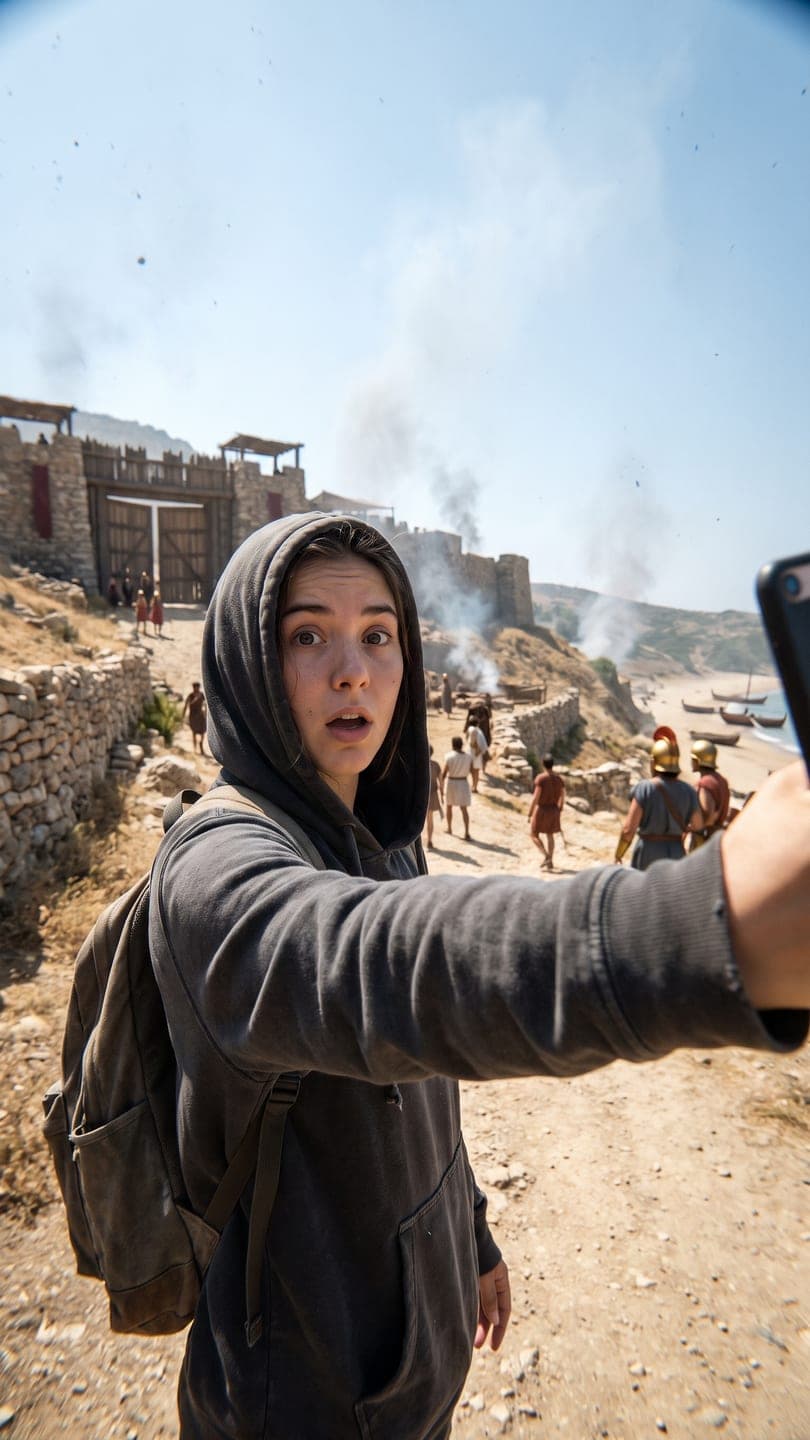 Time-travel vlog
1 Pick a look · optional
We put you into this example — everything else stays as it is — then it moves like the example, at no extra cost.
Failed renders refund credits
What makes an AI video tool beginner-friendly?
Beginners don't fail at AI video because the models are bad; they fail because a blank prompt box is hard. The friendliest tools remove decisions: they show you finished examples, let you start from a template, explain what each clip will cost before you spend anything, and give you a usable result on the first or second try. Clear pricing and a free start matter too, so you can learn without worrying about money.
- Finished examples you can copy instead of writing prompts from scratch.
- One photo in, one clip out, with no timeline or editor needed.
- The cost shown before you press generate.
- A free tier with enough credits for a real first result.
- Failed attempts refunded, so mistakes don't cost you.
Full disclosure: we make Dromana, and it's on this list. We've included other beginner-friendly tools and said what each is best at.
Which AI video generators are easiest for beginners?
- Dromana: pick one of more than 120 finished looks, add one photo, get a vertical clip. The cost is shown on every look.
- Canva: AI video inside a design editor many people already know, with templates for posts and stories.
- InVideo: type a script or topic and get a full video with stock footage, captions and voiceover.
- Higgsfield: a large menu of presets where you choose an effect rather than write a prompt.
- Pika: simple, playful effects that are hard to get wrong.
- Runway: powerful and well documented, but best once you know what you want to control.
Try this look on your own photo.
Make it with my photoHow do I make my first AI video?
Step 1
Choose a finished look
Browse the looks and pick one whose example you like, such as the time-travel vlog.
Step 2
Use a clear photo
Face visible, even light, no filter. A recent phone photo is fine.
Step 3
Generate
Press Generate and wait a minute or two. This first clip uses 70 of the 70 credits a new account starts with.
Step 4
Download and post
Add a sound in TikTok or Instagram, write a short caption and post.
Prefer to describe your own idea? Upload a photo to AI Video and write one sentence: who's in it, what happens and how the camera moves. Our image-to-video prompts guide gives you ready-made sentences to copy.
What are common beginner mistakes with AI video?
- Using a dark, blurry or filtered photo; the photo matters more than the prompt.
- Asking for too much in one clip; one idea per 5 seconds works best.
- Writing a long, vague prompt instead of a short, specific one.
- Expecting exact text or logos to move cleanly; add text in the app afterward.
- Paying for a plan before trying a free tier.
How much does AI video cost for a beginner?
You can start for nothing. On Dromana, new accounts get 70 free credits with no card, enough for a first video, plus 35 more each day you visit. After that, a 500-credit pack is $8 with no subscription, or plans start at $10 a month and remove the small dromana.app badge on free results. Other tools have their own free tiers, usually with watermarks; check each pricing page, as allowances change often.
For a deeper look at what's free, see the best free AI video generators, and our AI photo to video FAQ answers the most common first-time questions.
Which beginner AI video tool should I pick?
- You want to put yourself in a trend tonight: Dromana.
- You already design posts in Canva: Canva.
- You need a full explainer video from a script: InVideo.
- You want to try lots of effects: Higgsfield or Pika.
- You plan to learn the craft seriously: start with a template tool, then graduate to Runway.
Questions people ask
What is the easiest AI video generator for beginners?
A template tool where you pick a finished look and add one photo, like Dromana, or a familiar editor like Canva.
Can I make an AI video without writing a prompt?
Yes. Template tools let you pick a ready-made look; Dromana's looks need only a photo.
How do I make my first AI video for free?
Sign up for a tool with a free tier, such as Dromana's 70 free credits, pick a look and add a clear photo.
How long does it take to make an AI video?
Usually one to three minutes per clip on Dromana; script-to-video tools take longer for full videos.
What photo should a beginner use for AI video?
A recent, sharp photo with the face clearly visible, in soft even light, without filters.
Do I need video editing skills for AI video?
No. Template tools give you a finished clip; you only add a sound and caption in TikTok or Instagram.
Effects from this guide
 Make a photo moveUpload one photo, get a 5-second video in a minute or two: a smile, a head turn, wind in the trees, waves rolling in. Works on portraits and landscapes, free to try.
 Animate a city photoTurn a city or skyline photo into a 5-second video in a minute or two: traffic streaks, neon flicker and drifting clouds, buildings held still. Free to try, no app.
Keep reading
 AI photo to video: the questions people actually ask, answered6 min read
 Best free AI video generators in 2026: what you actually get for free5 min read
 40 image-to-video prompts that actually work4 min read
 Canva AI video alternatives: 7 tools for making and editing social videos4 min read
 Best AI video apps for iPhone and Android in 20264 min read
Ready to make yours?
Add one photo and get the look from this guide.