Best AI New Year's video apps: countdown clips, recaps and resolutions
By Sebastian Ward, Reviews and comparisons editor · Updated · 4 min read
the short version
For New Year's, Dromana turns one selfie into a midnight clip with fireworks and confetti, or a glam party look. For a year-in-review recap, Opus Clip, Kapwing and Animoto help you cut your best moments together, Canva designs countdown invites and resolution posts, and Higgsfield adds flashy effects. Make the recap early in December, before the rush.
AI Photo to Video
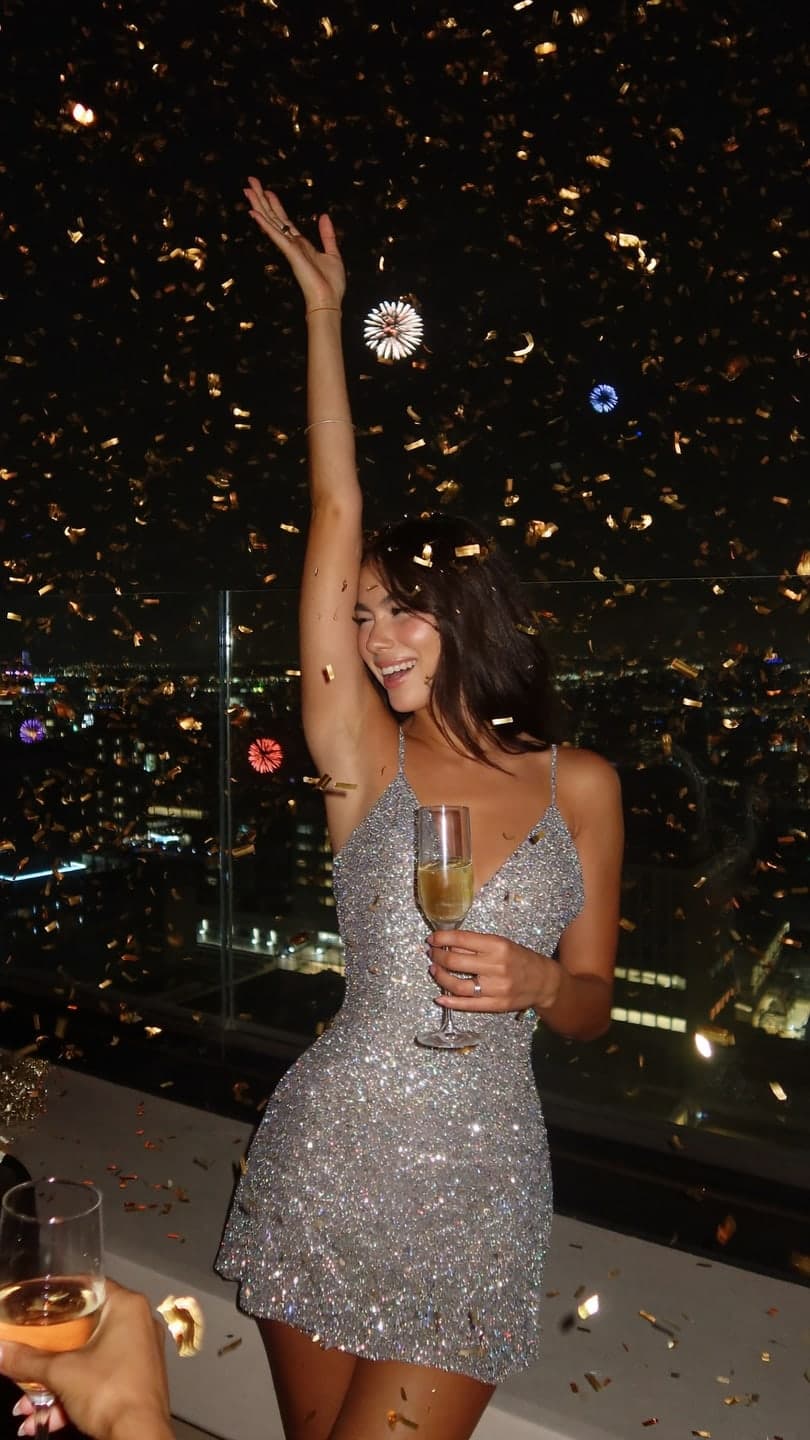 New Year's Eve
1 Pick a look · optional
We put you into this example — everything else stays as it is — then it moves like the example, at no extra cost.
Failed renders refund credits
What New Year's videos do people post?
The last week of December brings three kinds of posts: year-in-review recaps of your best moments, glam midnight clips from the party (real or imagined), and resolution or "this year I want" posts in the first days of January. Each uses a different mix of tools, and the recap takes the longest, so start it early.
A quick note: Dromana is our own product, so weigh our take on it accordingly.
Which AI New Year's video apps are best?
- Dromana: a midnight countdown scene from one selfie, with fireworks, confetti and a glass raised.
- Animoto: a year-in-review slideshow from your photos with music.
- Kapwing: quick editing, captions and resizing for a recap reel.
- Opus Clip: pulls the best moments out of long videos you shot this year.
- Canva: countdown invitations, resolution posts and year-in-numbers graphics.
- Higgsfield: flashy transitions and effects for party clips.
Try this look on your own photo.
Make it with my photoWhich app makes the best midnight clip?
Not everyone is on a rooftop at midnight, and the one photo you took is usually blurry. Dromana's New Year's Eve look puts you in front of city fireworks with confetti falling, from one clear selfie, and the clip ends with a wave and a laugh. For party outfits, the metallic glow, paparazzi flash and disco revival looks suit the night. A look video uses 70 credits; new accounts get 70 free credits, no card.
Our New Year's Eve photo ideas guide has outfits, poses and captions for the real thing.
How do I put together a year-in-review recap?
Step 1
Pick twelve moments
One per month is a simple structure that viewers follow easily.
Step 2
Bring stills to life
Turn two or three favorite photos into short clips in AI Video so the recap isn't only slides.
Step 3
Cut it to a song
Assemble the moments in Animoto, Kapwing or Instagram's editor.
Step 4
End on a forward line
Finish with one sentence about next year.
What about resolution posts?
Resolution posts in early January do best when they're specific and a little funny. A design template in Canva works for a list; a short clip works for a "new year, new me" joke. The time-travel vlog or a catwalk strut make a playful "me entering the new year" clip.
What makes a New Year's clip get shared?
The midnight clips that travel furthest share a few traits. They open on the payoff: fireworks, confetti or a raised glass in the very first frame, not a slow build. They're short, usually five to eight seconds, so they loop while people are still scrolling at 12:05. And they're posted at the right time: the hour after midnight in your own time zone is when friends are on their phones and in the mood to react.
- Post within an hour of midnight, or first thing on January 1.
- Use a countdown or party sound from the app's library.
- Tag the friends you celebrated with so it shows up in their feeds.
- Keep a still version for your profile picture for the first week of January.
If you're making clips for a bar, club or event, prepare them a week ahead and schedule them; nobody wants to be editing at 11:58.
Which New Year's video app should I choose?
- A midnight or party clip from a selfie: Dromana.
- A photo slideshow recap: Animoto.
- Editing and captions: Kapwing.
- Clipping long videos: Opus Clip.
- Invites and resolution graphics: Canva.
- Flashy effects: Higgsfield.
For the full set of short-form tools, see the best AI video apps for TikTok.
Questions people ask
What is the best AI app for a New Year's video?
Dromana for a midnight countdown clip from one selfie; Animoto or Kapwing for a year-in-review recap; Canva for invites and resolution posts.
Can AI put me in a fireworks scene?
Yes. Dromana's New Year's Eve look recreates a rooftop with city fireworks and confetti from one clear selfie.
How do I make a year-in-review video?
Pick one moment per month, animate a few favorite photos, cut them to a song and end with a line about next year.
When should I make my New Year's recap?
Start in early December; the last week of the year is busy and everyone posts at once.
Is there a free New Year's video app?
Yes, to start. Dromana's sign-up credits (70, no card) cover one midnight look video.
What should a resolution post say?
Something specific and a little funny, like three small goals, rather than a vague "new year, new me".
Effects from this guide
 Night out photo filterTurn an ordinary selfie into a night-out shot: hard flash, neon wash, dark background, sweat-and-glitter energy. Same face, new night. 70 free credits to start.
 Make a photo moveUpload one photo, get a 5-second video in a minute or two: a smile, a head turn, wind in the trees, waves rolling in. Works on portraits and landscapes, free to try.
Keep reading
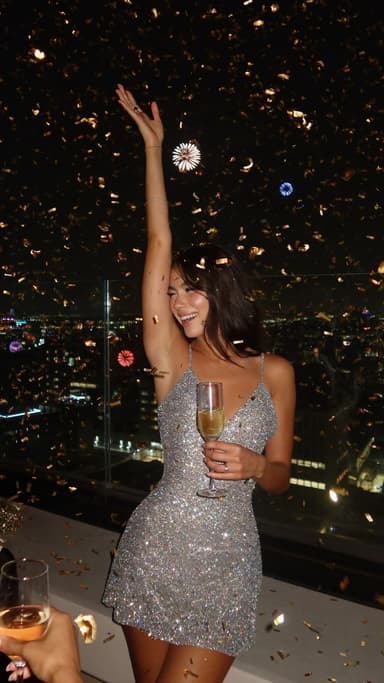 New Year's Eve photo ideas: 25 shots for the party, the countdown and after4 min read
 How to turn photos into a TikTok or Reel people actually watch4 min read
 Best AI Christmas video apps in 2026: elf videos, snow globes and cards4 min read
 Halloween TikTok trends 2026: what's blowing up and how to make each one9 min read
 AI influencer photos from a selfie: shoot-free content that still looks like you4 min read
Ready to make yours?
Add one photo and get the look from this guide.