AI headshot from a selfie: a clean, work-ready photo without a photographer
By Sophia Miller, Fashion and aesthetics editor · Updated · 4 min read
the short version
To get a good AI headshot from a selfie, start with a sharp, front-facing photo in soft daylight with your whole face visible, then ask for a plain or softly blurred background, simple clothing and natural light. Keep the result close to how you look on a normal day, check it at small size, and use it where a clean photo matters more than an official one.
AI Photo Restyle
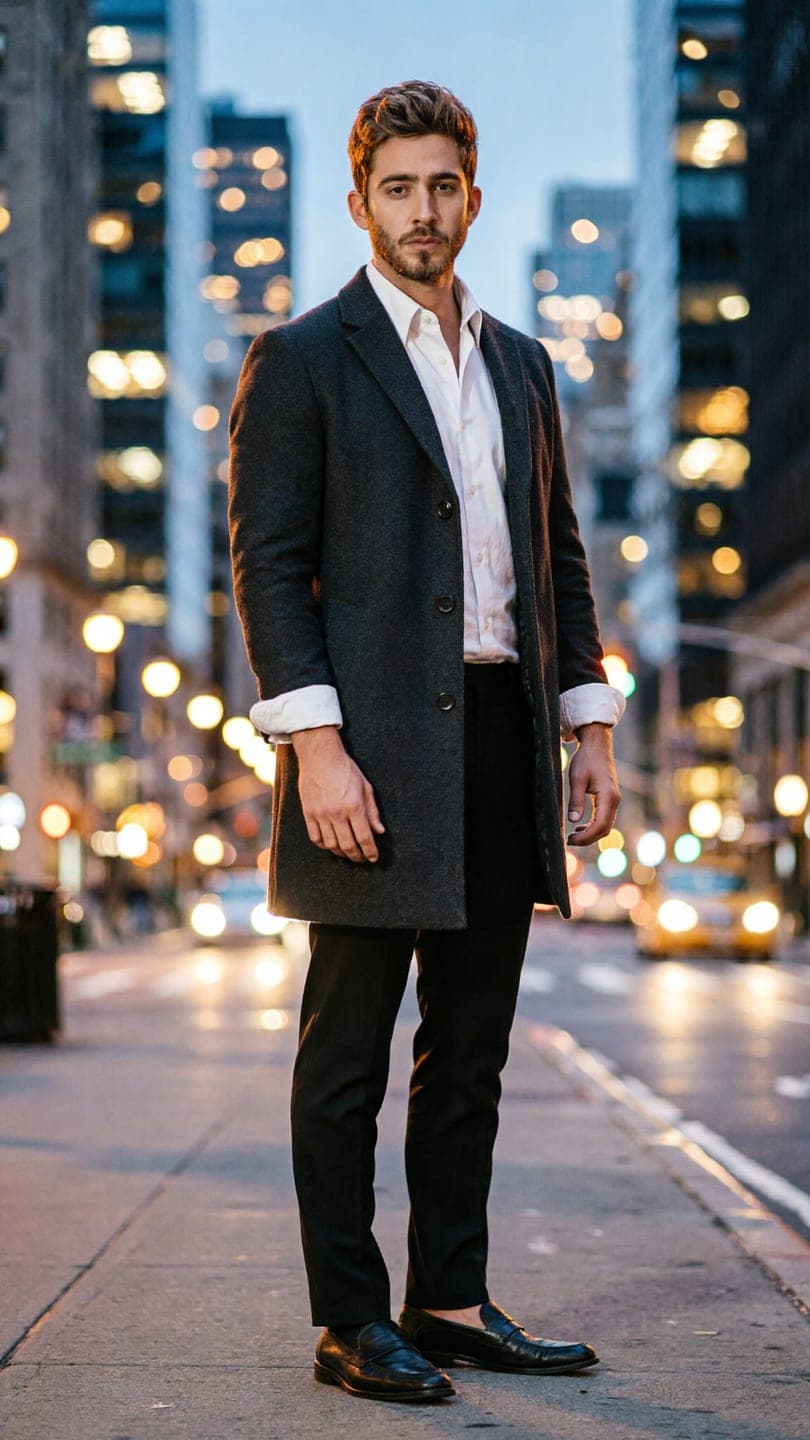 City full-length
1 Pick a look · optional
We put you into this example and keep everything else the same.
Failed renders refund credits
What a good headshot needs
A headshot is not a fashion photo. Its job is to show clearly what you look like, in a way that feels friendly and professional, at the small sizes most apps use.
- Your face and shoulders filling most of the frame.
- Soft, even light with no harsh shadow across your face.
- A plain or gently blurred background that doesn't compete with you.
- Simple clothing in a solid color; no big logos or busy prints.
- A relaxed expression, usually a small smile with your eyes engaged.
Start from the right selfie
The result can only be as good as the photo you give it. Two minutes spent on the source selfie matters more than any wording.
Step 1
Face a window
Stand facing daylight from a window, not with it behind you. Overcast light is ideal.
Step 2
Use the rear camera
Prop the phone at eye level and use a timer. Selfie cameras are softer and the arm-length angle distorts your face.
Step 3
Keep it plain
Hair off your face, no sunglasses or hat, eyes open, mouth relaxed.
Step 4
Take several
Shoot ten or twenty and pick the sharpest one with your most natural expression.
Our selfie tips for AI photos go into more detail on the kind of photo that keeps your likeness.
Try this look on your own photo.
Make it with my photoWhat to ask for
Upload your selfie to AI Image and describe a simple, realistic scene. Specific, plain wording beats words like "stunning" or "perfect". The example at the top of this page goes the other way, turning a headshot into a full-length city portrait; for a classic headshot, tap Write my own and paste one of these:
- "Head-and-shoulders portrait, soft window light, plain light grey background, keep my face and my clothes."
- "Professional headshot outdoors, softly blurred city street behind, natural daylight, navy blazer."
- "Warm office background out of focus, relaxed smile, natural skin texture."
If you want a more editorial version for a portfolio or a creative profile, the AI fashion portrait effect gives you a full styled look while keeping your face. Each image uses 10 credits, and new accounts get 70 free credits.
Keep it looking like you
A headshot that looks too perfect causes more trouble than a slightly plain one. People should recognise you when you join a call or walk into a room.
- Ask for natural skin texture rather than smoothing.
- Keep your hairstyle, glasses and any features people know you by.
- Avoid changing your age, face shape or eye color.
- Compare the result side by side with your original; if a friend would hesitate, run it again.
Where to use it, and where not to
- Good fit: LinkedIn, work chat apps, email signatures, conference profiles, portfolio sites.
- Check first: some employers and schools ask for an unedited photo for ID badges or directories.
- Not suitable: passports, visas, driving licences and any official document. Those need a real, unaltered photo.
If you're unsure whether to mention that a photo was made with AI, our guide to labeling AI content covers when it matters.
Beyond the headshot
The same clear selfie can become a whole set: a casual version for social apps, a full-length outfit shot and a short clip. Our guide to an AI photoshoot from a selfie shows how to build a consistent series, and AI Video can add a small movement like a nod and a smile for a video intro.
Questions people ask
Can I make a professional headshot from a selfie?
Yes. Start from a sharp, front-facing selfie in soft daylight, then use AI Image to set a plain or softly blurred background and natural light while keeping your face and clothes.
What selfie works best for an AI headshot?
A sharp photo taken with the rear camera at eye level, facing a window, with your whole face visible, hair off your face and no sunglasses or hat.
Will an AI headshot look like me?
It should if you start from a clear photo and ask for natural skin texture. Compare it with your original and regenerate if anything important changes.
Can I use an AI headshot on LinkedIn?
Many people do. Keep it realistic and close to how you look day to day so people recognise you on calls and in person.
Can I use an AI headshot for a passport or ID?
No. Official documents require a real, unaltered photo taken to their specific rules.
Effects from this guide
 AI fashion portraitSkip the photographer: get a magazine-style fashion portrait from one selfie. Quiet-luxury coats, street editorial, studio light. Same face, new shoot. Free to try.
 Street style photoLook like a fashion week street style shot from one plain selfie: tailoring, city pavement, show-season light. Same face, new wardrobe. Free to try, no app to download.
Keep reading
 How to take a selfie AI tools love: 12 tips4 min read
 AI photoshoot from one selfie: pics that don't look fake4 min read
 Profile picture ideas: 25 aesthetic pfps that still look like you4 min read
 Best AI headshot generators in 2026: one selfie vs. training packs5 min read
 AI profile picture generator: make a PFP from one selfie that still looks like you4 min read
Ready to make yours?
Add one photo and get the look from this guide.