The scary phone call AI trend: how to make the 90s horror call photo and video
By Peter Huang, AI video technology · Updated · 4 min read
the short version
The scary phone call trend is a grainy 1990s flash photo of you on a corded landline in a dim living room, looking uneasy, while a masked figure in a dark robe stands in the doorway behind you. The video version has the figure tilt its head and step forward. You can make both from one selfie with the late-night call look, no costume or second person needed.
AI Photo to Video
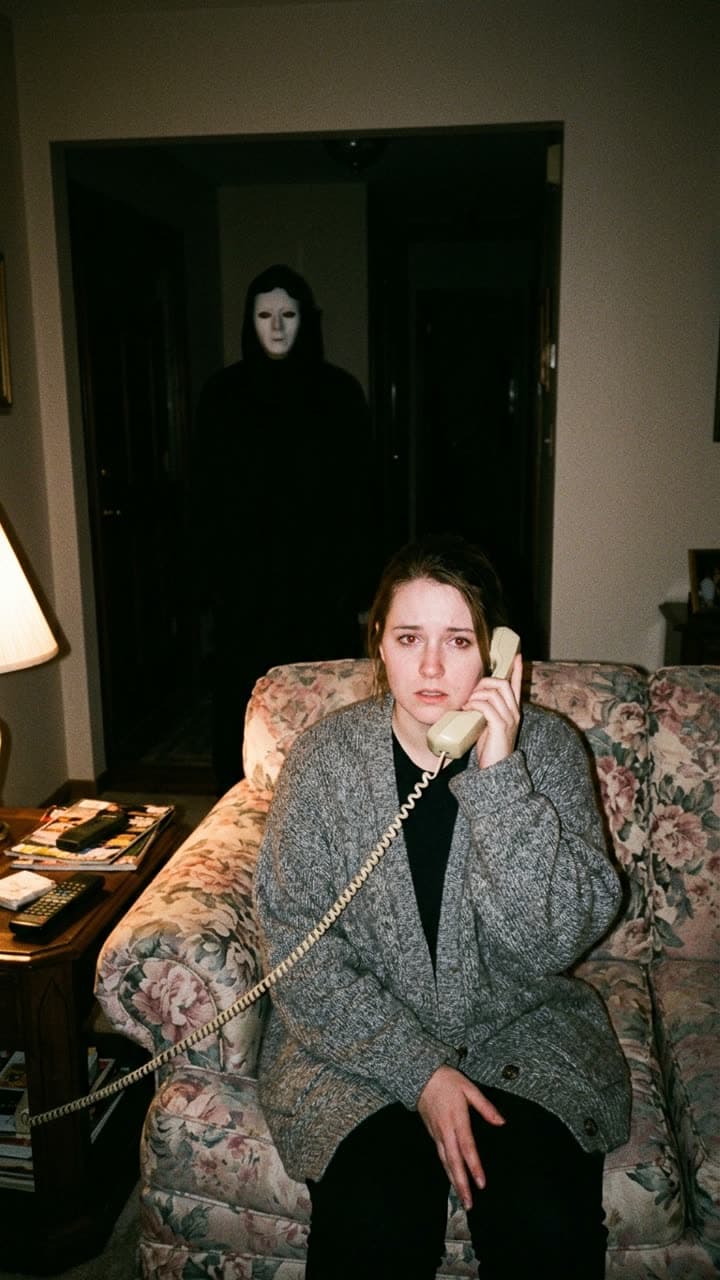 Late-night call
1 Pick a look · optional
We put you into this example — everything else stays as it is — then it moves like the example, at no extra cost.
Failed renders refund credits
What is the scary phone call trend?
It recreates the opening of a 90s slasher film as a single snapshot. Everything in the frame says late 1990s: a floral couch, a side table with a remote and magazines, a lamp, a beige phone with a coiled cord, and the hard white flash of a disposable camera. You're mid-call and something is wrong. Behind you, half lost in the dark hallway, a tall figure in a black hooded robe and a pale mask is simply standing there.
The appeal is the slow realisation. The still works because the viewer spots the figure a second after you do; the video works because it moves, while you don't notice. That beat is why the trend fills October feeds this year. Many people name it after a well-known movie mask; the Dromana look uses a plain, featureless mask, so it keeps the feeling without copying a trademarked character.
How do I make it with AI?
Step 1
Open the look
Go to the late-night call look and press Recreate.
Step 2
Upload a selfie
A clear photo of your face, front-on or slightly turned, with even light. Sitting photos fit the couch pose best, but any portrait works.
Step 3
Generate the still
The look rebuilds the living room, the phone and the figure around you, with your face and hair.
Step 4
Make it move
Turn the still into a 5-second vertical clip: the figure tilts its head and steps out of the doorway while your eyes slide toward the camera.
Try this look on your own photo.
Make it with my photoWhat makes the shot look real?
- Flash and grain: harsh on-camera flash, slightly blown highlights and visible grain read as a real 1999 snapshot.
- A dated room: patterned upholstery, wood furniture, a table lamp and a corded phone. A modern flat-screen breaks the spell.
- Your expression: worried or confused, not screaming. Understatement is scarier.
- The figure far from the lens: half in the dark, still, so the viewer finds it on their own.
- No gore: the trend is about suspense, and platforms show gory posts to fewer people.
How do I post it?
On TikTok and Reels, open on the still for half a second, then let the clip play so the figure moves. Pick a tense sound from the app's library, like a ringing phone or a low drone, since Dromana clips are silent. A caption that pretends nothing is wrong (“just catching up with a friend”) gets more comments than one that explains the joke.
For a carousel, put the still first and the moment the figure moves as a frame grab second. If you're posting with friends, make one each and post them as a series: everyone gets the same call. Our Halloween AI photo trends roundup has the other formats people pair it with, like the ghost bestie and video store horror looks.
Is it free, and how long does it take?
New accounts get 70 free credits with no card, enough for one 5-second video, and 35 more each day you visit. A still usually takes under a minute and the clip a minute or two. Free results carry a small watermark; plans remove it and allow commercial use, and Starter's first month is $4.99 if you've never paid.
If you'd rather make the whole thing move from your own photo without the rebuilt room, make a photo move animates the photo as it is.
Keep it fun and fair
Only use photos of yourself or of friends who agreed, and never put a real person, a public figure or a child into a scary scene they didn't choose. If the result looks realistic, add the platform's AI label. Skip trademarked masks and movie names if a business account is posting, and see our safety page for what isn't allowed.
Questions people ask
What is the AI phone call horror trend?
A grainy 90s flash photo of you on a corded phone in a dim living room while a masked figure stands in the doorway behind you, often posted as a video where the figure steps forward.
Do I need a costume or a second person?
No. The look adds the masked figure, the room and the phone around you from a single selfie.
Is the mask the one from the movie?
No. Dromana's look uses a plain, featureless pale mask and a hooded robe, which keeps the mood without copying a trademarked character.
Can I make the video version?
Yes. Each look gives you a still and a 5-second vertical clip in which the figure tilts its head and steps out of the doorway.
How much does it cost?
New accounts get 70 free credits with no card, enough for one 5-second video. Free results carry a small watermark.
What sound should I use?
Something tense from the platform's own library, like a ringing phone or a low drone. The clips are silent so you can choose.
Effects from this guide
 Make a photo moveUpload one photo, get a 5-second video in a minute or two: a smile, a head turn, wind in the trees, waves rolling in. Works on portraits and landscapes, free to try.
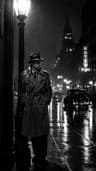 Cinematic photo filterGive travel and city photos a film-still grade: wet neon streets, blue-hour skylines, golden sunrise flare. Same place, same framing, far more mood.
Keep reading
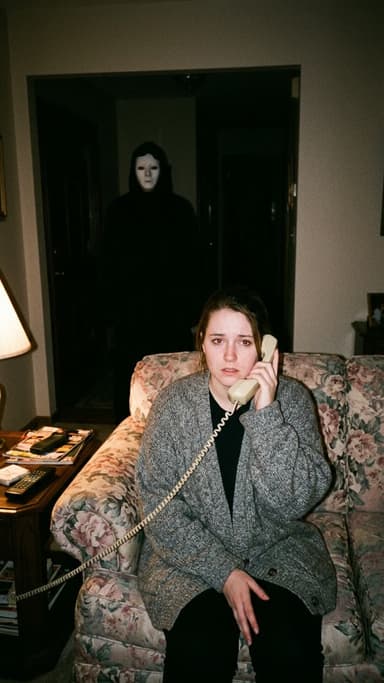 Halloween AI photo trends 2026: the late-night call, ghost besties, video store horror and more5 min read
 Halloween TikTok trends 2026: what's blowing up and how to make each one9 min read
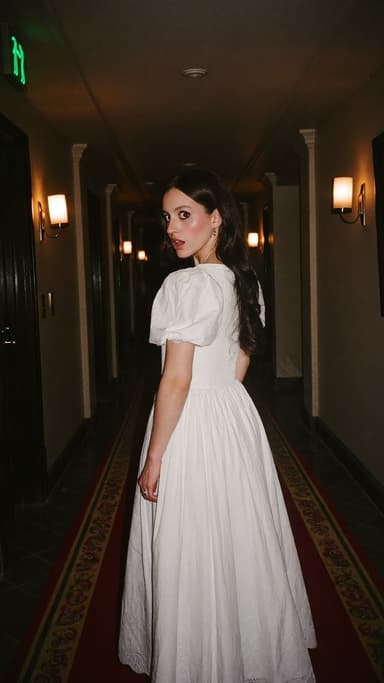 Halloween photoshoot ideas: 30 looks from cute to creepy5 min read
 AI profile picture generator: make a PFP from one selfie that still looks like you4 min read
 Fall photoshoot ideas: 25 autumn looks for leaves, layers and golden hour5 min read
Ready to make yours?
Add one photo and get the look from this guide.