How to animate a drawing with AI: bring sketches and paintings to life
By Claire Ye, Editor-in-chief, AI imaging · Updated · 4 min read
the short version
You can animate a drawing by photographing or scanning it and giving it to an image-to-video tool with a short description of the motion: a character waving, a dragon flapping its wings, clouds drifting across a painted sky. The AI keeps the drawing's style while adding movement. It works for kids' art, sketches, illustrations and paintings alike.
AI Photo to Video
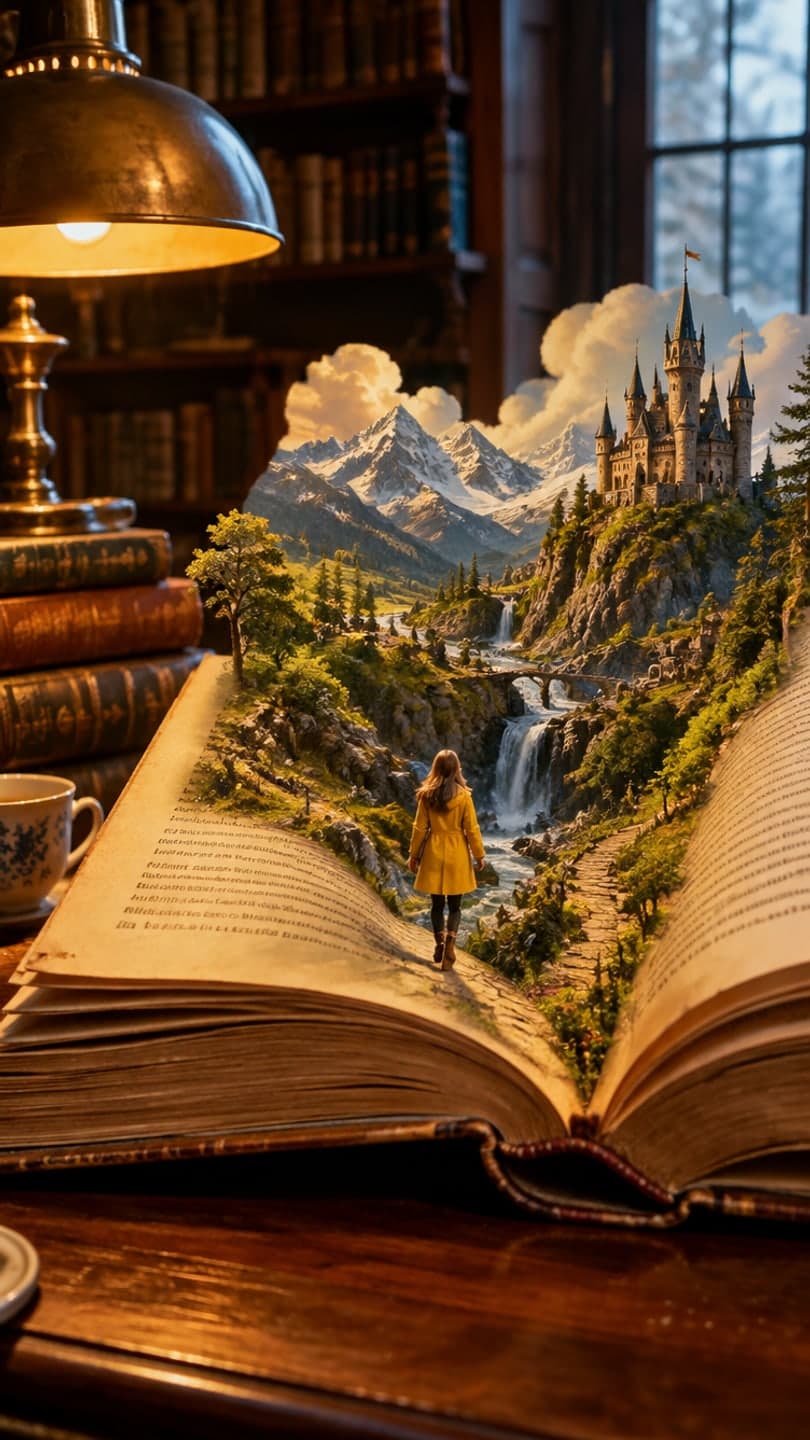 Lost in a book
1 Pick a look · optional
We put you into this example — everything else stays as it is — then it moves like the example, at no extra cost.
Failed renders refund credits
Can AI really animate a drawing?
Yes. Image-to-video models don't need a photo of a real scene; they can work from any image, including crayon drawings, pencil sketches, digital illustrations and oil paintings. The model treats the drawing as the first frame and generates movement that fits it: a stick figure waves, a painted sea rolls, a cartoon cat blinks. It usually keeps the drawing's colors and line style, so the result looks like the artwork come to life rather than a new picture.
It's become a favorite way to surprise kids with their own art, to give illustrators a quick animated preview and to bring old family paintings to life. No drawing skills or animation software are needed.
How do I prepare the drawing?
- Photograph it flat and straight on, or scan it.
- Use daylight from a window to avoid yellow tints and shadows.
- Crop out the table, your hands and anything else around the paper.
- Avoid glare on glossy paper or framed art by shooting at a slight angle.
- Higher resolution helps: fill the frame with the drawing.
Try this look on your own photo.
Make it with my photoHow do I animate it step by step?
Step 1
Upload the photo of the drawing
Use the make a photo move page, which keeps the image as it is.
Step 2
Describe one simple motion
"the dragon flaps its wings and breathes a small puff of smoke, the drawing style stays the same".
Step 3
Say to keep the style
Add "hand-drawn style, same colors, same lines" so it doesn't turn realistic.
Step 4
Generate and share
A 5-second animation on Dromana uses 70 credits.
Which motions work best for drawings?
- Characters: waving, blinking, nodding, a small jump.
- Animals: tail wag, ears twitch, wings flap.
- Nature: clouds drifting, water rippling, leaves falling, sun rays shimmering.
- Vehicles: wheels turning, a rocket's flame flickering.
- Whole picture: a slow camera push into the scene.
Simple motion keeps the drawing recognizable. Complicated action can make the AI redraw parts of the picture in a different style.
How do I animate kids' drawings?
Children's art often has big shapes and bright colors, which animate well. Ask the child what the character would do, like a dance, a wave or flying away, and use their words in the prompt; it makes the result feel like theirs. Keep the motion short and cheerful. A five-second clip is perfect to show grandparents, or to make a little series from a sketchbook. The artwork and its animation stay private on your account unless you share them.
Why does my animated drawing look different?
- The AI made it realistic: add "keep the hand-drawn style" to the prompt.
- Parts changed: ask for less motion, focused on one element.
- Faint lines vanished: raise contrast and photograph in better light.
- Glare or shadows: reshoot flat, in daylight.
- Text in the drawing warped: keep text out of moving areas.
Can I animate famous paintings or other people's art?
For your own art, or art you have permission to use, go ahead. Famous paintings in the public domain, like many works over a century old, can be animated for fun. Modern artwork belongs to its artist, so don't post animated versions of someone else's work as yours or use it commercially without permission. For old family photos rather than drawings, see how to animate old photos.
How much does it cost to animate a drawing?
On Dromana, a 5-second clip on Dromana uses 70 credits. New accounts get 70 free credits with no card, enough to animate one drawing, plus 35 more each day they visit. For more on how the technology works, see what is image-to-video AI, and for prompt wording, image-to-video prompts.
Questions people ask
Can AI animate a drawing?
Yes. Photograph or scan it and describe a simple motion; the AI adds movement and keeps the style.
How should I photograph a drawing?
Flat, straight on, in daylight, cropped to the paper, without glare.
How do I keep the drawing style?
Add "keep the hand-drawn style, same colors, same lines" to the prompt.
Can I animate my child's drawing?
Yes. Big shapes and bright colors animate well; use the child's idea for the motion.
Can I animate someone else's artwork?
Only with permission, or if it's in the public domain.
How much does it cost?
Animating a drawing for five seconds on Dromana is 70 credits; you start with 70 free.
Effects from this guide

Keep reading
 What is image-to-video AI? How it works, what it's good at and how to start4 min read
 How to animate old photos the respectful way: scan, prep and gentle motion4 min read
 40 image-to-video prompts that actually work4 min read
 Viral AI video effects explained: bullet time, rides, snow globes and more6 min read
 AI photo to video: the questions people actually ask, answered6 min read
Ready to make yours?
Add one photo and get the look from this guide.