Best AI Mother's Day and Father's Day video apps: tributes, cards and memories
By Sebastian Ward, Reviews and comparisons editor · Updated · 4 min read
the short version
For Mother's Day and Father's Day, the most loved videos use real family photos. Remini restores old prints, MyHeritage animates faces in them, Dromana animates a photo gently or restyles a portrait into a new scene, Animoto builds a tribute slideshow and Canva makes the card. Keep motion gentle and the message personal.
AI Photo Restyle
 Café morning
1 Pick a look · optional
We put you into this example and keep everything else the same.
Failed renders refund credits
What makes a good Mother's Day or Father's Day video?
Parents rarely want something flashy. What lands is personal: old photos brought back to life, a few words only you could write, and a song that means something. AI helps with the slow parts, like restoring faded prints, adding gentle motion and designing the card, so you can spend your time choosing the photos and writing the message.
In fairness: Dromana is our own product. For restoration and family-history features, other tools here are better choices.
Which apps are best for a parent tribute video?
- Remini: restores and sharpens old, faded family photos.
- MyHeritage: animates faces in old family photos with subtle movement.
- Dromana: gentle motion for a photo you describe, or a restyled portrait in a new scene.
- Animoto: a tribute slideshow with music.
- Canva: cards and title screens with your message.
- Kapwing: collecting short video messages from siblings into one.
Try this look on your own photo.
Make it with my photoHow do I make a tribute video from old photos?
Step 1
Gather ten photos
From their childhood to now; ask relatives for the ones you don't have.
Step 2
Restore the faded ones
Sharpen and clean them in a restoration app first.
Step 3
Animate two or three gently
In AI Video: "she smiles softly and looks toward the camera, slow push-in, nothing else changes".
Step 4
Assemble with a song
Put stills and clips together in Animoto or Instagram's editor.
Step 5
End with your message
One or two sentences on a title card.
Our guide to animating old photos has more prompts, and the apps to animate old photos comparison covers the tools in detail.
Can I make a fun video instead of a sentimental one?
Some parents would rather laugh. Restyle a photo of them into a scene they'd never expect: a catwalk strut, a front-row concert or a time-travel vlog. Ask them first if it's going on social media. A look video uses 70 credits, and new accounts get 70 free credits, no card.
What should the message say?
- One specific memory only you share with them.
- Something they taught you, in their words.
- A thank-you that names something concrete.
- A line about what you're looking forward to together.
How do I involve the whole family?
A tribute is more moving when it comes from everyone. A week before the day, message siblings, grandchildren and close friends and ask each for one photo with the parent and one sentence about them. Combine the photos into the slideshow and use the sentences as captions, or ask for short vertical video messages and cut them together.
- Set a deadline two days before the day, so there's time to edit.
- Ask for specific memories rather than general praise.
- Include at least one photo from before you were born, if you can find one.
- Keep the final video under two minutes; it will be rewatched more often.
If a parent has passed away, the same approach works as a remembrance, shared privately with family. Keep the animation especially gentle, and consider a slow camera move on the photo instead of movement on the face.
Which app should I choose?
- Restoring old photos: Remini.
- Animating faces in family photos: MyHeritage.
- Gentle motion or a playful new scene: Dromana.
- A tribute slideshow: Animoto.
- The card: Canva.
- Messages from the whole family: Kapwing.
Questions people ask
What is the best app for a Mother's Day video?
Use old family photos: Remini to restore them, MyHeritage or Dromana to animate them gently, Animoto for the slideshow and Canva for the card.
Can AI animate my parents' old photos?
Yes. Restore the photo first, then add gentle motion like a smile or a slow push-in.
How do I make a Father's Day tribute video?
Gather ten photos across the years, restore and animate a few, cut them to a song and end with a short message.
Can I make a funny video of my mom or dad?
Yes. Restyle a photo of them into an unexpected scene, and ask before posting it publicly.
Is there a free app for Mother's Day videos?
Many have a free tier. Dromana's sign-up credits are enough to animate one family photo for 5 seconds.
When are Mother's Day and Father's Day?
In the US, Mother's Day is the second Sunday in May and Father's Day the third Sunday in June; dates differ in other countries.
Effects from this guide
 Make a photo moveUpload one photo, get a 5-second video in a minute or two: a smile, a head turn, wind in the trees, waves rolling in. Works on portraits and landscapes, free to try.
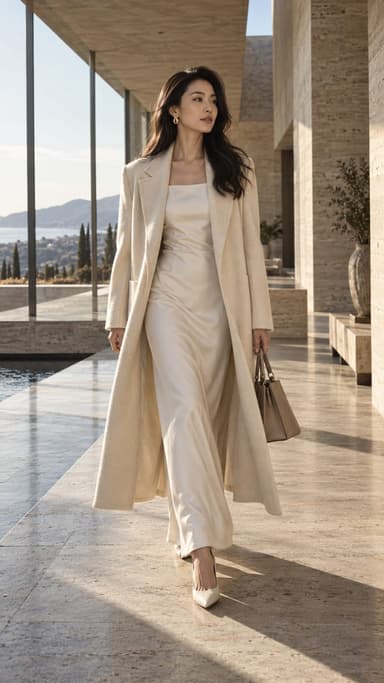
 AI fashion portraitSkip the photographer: get a magazine-style fashion portrait from one selfie. Quiet-luxury coats, street editorial, studio light. Same face, new shoot. Free to try.
Keep reading
 How to animate old photos the respectful way: scan, prep and gentle motion4 min read
- Best apps to animate old photos with AI in 20264 min read
 Best AI birthday video apps: surprise clips, party invites and birthday posts4 min read
 Halloween TikTok trends 2026: what's blowing up and how to make each one9 min read
 Best AI influencer generators in 2026: virtual influencers, AI creators and you in every trend5 min read
Ready to make yours?
Add one photo and get the look from this guide.