Best AI couple video apps: cute clips of the two of you from one photo
By Sebastian Ward, Reviews and comparisons editor · Updated · 4 min read
the short version
AI couple video apps turn a photo of the two of you into a short, shareable clip: a slow dance in the kitchen, a photo booth strip, a Ferris wheel date or a kiss under the mistletoe. Dromana does realistic couple scenes from one photo. Hedra makes you both talk, Viggle copies dance moves, Pika adds playful effects and Canva finishes anniversary posts.
AI Photo to Video
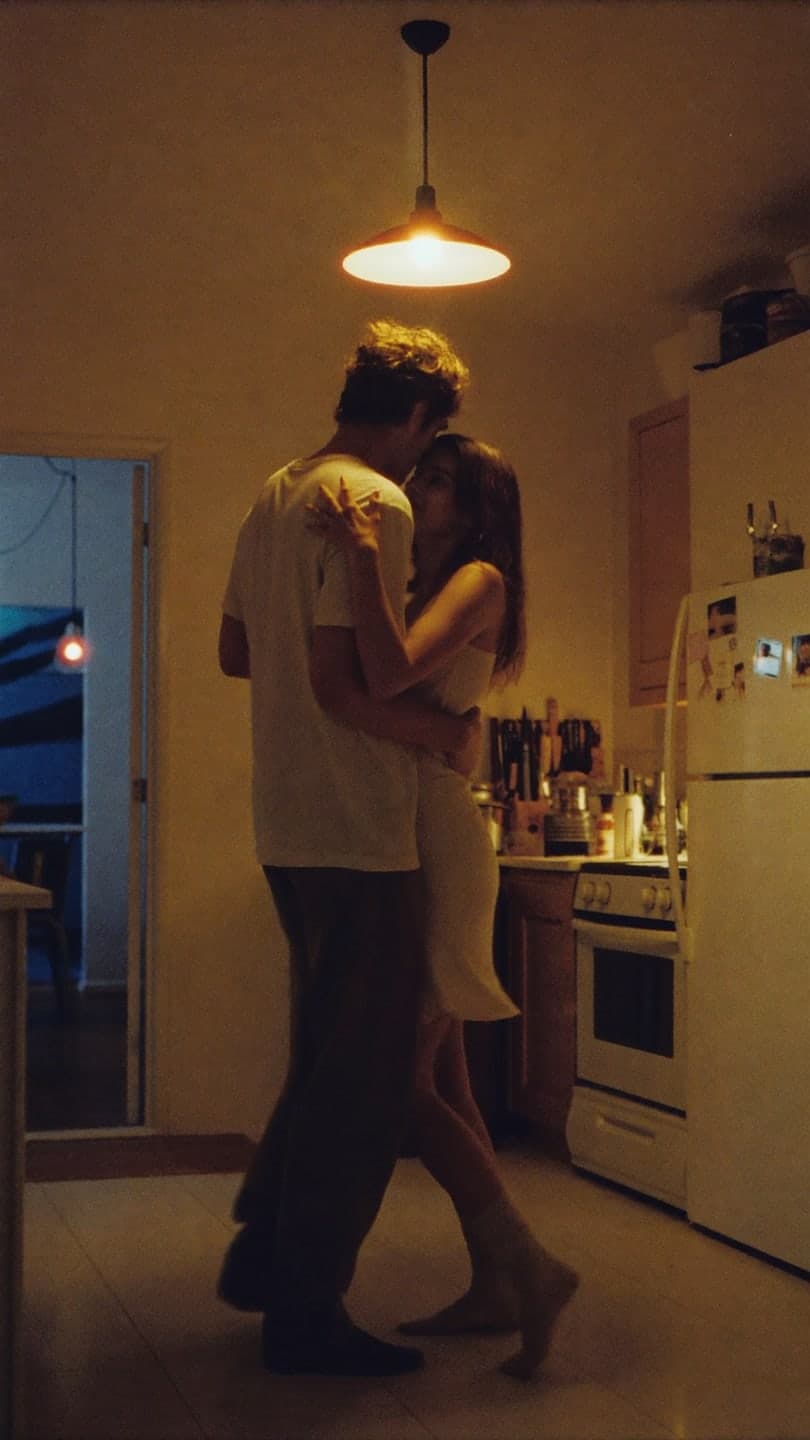 Kitchen slow dance
1 Pick a look · optional
We put you into this example — everything else stays as it is — then it moves like the example, at no extra cost.
Failed renders refund credits
What can an AI couple video app do?
Couple content is one of the most shared kinds of post: anniversaries, soft launches, date nights, holidays and long-distance check-ins. An AI couple video app takes a photo of the two of you and turns it into a short moving clip, either by animating the photo itself or by rebuilding the scene so you appear somewhere new, like a rooftop at sunset or a carnival at night.
To be clear from the start: Dromana is our product and it's on this list. We've tried to describe each tool by what it does best, including where something else is the better pick.
Which AI couple video apps are best?
- Dromana: realistic couple scenes from one photo of you both, like slow dances, photo booths and holiday dates.
- Hedra: turns a portrait into a talking or singing clip, good for voice notes and inside jokes.
- Viggle: puts the two of you into a dance or motion template for meme edits.
- Pika: quick, playful effects such as hearts, inflating or melting for funny posts.
- Canva: anniversary slideshows, captions and stories built around your clips.
- Luma Dream Machine: slow, cinematic motion if you want a dreamy, film-like shot.
Try this look on your own photo.
Make it with my photoWhich couple scenes work best with AI?
Scenes with simple, close contact and a clear mood come out most convincing: you're facing each other, leaning in or side by side. Fast, complicated movement, like spinning dips, is where AI still gets hands and limbs wrong. These Dromana looks are built for two people:
- Kitchen slow dance: swaying together in warm evening light.
- Photo booth couple: a four-frame strip with flash and goofy poses.
- Ferris wheel: a carnival date with city lights behind you.
- Mistletoe couple: a holiday kiss with fairy lights.
- Rooftop sunset: golden hour above the city.
- Sunset wedding: an anniversary or engagement-style shot.
A look video uses 70 credits. New accounts get 70 free credits with no card, so you can make one couple clip before paying anything.
What kind of photo should we use?
Use one photo with both of you in it rather than two separate selfies. Faces should be clear, roughly the same size, and not covered by hands, hair or sunglasses. Even light matters more than a nice background, because the background gets replaced. A photo taken at arm's length or by a friend from chest up works better than a full-body shot from far away.
- Both faces visible and in focus.
- No one cropped at the edge of the frame.
- Soft, even light, like daylight near a window.
- Avoid heavy filters; they confuse skin tone and identity.
How do couples use these clips?
- Soft launch: a clip where your partner is partly turned away or out of focus.
- Anniversary post: three or four scenes cut together, oldest photo first.
- Long distance: a scene of the two of you together that you can't take in real life yet.
- Holidays: a mistletoe or Christmas lights clip for December.
- Valentine's Day: see our best AI Valentine's Day video apps for more ideas.
For still photos rather than clips, our couple photoshoot ideas guide has poses and themes that also work as source photos.
Is it OK to make AI videos of my partner?
Ask first. It's their face too, and some people don't want AI versions of themselves posted, even cute ones. Never make clips of an ex or of anyone who hasn't agreed, and don't post scenes that could embarrass them later. Platforms ask you to label realistic AI content; our guide to labeling AI content explains how. Dromana doesn't use your photos to train a public model, and you can delete your uploads and results at any time.
Which couple video app should we pick?
- A realistic scene of you both somewhere new: Dromana.
- Making you both talk or sing: Hedra.
- A dance meme: Viggle.
- A silly effect: Pika.
- A finished anniversary slideshow: Canva.
Start with a photo of the two of you in AI Video, or try the make a photo move page for a gentle animation of the original.
Questions people ask
What is the best AI couple video app?
For realistic scenes of you both from one photo, Dromana; for talking clips, Hedra; for dance memes, Viggle; for silly effects, Pika.
Can AI make a video of two people from one photo?
Yes. Use a clear photo with both faces visible; couple looks rebuild the scene around you both.
Can I make a couple video for free?
Dromana gives 70 free credits on sign-up, enough for one couple look video, plus 35 more each day you visit.
Why does the AI mix up our faces?
Faces that overlap or are very close together confuse it. Use a photo where each face has its own space.
Should I ask my partner before posting an AI video?
Yes. It's their likeness too; only post clips they've agreed to.
What couple trends work well with AI?
Slow dances, photo booth strips, carnival dates, holiday kisses and sunset anniversary shots.
Effects from this guide

Keep reading
 Couple photoshoot ideas: 30 natural poses and date-night setups4 min read
 Best AI Valentine's Day video apps: love notes, couple clips and cards4 min read
 Best AI wedding video apps: save-the-dates, invites, recaps and anniversaries4 min read
 The kiss cam AI trend: put yourself on the big screen at a concert4 min read
 Halloween TikTok trends 2026: what's blowing up and how to make each one9 min read
Ready to make yours?
Add one photo and get the look from this guide.